
A digital clock spy camera combines an everyday clock design with a concealed camera, allowing it to fit naturally into many indoor settings. Its usefulness depends on more than appearance, however. Video quality, storage, power, low-light performance, motion detection, and secure remote access all affect how well the device works for legitimate monitoring.
Because this type of product is designed to be discreet, use it responsibly. Recording people without their knowledge may violate privacy laws or workplace, rental, or household rules. Before installing one, check the requirements that apply where you live and obtain consent when necessary.
Discreet clock-style design
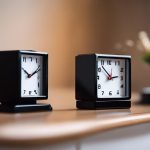
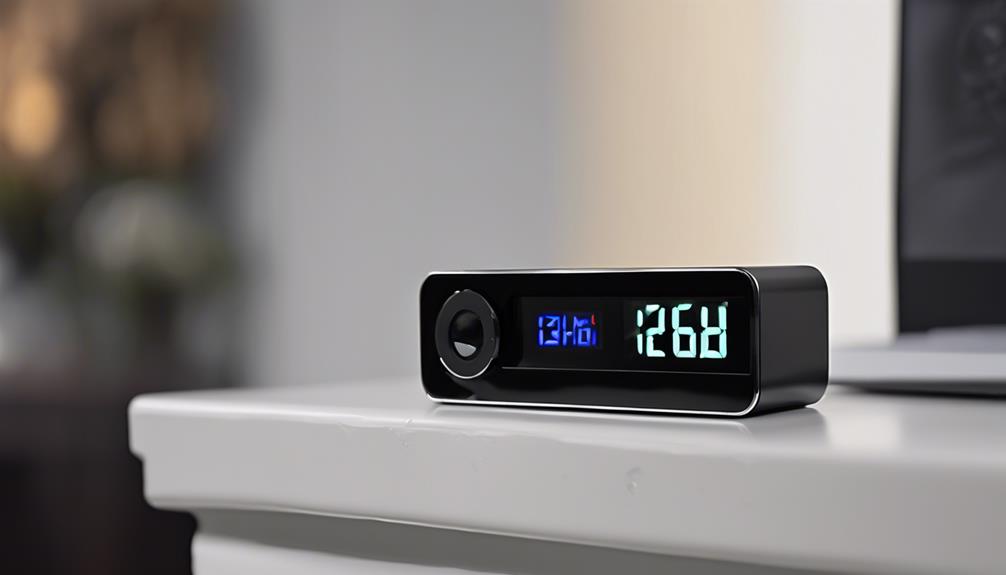
The camera is built into the body of a digital clock rather than presented as a conventional security camera. This can make the device less visually intrusive in a room and may help it blend with other furnishings. Its compact form also gives you flexibility when choosing an indoor location with a suitable view.
Placement still matters. The clock needs a stable surface, an unobstructed lens, and a useful angle toward the area being monitored. Check whether the display, power cable, or nearby objects block the lens. A discreet appearance should not be confused with unlimited coverage: the camera can only record what falls within its field of view.
Video recording and storage
Video resolution determines how much detail appears in recorded footage. Models described as high definition can produce clearer images than basic cameras, but the actual result also depends on lighting, lens quality, movement, and the camera’s viewing angle.
Storage capacity is another important consideration. Some digital clock cameras save footage to internal memory, while others accept a removable memory card. Review the product’s supported capacity and recording format before buying. Higher-resolution video uses more space, so a device may retain less footage when recording continuously than when using motion-triggered recording.
If audio recording is available, treat it as a separate privacy issue. Audio laws can be stricter than video rules in some locations, so confirm that recording sound is permitted before enabling the feature.
Motion-activated recording
Motion detection allows the camera to begin recording when movement is identified within its detection area. This can reduce periods of empty footage and help conserve storage and battery power compared with continuous recording.
Adjustable sensitivity is useful because every room has different conditions. A setting that is too sensitive may trigger recordings from minor changes or movement outside the intended area. A setting that is too low may fail to capture relevant activity. If the device offers detection zones or adjustable recording duration, use those controls to limit unnecessary clips and improve the usefulness of saved footage.
Infrared night vision
Infrared night vision is intended for low-light or dark environments. Infrared illumination is generally not visible to the human eye, while the camera sensor uses it to produce a view in monochrome or reduced-color conditions. This can support monitoring after the room lights are turned off.
Night-vision performance varies by model and surroundings. Reflections from windows, mirrors, or nearby surfaces can affect the image, and complete darkness may still produce less detail than daytime recording. Test the clock in its intended position during both daylight and nighttime conditions rather than assuming that the feature will cover every situation.
Remote viewing from a smartphone
Some models connect to a smartphone application, allowing you to view a live feed, review stored clips, take snapshots, or change selected settings remotely. This can be convenient when you need to check a room without being physically present.
Remote access also creates security responsibilities. Use a strong, unique password, secure the home or office network, and limit account access to trusted users. Keep the application and camera software updated when updates are provided. Disable remote functions if you do not need them, and review account and sharing settings regularly to reduce the risk of unauthorized viewing.
Power and everyday operation
Battery capacity affects how long the clock can operate away from a power outlet, while continuous recording, night vision, motion alerts, and live streaming can increase power consumption. A plugged-in setup may be more practical for extended monitoring, but the cable should be positioned safely and should not obstruct the camera’s view.
Before relying on the device, test recording, playback, motion detection, night vision, storage, and remote access in the exact location where it will be used. A short test can reveal problems with the viewing angle, wireless connection, memory capacity, or power supply before they affect an important recording.
Choosing the right feature set
A digital clock spy camera may offer a convenient combination of discreet design and security functions, but no single feature guarantees effective monitoring. Prioritize the capabilities that match your purpose: dependable video quality, suitable storage, motion-triggered recording, low-light support, stable power, and protected remote access. Responsible placement and respect for privacy are equally important parts of using the device safely.