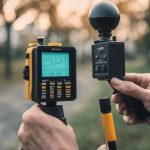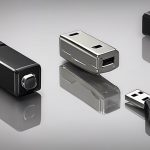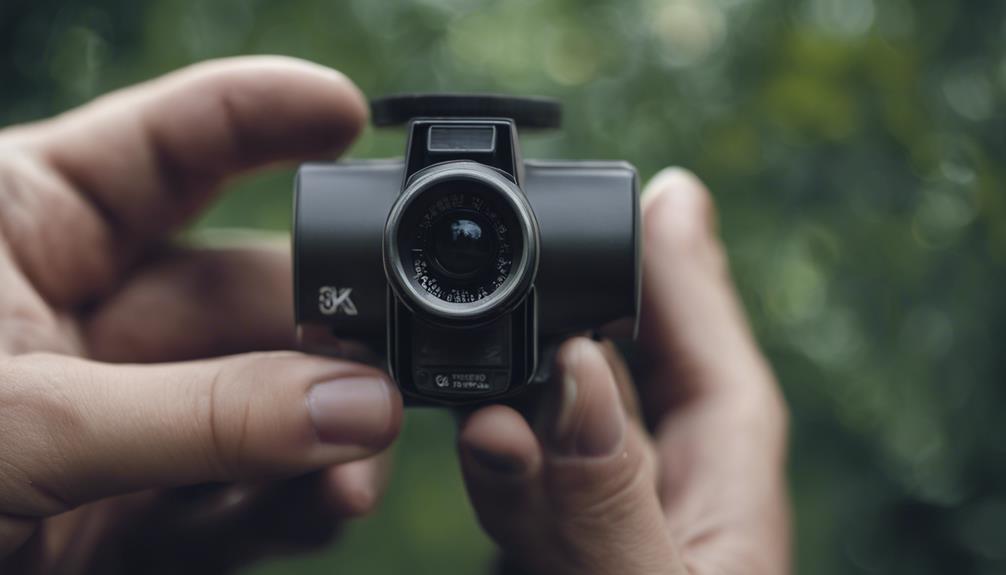

Searching for security cameras nearby can make it easier to compare equipment, get installation help, and start protecting a home or business without waiting for delivery. The best choice depends on the area you want to monitor, the type of connection available, your storage needs, and the privacy rules that apply to your location. Explore practical monitoring applications to understand how discreet devices complement security cameras in nearby residential and business settings.
Why buy security cameras locally?
A nearby retailer or security installer can offer practical advantages that are difficult to get from a product listing alone. You may be able to inspect the camera’s size, lens, mounting options, and image quality before buying. Local staff may also help you compare compatible recorders, memory cards, power supplies, and mobile applications.
Local purchasing can also simplify returns, exchanges, warranty questions, and installation. This is useful when you need a system quickly or when a property has unusual walls, limited power outlets, poor Wi-Fi coverage, or several entrances that require different camera positions.
Where to find surveillance cameras nearby
Search for a surveillance camera store near you, check electronics and hardware retailers, or contact a local security service provider. Some businesses sell individual cameras, while others supply complete CCTV packages and can install or configure them.
Before visiting a store, make a short list of the areas you want to monitor. Consider front and back doors, driveways, reception areas, stockrooms, hallways, or other locations where security incidents are most likely. This helps you compare equipment based on a real coverage plan rather than choosing only by price.
Features to compare before buying
Whether you need one camera or a full set of security cameras, compare the features that affect everyday use:
- Image quality: Choose a resolution and viewing angle suitable for the distance and size of the area being monitored.
- Night performance: Check whether the camera provides useful images in low light and whether nearby lighting will affect the view.
- Storage: Determine whether recordings use a memory card, a local recorder, cloud storage, or a combination of methods.
- Power: Wired models provide continuous power, while battery-operated cameras may be easier to place but require charging and maintenance.
- Connectivity: Confirm that a wireless camera will work reliably with the property’s Wi-Fi network and that the mobile app is compatible with your devices.
- Weather protection: Outdoor cameras need construction and mounting hardware suited to the conditions where they will be installed.
- Support and returns: Ask about warranty coverage, replacement parts, installation services, and the return policy.
Wired, wireless, and hybrid camera systems
Wired systems
Wired cameras are often a strong option for permanent installations and areas that need dependable power or a stable network connection. Installation may take more planning because cables must be routed and protected, but the result can be well suited to continuous monitoring.
Wireless systems
A wireless camera can be convenient for a rental property, temporary project, or location where running cable is difficult. However, wireless equipment still needs reliable power, and its performance depends on network coverage and interference levels. Battery models also need a schedule for recharging or replacement. Readers comparing nearby security options can explore a four-camera wireless setup for broader property coverage.
Hybrid coverage
A hybrid setup combines wired and wireless cameras. For example, wired units may cover main entrances while a wireless model monitors a location that is difficult to cable. Check that all devices can be managed together if central viewing or recording is important.
Placement and responsible monitoring
Install cameras where they have a clear view of the areas that matter most, such as entry points and shared business spaces. Avoid positioning them where walls, glare, foliage, or other objects create unnecessary blind spots. Test the view during both daytime and nighttime conditions, and review motion settings so storage is not filled with irrelevant alerts.
Security cameras should not be used to record places where people reasonably expect privacy, such as bedrooms, bathrooms, or private changing areas. In homes and workplaces, clear communication about monitoring can help prevent misunderstandings. For business installations, visible notices may be required depending on local rules and the type of recording involved.
Privacy and legal considerations
Camera laws vary by location. Audio recording can be subject to stricter consent requirements than video, and covert monitoring may be unlawful in private spaces or in circumstances where people have a reasonable expectation of privacy. Before installation, review the rules that apply to your home or business and obtain any required consent or notices.
If the intended use involves employees, tenants, guests, caregivers, or shared property, consider asking a qualified legal professional about the appropriate setup. A local retailer can explain product functions, but legal compliance depends on the circumstances and jurisdiction.
Make a practical local buying plan
Start by mapping the areas that need coverage, then visit a nearby retailer or installer with that information. Compare the camera’s image quality, power requirements, storage method, connectivity, warranty, and total installation cost. Choosing equipment that fits the property—and using it openly and lawfully—will provide more dependable security than selecting a camera based on proximity alone.