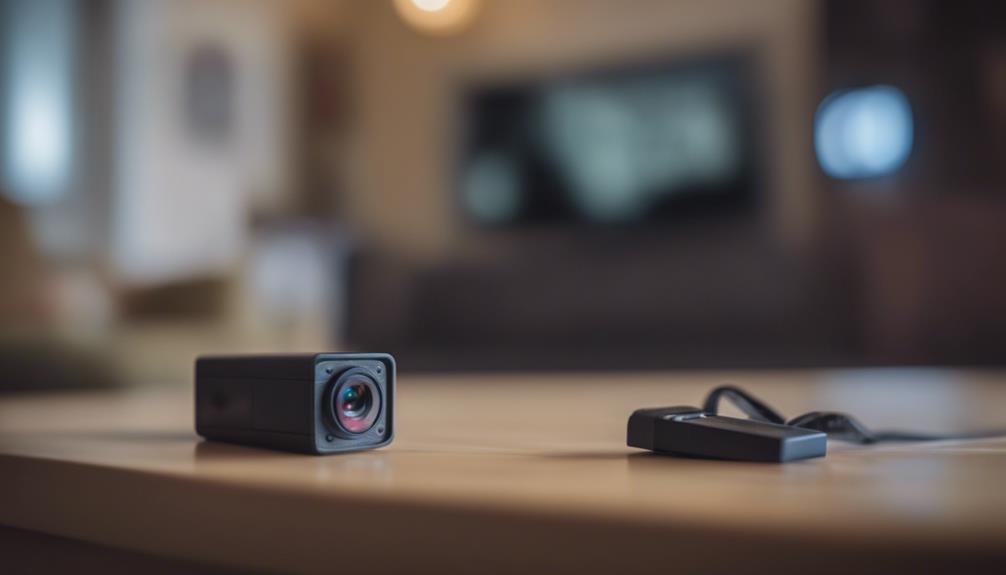

A four-camera wireless security system can provide practical coverage for a home, rental property, office, or small business without the complexity of a larger installation. With careful planning, four cameras can monitor the areas that matter most—such as entrances, driveways, common rooms, garages, stockrooms, or loading areas—while keeping equipment and cabling relatively unobtrusive. A four-camera wireless setup can complement discreet monitoring options across homes, offices, and other security-sensitive environments.
Wireless does not mean completely wire-free. Most cameras still need a power source, and battery-powered models require periodic charging or replacement. The wireless connection usually refers to how video travels to a recorder or network. Understanding that distinction helps you choose a system that is convenient without sacrificing dependable recording.
What four cameras can cover
The best layout depends on the property, but a four-camera kit is often suitable for four priority zones. A typical arrangement might include:
- A front door, lobby, or main entrance
- A driveway, side gate, or rear access point
- A garage, storage area, or equipment zone
- A central indoor area, stockroom, or secondary entrance
Before buying, walk around the property and identify likely approaches, valuable equipment, areas with poor visibility, and locations where lighting changes throughout the day. Four well-positioned cameras are generally more useful than several cameras aimed at the same space.
Features worth comparing
Image quality and low-light performance
Choose image quality that matches the distance and detail you need. A camera watching a nearby doorway may not require the same capabilities as one covering a driveway. Night vision, infrared illumination, and wide dynamic range can improve footage in dark areas or scenes with bright windows and outdoor light. Test or review the camera’s expected viewing angle as well as its resolution; a wide image can cover more space but may show less detail at a distance.
Motion detection
Adjustable motion zones help reduce alerts caused by passing traffic, trees, or other irrelevant movement. Detection settings should be tailored to each camera. For example, an entrance may need sensitive alerts, while a camera facing a busy street may benefit from a narrower activity zone. If the system offers person or vehicle filtering, treat it as an aid rather than a guarantee and review important events manually.
Recording and remote access
A Wi-Fi security camera kit may store clips in the cloud, on local memory, or through a dedicated recorder. A system with a digital video recorder (DVR) or network video recorder (NVR) can provide centralized local storage and may continue recording even when internet access is unavailable, depending on its design. Remote viewing is convenient, but it should not be the only way to retrieve important footage.
Check how long the system can retain recordings, whether storage is expandable, and whether it supports continuous recording, scheduled recording, motion-triggered clips, or a combination of these options. For a four-camera wireless setup, compare Arlo camera reviews to assess coverage, app features, and reliability.
Wireless installation and reliability
Wireless cameras are easiest to install when the signal path is short and unobstructed. Walls, metal structures, distance, and interference from other devices can reduce reliability. Before permanently mounting a camera, place it in the intended position and confirm that it maintains a stable connection at different times of day.
Battery-powered cameras can be placed with fewer visible cables, but they need regular maintenance and may record differently from continuously powered models. Wired power or Power over Ethernet can provide more consistent operation, although the cable route must be planned. Keep any recorder in a secure, ventilated location rather than directly beside equipment that produces excessive heat.
Use strong, unique account credentials, enable multi-factor authentication when available, install security updates, and protect the home or business network with a secure password. These steps matter as much as camera placement because unauthorized access can expose both live views and stored recordings.
Discreet placement without invasive surveillance
A low-profile installation can reduce tampering and help equipment blend into its surroundings, but concealment should never be used to record private activity without lawful authorization. Keep lenses unobstructed and position them to capture relevant entrances, property boundaries, or work areas rather than bedrooms, bathrooms, changing areas, or other places where people reasonably expect privacy.
Avoid placing cameras inside ordinary objects in a way that misleads people about whether recording is taking place unless you have confirmed that the arrangement is lawful and appropriate. In workplaces, rental properties, and shared homes, notice or consent may be required. Short-term rental rules and local recording laws can also impose additional restrictions.
Before you install
- List the four areas that need protection and rank them by importance.
- Check power availability, Wi-Fi strength, and nighttime lighting at each location.
- Decide whether local recording, cloud storage, or both fit your needs.
- Configure motion zones and notification schedules after installation.
- Limit access to authorized users and retain footage only as long as necessary.
- Review applicable privacy, consent, employment, tenancy, and property-recording rules.
The right four-camera wireless security system balances coverage, dependable recording, straightforward maintenance, and respect for privacy. A simple coverage plan, secure configuration, and lawful camera placement will do more to improve security than choosing the largest feature list.