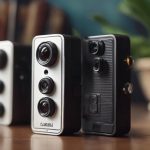

Lightbulb spy cameras are compact security cameras built into a bulb-shaped housing. They are designed to fit into a compatible light socket while combining ordinary illumination with video monitoring. Because the camera is integrated into the bulb casing, the device can be less visually noticeable than a standalone indoor camera.
Despite the name, these products should not be treated as suitable for secret recording by default. Recording people without their knowledge may violate privacy laws and workplace, rental, or building policies. Use any camera only where monitoring is lawful, proportionate, and properly disclosed when required.
How a lightbulb camera works
A typical model contains several elements inside or around the bulb housing:
- Camera sensor and lens: These capture still images or video. The lens is usually positioned in the lower or side portion of the housing.
- LED lighting: The bulb provides illumination while the camera operates. Brightness, colour temperature, and dimming support vary by model.
- Wireless hardware: Many models use Wi-Fi to send live video to a mobile app or save recordings to an online account.
- Motion detection: Software can identify movement and begin recording or send an alert.
- Infrared components: Some cameras use infrared illumination to produce monochrome video in darkness or very low light.
- Power and control electronics: The camera receives power from the light socket, while the app manages settings, viewing, and notifications.
Features and performance differ substantially between products. A lightbulb camera may look like a conventional bulb, but its camera angle, image quality, wireless range, app support, and storage options determine whether it is useful for a particular room.
Installation and initial setup
Installation is usually similar to fitting a standard screw-in bulb, but compatibility should be checked first. Confirm the socket type, voltage requirements, physical clearance, and whether the fixture can support the device’s weight. Some products are intended for indoor use only, while others may have a stated level of weather protection.
- Turn off power before installing the device in the socket.
- Fit the camera securely without forcing the threads or obstructing its lens.
- Restore power and install the manufacturer’s mobile application.
- Follow the app’s pairing instructions and connect the device to the supported Wi-Fi network.
- Change any default password and enable available account security features.
- Adjust the viewing angle, lighting settings, motion zones, and notification preferences.
Many products work only with particular Wi-Fi bands or require the phone and camera to be on the same network during setup. If pairing fails, check the network band, signal strength, app permissions, and the instructions supplied with the device rather than repeatedly resetting it.
Recording, storage, and remote viewing
Lightbulb cameras may support continuous recording, motion-triggered clips, snapshots, or live viewing. Motion-triggered recording can reduce the amount of stored video, but sensitivity settings may need adjustment. Pets, moving curtains, changing light, and traffic outside a window can produce unwanted alerts.
Storage commonly falls into one or more of these categories:
- Local storage: A supported memory card can keep recordings at the camera, although footage may be lost if the device is removed or damaged.
- Cloud storage: Recordings are uploaded to a remote service for access from other devices. This may require an account or subscription, and the provider’s retention and privacy terms should be reviewed.
- Phone or computer downloads: Some apps allow selected clips to be saved locally for later reference.
Remote access is convenient, but it increases the importance of account and network security. Use a unique password, install firmware and app updates, secure the home router, and avoid sharing access credentials. Encryption may be offered, but the exact protection depends on the product and its service.
Night vision and motion detection
Night vision quality depends on the sensor, infrared illumination, lens, and the amount of ambient light. A camera may provide useful footage in darkness but show less detail at longer distances. Reflective surfaces, glass, and nearby walls can also affect infrared images.
Look for adjustable motion sensitivity and activity zones. These controls can limit alerts to a doorway, hallway, or other relevant area instead of the entire field of view. If the camera is connected to a light, consider whether motion-triggered lighting is appropriate for the space and whether frequent activation will be disruptive.
Privacy and responsible use
Before installing a lightbulb camera, decide exactly what area needs monitoring and avoid capturing private spaces that do not require surveillance. Do not point the camera into neighbouring homes, changing areas, bathrooms, or other places where people reasonably expect privacy. Inform household members, employees, guests, or tenants when applicable, and check local rules concerning audio recording, consent, signage, and retention of footage.
Finally, compare the camera’s field of view, image quality, storage costs, app reliability, security controls, and socket compatibility—not just its concealed appearance. A well-positioned, clearly authorised camera with dependable updates and secure storage is generally more useful than a feature-heavy device that is difficult to protect or operate lawfully.