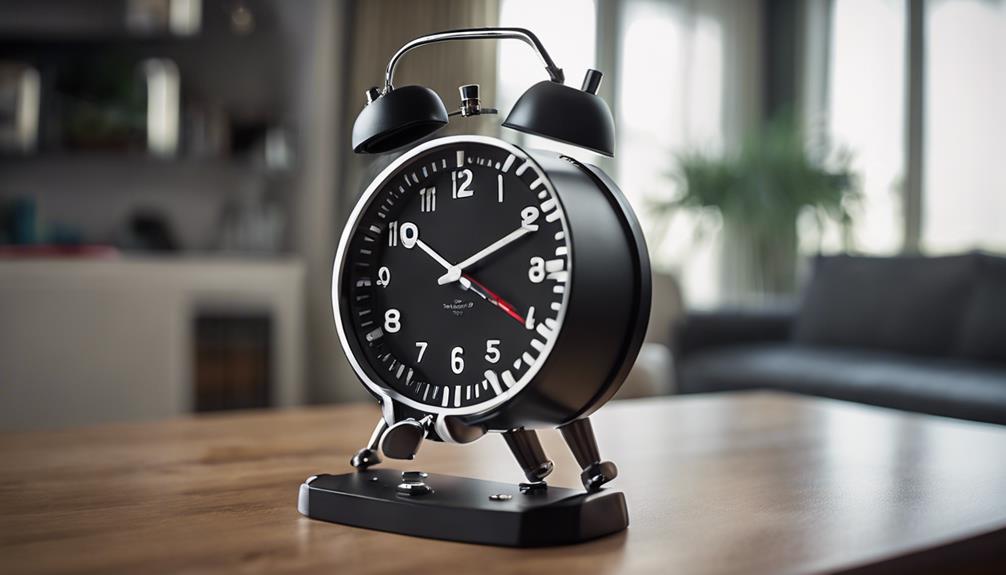

A spy camera clock with audio combines an everyday timepiece with video recording and, in some models, sound capture. Because these devices are designed to blend into their surroundings, they require more careful consideration than a conventional security camera. Image quality, recording controls, privacy protections, and local laws should all be part of the buying decision.
1. Choose a Design That Fits the Space
The main purpose of a camera clock is to avoid looking out of place. A practical design should resemble the type of clock normally found in the room, with a clear display and controls that are not unnecessarily conspicuous. Consider where the clock will be positioned and whether its camera lens has an unobstructed view of the area you need to monitor.
Appearance alone is not enough. Check whether the clock needs continuous power, how its cables can be arranged, and whether the display remains readable in both bright and dim conditions. A device that is difficult to position or constantly requires adjustment may be less useful than a visibly conventional security camera.
2. Prioritise Clear Video and Responsible Audio Recording
Video quality determines whether recorded footage will be useful. Look for information about the camera’s viewing angle, low-light performance, storage method, and recording resolution. A wide viewing angle may cover more of a room, while a narrower angle can provide a more focused view. The right choice depends on the intended location and the distance between the clock and the area being observed.
Audio deserves particular caution. Recording conversations can be subject to stricter privacy and consent rules than recording images, and the requirements vary by location. Before enabling an audio function, understand the laws that apply where the device will be used. Do not use audio recording to capture private conversations without the required permission.
- Confirm whether audio can be disabled when it is not needed.
- Check how recordings are stored and who can access them.
- Review whether the device displays an indicator when recording is active.
- Avoid placing the camera in private areas such as bathrooms or bedrooms used by guests.
3. Look for Motion Detection and Practical Storage
Motion detection can help the clock record only when activity occurs instead of producing one long, difficult-to-review file. It may also reduce storage use and make important events easier to locate. Before buying, check whether motion sensitivity can be adjusted. A fixed setting may result in missed activity or excessive recordings caused by lighting changes, pets, or ordinary background movement.
Storage options are equally important. Some devices use removable media, while others rely on internal storage or a connected application. Review the recording format, estimated storage capacity, overwrite behaviour, and ease of transferring files. If the clock automatically deletes older recordings when storage is full, understand that setting before relying on it for an important monitoring purpose.
Remote Monitoring: Convenience and Security
Some camera clocks provide remote access through a smartphone, tablet, or computer. Remote viewing can be useful when you are checking on a property you own or manage, but it introduces additional account and network security concerns. Features such as live viewing, alerts, and remote playback should be balanced against the risk of unauthorised access.
Use a strong, unique account password and enable additional security controls when available. Keep the device’s software and connected application updated. Avoid sharing login details, and review which users or devices are authorised to view the camera. If remote access is unnecessary, disabling it can reduce the number of ways the footage could be exposed.
Use Covert Cameras Within Legal and Ethical Limits
A discreet appearance does not remove the need for consent. Use a camera clock only for a legitimate purpose, such as monitoring property you control, and inform people when notification or consent is required. Rules may differ for video and audio, especially in homes, workplaces, rental properties, and shared spaces.
Before installation, define what you need to monitor, how long recordings should be retained, and who may review them. For many situations, a clearly visible security camera or a door sensor may provide protection with fewer privacy concerns. The best device is not simply the least noticeable one; it is the option that provides appropriate security while respecting the people who may be recorded.