
Remote CCTV allows you to monitor a property without being there in person. Depending on the system, you can watch live video, review recorded footage, receive motion alerts, and adjust the camera from a phone, tablet, or computer. These capabilities make remote surveillance useful for homes, businesses, rental properties, and sites that are checked by caretakers.
A well-designed system should do more than provide access to a live stream. It should record reliably, protect stored footage, continue working when conditions change, and be used in a way that respects privacy and applicable law.
How remote CCTV works
A remote CCTV setup connects one or more cameras to a local network or another private connection. Video is then sent to a recorder or cloud service, allowing authorised users to access the system away from the property.
Camera types vary according to the site and monitoring requirements:
- Fixed cameras: Provide a consistent view of a doorway, room, driveway, or other defined area.
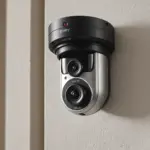
- Pan, tilt, and zoom cameras: Allow an operator to change the viewing direction or magnification remotely.
- Wireless cameras: Can be convenient where running cable is difficult, although their performance depends on signal quality and network reliability.
- PoE cameras: Use a network cable for data and power, which can provide a more stable connection when suitable cabling is available.
Motion detection can trigger notifications when activity is detected. This helps users focus on events rather than watching a continuous feed, but detection zones and sensitivity need to be adjusted to reduce unnecessary alerts.
Common uses for remote surveillance
Remote monitoring can help homeowners check entrances, observe activity around a property, or confirm that an expected visitor has arrived. Businesses may use CCTV to review incidents, monitor access points, and support loss-prevention procedures. Property managers and caretakers can use remote video to check sites between visits, while families may use cameras to keep an eye on shared areas when caring for an older relative.
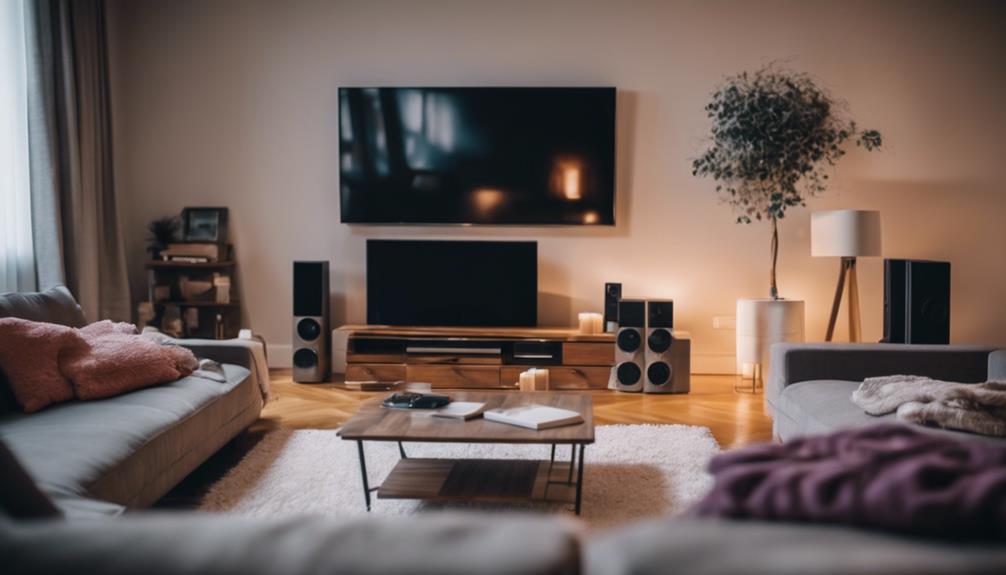
Some people consider discreet camera placement for security or investigative purposes. However, concealment does not remove privacy obligations. Cameras should never be placed in areas where people reasonably expect privacy, such as bathrooms or changing rooms. In workplaces, rental properties, and shared homes, clear policies and appropriate notice may be necessary.
Features worth comparing
The right remote surveillance camera depends on what must be seen, how often footage will be reviewed, and how dependable the network is at the location. Important features include:
- Image quality: Select a resolution and lens suited to the distance and detail required. Low-light performance is particularly important for entrances and outdoor areas.
- Coverage: Pan and tilt functions can provide flexibility, while multiple fixed cameras may offer more dependable coverage of critical areas.
- Audio: Two-way audio may allow an authorised user to speak with someone near the camera, where this is appropriate and lawful.
- Storage: Cloud recording supports remote access and off-site storage, while local recording may reduce ongoing subscription costs. A hybrid arrangement can provide both local copies and additional backup.
- Alerts: Motion notifications are useful when configured carefully. Excessive alerts can cause important events to be overlooked.
- Power: Check whether the camera uses mains power, batteries, or Power over Ethernet, and plan for interruptions or battery replacement.
Protecting remote access
Remote CCTV creates an access point to video and possibly audio from inside or around a property. Replace default passwords with strong, unique credentials and enable multi-factor authentication when it is available. Keep camera, recorder, and router software updated, and limit access to people who genuinely need it.
Encrypted connections help protect video while it is being transmitted. It is also important to review user permissions, remove former users, and secure any phone or computer used to access the system. If footage is stored in the cloud, understand how long it is retained and who can retrieve it. Local recording should also be protected against unauthorised physical access.
Installation and reliability
Position cameras to capture useful angles without unnecessarily recording neighbouring properties, public areas, or private spaces. Mount equipment securely, keep lenses clear, and make sure concealment does not block ventilation, wireless signals, microphones, or motion sensors. For outdoor installations, power and weather exposure deserve particular attention.
Network quality affects both live viewing and remote camera control. High-resolution video requires more bandwidth, while a weak connection can cause delays or interruptions. Test the system from the locations where it will actually be used. Where wireless performance is inconsistent, improve the network path or consider a wired connection.
Maintenance and troubleshooting
Check the system regularly rather than waiting for an incident to reveal a problem. Confirm that cameras are recording, timestamps are correct, storage is available, and alerts still work. Recheck motion zones after furniture, lighting, landscaping, or camera positions change.
If remote access stops working, begin with the basics: verify power, check the router and internet connection, confirm account credentials, and inspect storage capacity. Review recorded footage periodically to ensure the frame rate, image quality, and audio meet the intended purpose. Regular checks help prevent unnoticed gaps in coverage.
Use CCTV responsibly
Remote CCTV is most effective when its purpose, access rules, storage arrangements, and privacy safeguards are decided before installation. Use the minimum coverage needed, inform people where appropriate, and follow local requirements for surveillance and recording. A secure installation, sensible maintenance routine, and clear boundaries can provide useful remote monitoring without treating privacy as an afterthought.