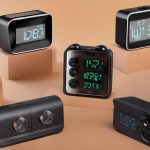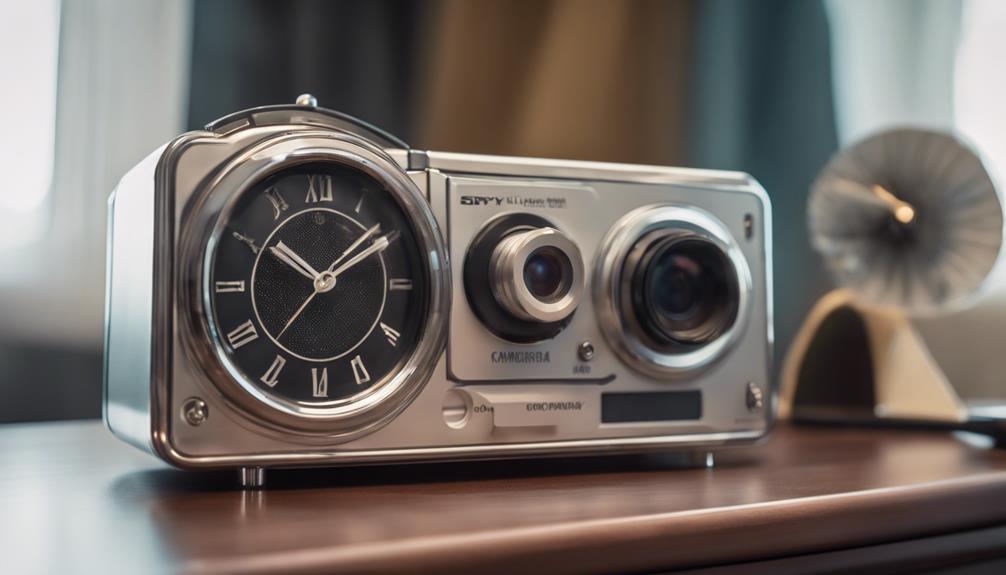

Spy camera clocks combine an everyday timepiece with a small camera for monitoring a room. Their discreet appearance can make them useful for lawful security purposes, but it also creates significant privacy and data-protection concerns. Rather than choosing a clock based only on appearance or a long feature list, consider image quality, storage, connectivity, power, and the rules governing recording where you live.
Important privacy and legal considerations
A hidden camera should never be used to record people where they reasonably expect privacy. Recording audio can be subject to additional restrictions, and rules may differ depending on your location and whether the people being recorded have been informed. Before buying or installing a camera clock, check applicable law and obtain consent whenever it is required.
Use the device only for a clearly defined, legitimate purpose. Inform household members, visitors, employees, or other affected people when disclosure is required. Avoid placing a camera clock in private areas, and protect recordings with strong passwords and secure storage.
Features worth comparing
Video resolution and lens coverage
Higher-resolution recording can make faces, objects, and events easier to identify, but resolution alone does not guarantee useful footage. Look for a camera with a clear image in the lighting conditions where it will operate. A wide viewing angle can cover more of a room from a fixed position, although very wide lenses may produce distortion around the edges.
Check whether the lens points in a suitable direction when the clock is placed on a shelf, desk, or nightstand. A camera with impressive specifications is of limited value if furniture, glare, or the clock’s position blocks the view.
Motion detection and recording modes
Motion detection can reduce unnecessary footage and conserve storage by recording only when movement is detected. It is particularly helpful when continuous recording would quickly fill a memory card. Before relying on this feature, check whether sensitivity can be adjusted and whether the camera records a short period before or after detected movement.
Continuous recording may be preferable when uninterrupted coverage is important. A loop-recording mode can automatically replace the oldest files when storage is full, but this also means that important footage may be overwritten. Save or export relevant recordings promptly.
Night vision and low-light performance
Night-vision clock cameras commonly use infrared illumination to capture black-and-white footage in darkness or dim conditions. Performance depends on the quality and range of the infrared system, the room layout, and reflective surfaces. Confirm that the night-vision mode suits the distance you need to cover rather than assuming that any infrared feature will provide the same results.
Wi-Fi, app access, and security
Wi-Fi connectivity may allow remote live viewing, settings changes, and access to recorded footage through a phone or computer. This is convenient, but it also introduces account and network-security risks. Look for secure login options and encrypted connections, then change any default password before using the camera.
- Use a unique, strong password for the camera account.
- Keep the app and device firmware updated when updates are available.
- Review which permissions the app requests.
- Choose local storage or cloud storage deliberately, based on privacy and access needs.
- Disable remote access if you do not need it.
Storage and battery life
Storage requirements depend on resolution, frame rate, recording length, and whether motion detection is enabled. A clock camera may save video to a memory card, an app, or an online service. Check how files are exported and whether recordings can be played on a standard computer or phone.
Battery-powered models can be easier to position, while mains-powered clocks are better suited to long-term operation. Treat battery-life claims as estimates because Wi-Fi use, night vision, and frequent motion events can increase power consumption. Make sure charging cables do not create a trip hazard or reveal an unsuitable installation.
How to choose the right clock camera
Start with the room, viewing area, and recording purpose rather than with the camera’s appearance. For occasional event recording, motion detection and loop recording may be useful. For remote checking, prioritize secure app access and reliable Wi-Fi. For dim rooms, examine night-vision performance. If audio is included, confirm whether it can be disabled and understand the additional privacy implications.
A clock camera should also function reliably as a clock. Look for an easily readable display, stable placement, straightforward controls, and a design that does not obstruct the lens. Avoid choosing a device solely because it appears inconspicuous: responsible placement, consent, and secure handling of footage matter more than discreet styling.
Responsible setup checklist
- Confirm that recording is lawful and disclose it where required.
- Position the camera only in an appropriate, non-private area.
- Disable audio unless it is lawful and genuinely necessary.
- Set a strong password and secure the connected network.
- Limit access to recordings and delete footage when it is no longer needed.
- Test motion detection, night vision, storage, and power before relying on the device.
The best spy camera clock is not simply the one with the highest resolution or the most features. It is the model that provides suitable coverage, dependable storage and power, secure access, and a clear lawful purpose for its use.