
Hidden cameras can be small, easy to disguise, and difficult to spot during a quick inspection. A camera detector can help identify possible surveillance devices by combining radio-frequency scanning, optical lens detection, and visual checks. Used systematically, these tools can support privacy checks in homes, hotel rooms, offices, and other personal spaces. A reliable camera detector is essential for identifying lens types used in small covert surveillance devices.
What is a camera detector?
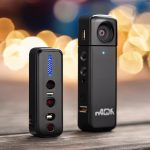
A camera detector is a device designed to help locate covert cameras and, in some cases, wireless microphones. Models vary considerably. Some detect radio signals from transmitting devices, while others use light to reveal the reflection from a camera lens. Combination units include both functions and may offer adjustable sensitivity, directional antennas, or frequency readouts.
No detector identifies every possible device. The most useful approach is to combine electronic scanning with careful observation and a physical inspection of suspicious objects.
How hidden-camera detectors work
Radio-frequency detection
Wireless cameras and microphones may emit radio-frequency signals when they transmit audio, video, or other data. An RF detector scans for these signals and can indicate that a transmitting device is nearby. Moving slowly and adjusting the detector’s sensitivity can help narrow down the location.
RF scanning has an important limitation: a wired camera or a device that is not transmitting may not produce a detectable signal. Wireless equipment can also be difficult to distinguish from ordinary electronics, such as routers and other connected devices.
Optical lens detection
Optical camera finders use a bright LED or another light source to create a reflection from a camera lens. Looking through the detector or its display while scanning from different angles may reveal a small, bright reflection that is otherwise hard to notice.
Lens detection is particularly useful when a camera is recording locally or is not sending a wireless signal. The method depends on seeing the lens reflection, so the result can be affected by the camera’s position, surrounding objects, and the angle of the scan.
Combination detectors
Multi-mode units combine RF scanning and lens finding. These are useful for people who want one portable device for different inspection methods. A combination detector still requires careful interpretation: a signal or reflection indicates an area that deserves closer examination, not automatic proof that a camera is present. Our exhaust fan checks explain how a camera detector can reveal concealed recording devices.
Where to check for hidden cameras
Begin with areas where a device would have a clear view of the room or a reason to be installed. Common objects to inspect include:
- Smoke alarms and smoke detectors
- Wall outlets, power strips, and USB chargers
- Clock radios and other small electronics
- Mirrors, decorative objects, and furniture
- Room corners and ceiling fixtures
- Objects positioned toward beds, changing areas, desks, or seating areas
Look for unexplained pinholes, extra openings, unusual wiring, loose faceplates, or components that appear inconsistent with the object. A suspicious feature is not necessarily a camera, so confirm it with additional checks rather than relying on appearance alone.
Step-by-step inspection method
- Start with a visual inspection. Examine the room slowly and note objects that have an unobstructed view or appear out of place.
- Reduce unnecessary electronic activity. Identify ordinary wireless equipment so its signals are not mistaken for a possible surveillance device.
- Use RF mode. Sweep the room gradually, changing the detector’s sensitivity when necessary. Follow stronger indications toward their apparent source.
- Switch to lens-finding mode. Scan suspicious objects from several heights and angles. Move slowly so a small lens reflection is easier to notice.
- Inspect likely hiding places directly. Pay particular attention to smoke alarms, outlets, chargers, mirrors, and objects facing private areas.
- Repeat the sweep. Check the room from another direction and review any areas where the two methods produce different results.
Using a detector at home, while traveling, or at work
At home, routine checks can focus on bedrooms, bathrooms, and other areas where privacy is especially important. In hotels and other temporary accommodation, inspect the room after arrival, concentrating on smoke detectors, clock radios, mirrors, USB chargers, and objects near the bed.
In an office, conference room, or private workspace, scan both the room and its ordinary electronics. If you suspect a camera but find no RF signal, use optical detection and a physical inspection instead. A non-transmitting or wired device may only be found through its lens, wiring, or unusual placement.
Limitations and practical precautions
There is no single method that guarantees detection of every hidden camera. RF scanners may miss wired or inactive devices, while optical finders can miss lenses that are blocked, poorly positioned, or difficult to view from the available angles. Electronic equipment in the area can also create signals that require further investigation.
For the best chance of finding a covert device, combine visual inspection, RF scanning, and lens detection. Work methodically rather than rushing, change your viewing angle, and treat detector alerts as leads that need confirmation. If a situation requires a high level of certainty, a professional security sweep may provide more specialized equipment and experience.
Choosing a camera detector
A basic lens finder may be suitable for occasional visual checks, while an RF detector is useful for locating transmitting devices. For broader coverage, choose a model that combines RF and optical modes and offers sensitivity adjustment. The right choice depends on whether you need a compact travel tool, a device for occasional home inspections, or a more advanced scanner for workplace use.