
A spy cam scanner can help identify hidden cameras and other covert recording devices in places where privacy matters, such as hotel rooms, short-term rentals, meeting rooms, and private offices. However, no single detector can find every type of camera. The most reliable approach combines careful visual inspection with the detection methods supported by your equipment. After using a spy cam scanner, learn about different spy camera types to recognize what each device may look like.
What a spy cam scanner can detect
Different scanners use different technologies, and each one has strengths and limitations:
- Lens detection: LEDs or laser-based lights can reveal the reflection from a camera lens, including small pinhole lenses that are difficult to see during a normal inspection.
- Radio-frequency detection: An RF scanner looks for wireless signals transmitted by cameras and other electronic devices. This can help locate active wireless cameras, although it may also detect ordinary electronics.
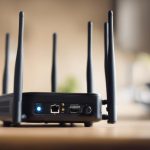
- Network scanning: Some devices inspect a local Wi-Fi network for unfamiliar connected equipment or signs associated with IP cameras.
- Thermal or magnetic detection: Certain specialist tools look for heat or magnetic changes produced by powered equipment. These features can be useful, but they do not prove that a device is a camera.
A scanner with several modes gives you more options when the camera type or installation method is unknown. It is still important to interpret alerts carefully rather than treating every signal or reflection as evidence of surveillance.
Common hidden camera types
Pinhole cameras
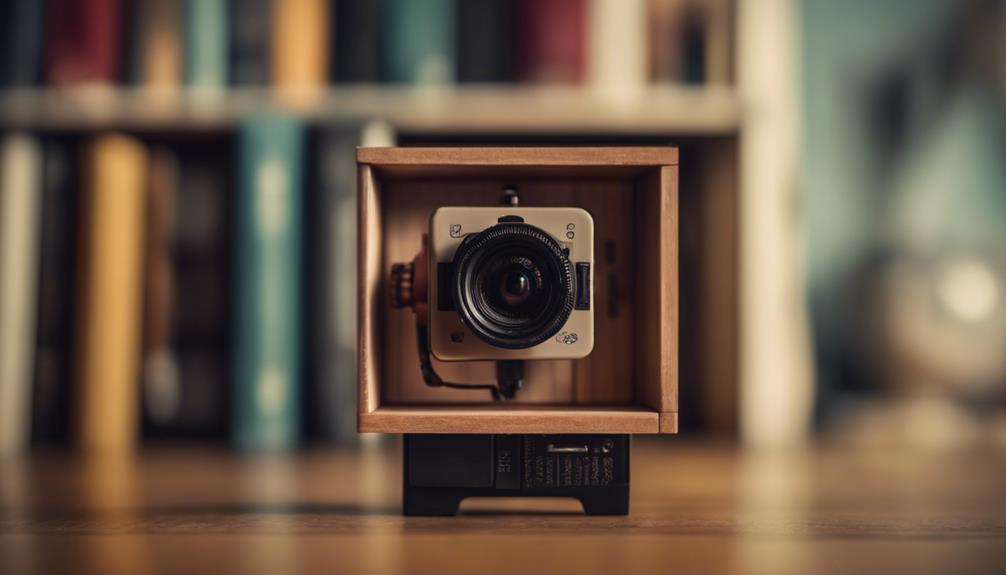
Pinhole cameras use a very small lens and may be concealed in smoke detectors, vents, picture frames, clocks, or other fixtures. Lens-finding mode is particularly useful for checking these objects. Move slowly and inspect anything that appears out of place or has an unexplained opening.
Clock and alarm clock cameras
Clock cameras are designed to blend into bedside or office equipment. They may be connected to mains power and, depending on the model, may transmit video over Wi-Fi. Check the device physically, look for unusual apertures, and use network detection if the scanner supports it.
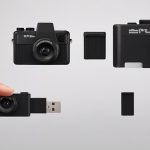
USB charger cameras
A camera hidden in a charger can be difficult to distinguish from an ordinary adapter. Examine the charger for an unexpected lens or opening and consider whether it belongs in the room. A powered device that becomes unusually warm may deserve closer inspection, although heat alone is not proof that it contains a camera.
Wearable or button cameras
Small cameras can also be integrated into clothing or accessories. These devices are usually difficult to identify with a room-wide visual search. Physical inspection and RF detection may help when the device is transmitting wirelessly. After using a spy cam scanner, review WiFi device checks to identify unfamiliar cameras connected to your network.
How to scan a room
- Inspect the space first. Look for objects that are newly placed, aimed toward a bed or seating area, connected to an unexplained power source, or positioned where a camera would have a clear view.
- Reduce visual distractions. Turn off unnecessary electronics where practical and dim the room. This can make reflections from camera lenses easier to notice.
- Use lens detection slowly. Sweep across walls, furniture, fixtures, vents, and suspicious objects from different angles. A reflection should be investigated rather than automatically classified as a camera.
- Run an RF sweep. Move around the room, including near furniture, curtains, walls, and power outlets. Adjust sensitivity if the detector allows it, since excessive sensitivity can create numerous false alerts.
- Check the local network when appropriate. If the scanner includes network features, review unfamiliar connected devices. A network scan may identify some Wi-Fi cameras, but it cannot find cameras that are offline, wired, configured to avoid discovery, or connected through another network.
- Repeat the check. Battery-powered or motion-activated devices may transmit intermittently. A second scan after some time can provide additional information.
Choosing a scanner
For occasional travel checks, portability, battery life, simple controls, lens detection, and RF scanning may be the most useful priorities. For offices, rental properties, or repeated inspections, a more advanced device with adjustable sensitivity, broader frequency coverage, network scanning, and a clear display may be appropriate.
Detection range and sensitivity should be considered together. A low-cost scanner may not detect weak or intermittent signals, while a highly sensitive device can respond to Wi-Fi equipment, phones, routers, and other everyday electronics. Choose a tool that lets you change modes and verify an alert instead of relying on a single reading.
Important limitations and responsible use
A wired camera may emit no detectable radio signal, and a concealed device may be difficult to identify without a thorough physical inspection. Network scanning also has limits, particularly when a camera uses a separate network or does not identify itself clearly. Consumer equipment should therefore be treated as a screening aid, not a guarantee that a room is free of surveillance.
Use detection tools only in spaces you are legally entitled to inspect. Laws concerning surveillance, network access, and handling suspected recording devices vary by location. If you find something suspicious, photograph and document it without unnecessarily touching or destroying it, then contact the property manager, responsible organisation, or appropriate authorities. For a high-risk situation, a qualified professional technical inspection may be more suitable than a consumer scanner.
Use scanners as part of a wider privacy check
A spy cam scanner is most useful when it supports a methodical inspection. Combine visual checks with lens detection, RF scanning, and network review when those options are available. Understanding what each method can and cannot detect will help you interpret results realistically and respond appropriately if a device appears suspicious.