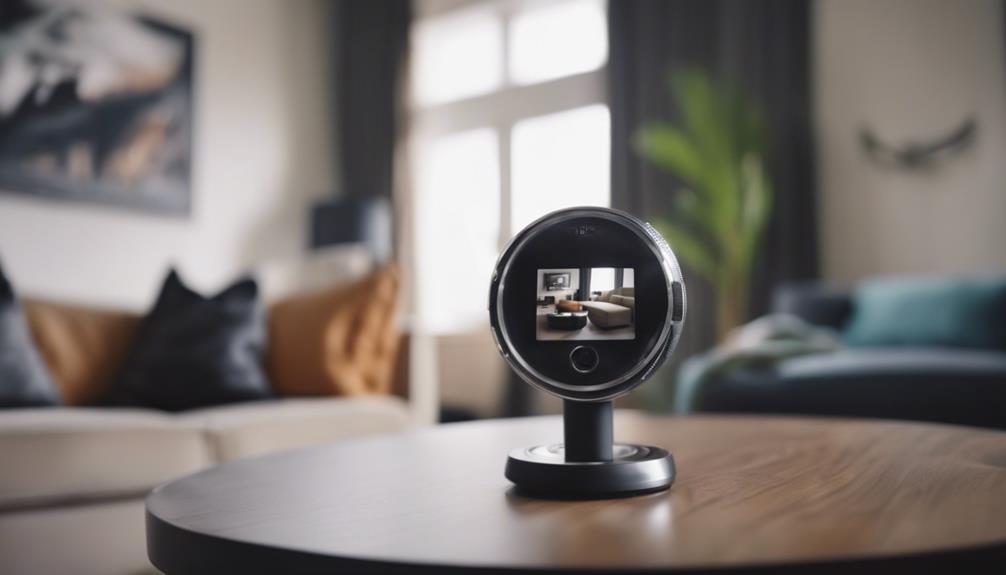

A mini spy camera app connects a compact camera to a phone, tablet, or computer for viewing and managing footage. Depending on the camera and software, the app may provide live streaming, motion alerts, recording controls, remote playback, and device settings. Because features vary widely, the best results come from matching the app to the camera’s connection method, power limits, storage options, and intended location. The Mini Spy Camera App supports configuration and features for compact device types across varied surveillance scenarios.
What a mini spy camera app does
Most companion apps are designed to make a small camera easier to configure and monitor. A typical app may allow you to:
- View a live video feed over Wi-Fi or another supported connection.
- Start, stop, or schedule recordings.
- Receive notifications when movement is detected.
- Save footage to a memory card, phone, computer, or supported cloud service.
- Adjust resolution, frame rate, night or low-light settings, and motion sensitivity.
- Manage more than one compatible camera from a single account.
- Use two-way audio when both the camera and app support it.
Not every camera includes all of these functions. Some models require a constant power source, while others rely on a small battery and may need lower-resolution streaming or scheduled recording to operate for longer.
Camera types and compatibility
Compact cameras can be built into everyday-looking objects, designed as small standalone modules, or made for wearable use. Examples include button-style cameras, pen or charger-shaped devices, keychain cameras, and compact Wi-Fi modules. Their appearance and mounting options differ, but compatibility remains the most important consideration.
Before installing an app, check the camera’s documentation for the correct software, supported operating system, connection type, and storage requirements. A camera that uses a proprietary application may not work with a generic surveillance app. Also confirm whether the device connects through a home Wi-Fi network, a mobile hotspot, Bluetooth, USB, or a direct local connection. Hardware limitations may affect video quality, audio, battery life, and remote access.
Choosing an app for your needs
Start by identifying what you actually need to monitor. Live viewing may be sufficient for checking a pet or room, while motion alerts and scheduled recording may be more useful when the camera is unattended. Consider these features before making a choice:
- Reliable notifications: Motion alerts should be adjustable so that normal activity does not create excessive notifications.
- Storage flexibility: Local memory cards can provide direct control over recordings, while cloud storage may make remote access easier. Check how each option is managed.
- Power controls: Scheduling, sleep modes, and adjustable stream quality can help conserve battery power.
- Account security: Prefer applications that support strong passwords, two-factor authentication, and secure connections.
- Multiple-camera support: If you expect to expand your setup, verify that the app can manage the number of cameras you plan to use.
- Usability: Clear controls for playback, downloading, alerts, and camera settings are more valuable than a crowded interface.
Basic setup and troubleshooting
Setup usually begins by charging or powering the camera, installing its official app, and pairing the device using a QR code, device ID, or in-app setup process. Connect it to the appropriate Wi-Fi network or direct connection, create a unique password, and test live viewing before placing the camera in its final position. For discreet recording beyond a phone, explore backpack concealment options that complement a mini spy camera app.
Position the camera so that the intended area is visible without capturing spaces where people reasonably expect privacy. Test the image in both daytime and low-light conditions. If the video feed is unstable, move the camera closer to the router, reduce the streaming resolution, or check whether the network is congested. Unexpected motion alerts can often be reduced by lowering sensitivity or defining an activity area when those controls are available.
Privacy, consent, and responsible use
Hidden or discreet cameras can create serious privacy concerns. Laws governing video and audio recording differ by location, and audio may be subject to stricter consent requirements than video. Do not place cameras in bathrooms, changing areas, bedrooms used by others, or other places where privacy is expected. Recording employees, guests, tenants, caregivers, or household members without appropriate notice or consent may also be unlawful.
Use monitoring for a legitimate safety or security purpose, provide notice where required, and limit the camera’s view to the area that needs protection. Avoid collecting more footage than necessary, establish a retention period, and delete recordings that no longer serve a valid purpose.
Protecting the camera and recordings
A connected camera can expose sensitive footage if its account or network is poorly secured. Change default login details immediately and use a strong, unique password for the camera and its app account. Enable two-factor authentication if offered, install firmware and app updates, and review the list of devices that have access. Remove old users and revoke unfamiliar connections.
Choose storage and transmission options with appropriate encryption, secure your home Wi-Fi network, and avoid sharing camera credentials. Before relying on motion alerts or remote viewing, test the system regularly so that you know whether the camera, connection, power supply, and notifications are working as expected.
Final considerations
A mini spy camera app can simplify live monitoring and recording when it is paired with compatible hardware and configured carefully. Focus on dependable connectivity, power management, storage, and account security rather than concealment alone. Most importantly, follow applicable laws, obtain consent where required, and design the setup to protect people’s privacy as well as your property.