
A camera with audio recording captures more context than video alone. Sound can help clarify conversations, alarms, impacts, or other events that may not be fully understood from images. However, audio surveillance introduces additional privacy, security, and legal responsibilities. The right system should therefore be selected not only for image quality, but also for microphone performance, storage security, installation requirements, and the rules that apply where it will be used. Explore how audio capabilities overview enhances covert camera design, functionality, and evidence quality in surveillance devices.
How Cameras With Audio Recording Work
These devices combine a camera sensor, microphone, and processor to record synchronized video and sound. The microphone may be omnidirectional, capturing sound from several directions, or directional, concentrating more strongly on a particular area. Placement matters: a microphone close to a likely sound source may produce clearer recordings, while nearby HVAC systems, traffic, or other machinery can create unwanted background noise.
Audio is commonly compressed to reduce file sizes and may be stored within the video file or separately. Some systems provide more than one video stream, such as a high-quality recording for storage and a lower-bandwidth stream for remote viewing. Noise reduction and automatic gain control can also help maintain understandable audio when recording conditions change, although no software can fully compensate for a poorly positioned microphone or excessive background noise.
Features to Compare
When evaluating a camera with audio recording, consider how the complete system will perform rather than focusing on a single specification. Useful questions include:
- Microphone quality: Check sensitivity, clarity, and resistance to background noise. A device with an external microphone option may offer more flexibility.
- Recording modes: Motion-triggered, scheduled, and continuous recording each suit different situations. Motion activation can reduce storage and battery use, while continuous recording provides a more complete record.
- Connectivity: Wi-Fi can simplify installation and remote access, while wired Ethernet may provide a more consistent connection. Choose based on the reliability and security of the intended network.
- Storage: Local storage offers direct access to recordings, whereas cloud storage can provide off-site redundancy. Automatic backup may be valuable if the camera or storage device is damaged.
- Security controls: Look for encrypted transmission and storage, strong authentication, and a way to restrict access to live feeds and saved recordings.
- Power and battery life: Compact devices may be easier to position but can have less space for larger batteries or higher-quality audio hardware.
Common Uses in Homes and Workplaces
At home, combined audio and video can provide additional context around a door, entrance, or other monitored area. It may help distinguish between an ordinary sound and a security-related event. In care or family settings, audio can add information about tone and conversation, but everyone affected should be treated fairly and privacy should be respected.
Businesses may use cameras with audio to protect property, document incidents, or monitor specific operational areas. Workplace use requires particular caution because employees, visitors, and customers may not expect their conversations to be recorded. Any deployment should have a clearly defined purpose, limited coverage, appropriate notice, and controlled access to recordings. Small or concealed devices should not be used to secretly record people in situations where they reasonably expect privacy. For flexible audio capture, compare Bluetooth-enabled digicam options that simplify wireless transfers alongside recorded sound.
Legal and Privacy Responsibilities
Audio recording laws can differ significantly between jurisdictions. Some locations allow recording when one participant consents, while others require consent from every participant. Workplace, residential, and public-area rules may also differ. Before enabling a microphone, check the applicable local requirements and obtain legal advice when the situation is unclear.
Do not record in highly private places such as bathrooms or private bedrooms without appropriate consent. Keep people informed when disclosure is required, and explain the purpose, retention period, and access rules for recordings. Limiting collection to what is necessary reduces both privacy impact and the amount of sensitive material that must be protected.
Installation and Maintenance Tips
- Position the microphone toward the area where relevant sound is most likely to occur.
- Keep the device away from vents, loud appliances, and other persistent noise sources.
- Test quiet and loud conditions to identify muffled audio, clipping, or excessive background noise.
- Use a defined retention schedule and delete recordings when they are no longer needed.
- Protect accounts with strong, unique passwords and restrict administrator access.
- Apply firmware updates and review connected devices regularly.
- For workplace systems, document the monitoring policy and train authorized users in responsible handling.
Balancing Visibility, Quality, and Responsibility
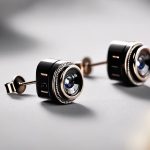
Smaller cameras can be easier to install discreetly, but compact designs may provide less space for a capable microphone or battery. Larger systems may deliver better audio and storage options while being more noticeable. In most legitimate security applications, transparency, reliable performance, and secure data handling are more important than making a device difficult to detect.
The best camera with audio recording is one that suits the environment, captures intelligible sound without collecting more than necessary, and provides appropriate safeguards for everyone affected. Compare the microphone, recording modes, connectivity, storage, and security features, then confirm that the planned use complies with local law and documented privacy practices.