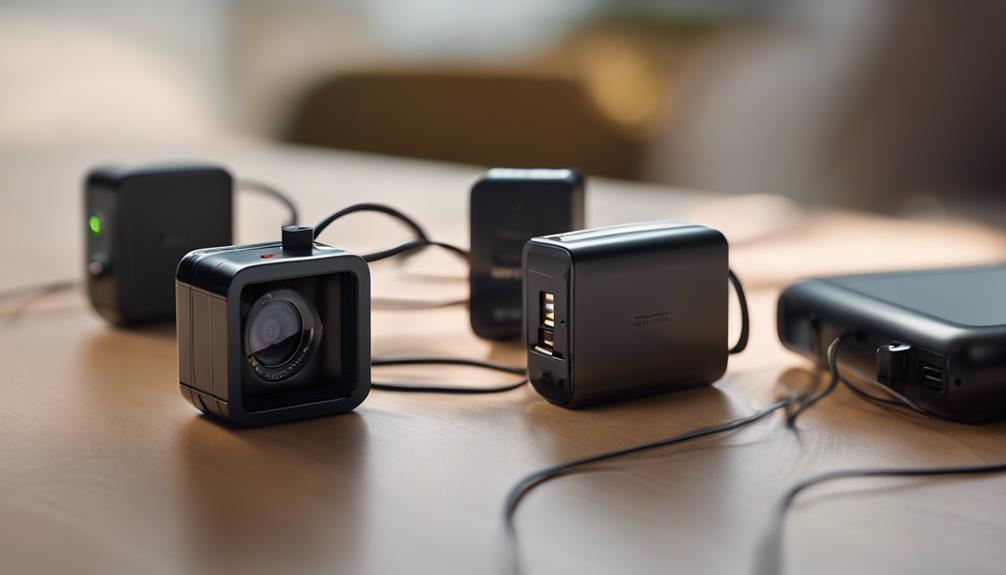

Charger-style cameras are designed to combine everyday functionality with discreet video monitoring. Because the camera is integrated into an object that normally belongs near a power outlet, these devices can be less visually noticeable than a conventional security camera. The three designs below represent the main options described in this guide: an advanced wireless-charging model, an ultra-slim charger camera, and a high-resolution USB charger camera.
Before choosing any concealed camera, make sure its use complies with local privacy and recording laws. Do not record people in places where they reasonably expect privacy, and consider informing household members, employees, visitors, or other individuals when required. These products should be used for legitimate security purposes rather than secret monitoring of people.
1. Advanced Charger Spy Camera with Motion Detection
An advanced charger spy camera is intended for users who want discreet monitoring combined with automatic activity detection. Its charger-like appearance helps it blend into an ordinary room, while motion detection can begin recording when movement is observed.
This approach can be useful when continuous recording is unnecessary. Rather than capturing hours of uneventful footage, motion-triggered recording focuses attention on periods when activity occurs. That may make reviewing footage more manageable and can help conserve available storage, depending on the device’s design and settings.
- Wireless-charging design: Reduces the need for a visibly connected charging cable and helps maintain the appearance of a normal charger.
- Motion detection: Starts recording when movement is detected, making it suitable for monitoring an area while it is unattended.
- Compact form: Can fit naturally into spaces where a standard camera might attract attention.
This type may suit home or office security situations where the camera needs to remain in place and respond automatically to activity. Check how motion sensitivity is adjusted before relying on it, since placement and surrounding movement can affect how often recording is triggered.
2. Ultra-Slim Charger Camera
The ultra-slim charger cam places emphasis on a low-profile design. Its main advantage is that it can appear less conspicuous than a larger surveillance device, making it appropriate for users who want a minimal visual footprint in a room.
Despite its small form, the device described in the original guide is intended to provide clear video and motion-based recording. A compact body can make placement easier, but it also makes practical checks especially important. Confirm that the lens has an unobstructed view, that the charger sits securely in the outlet, and that the recording indicator or controls do not interfere with normal use.
What to consider with an ultra-slim design
- Placement: A discreet camera still needs a suitable angle and sufficient visibility of the area being monitored.
- Recording controls: Motion detection may be preferable to recording continuously when storage or review time is limited.
- Ease of use: Look for straightforward setup and accessible footage management rather than choosing solely on appearance.
This option is best considered when unobtrusive placement is the primary requirement. Its slim profile may be useful in a home, workspace, or other permitted monitoring area where a conventional camera would be distracting.
3. High-Resolution USB Charger Camera
A high-resolution USB charger camera focuses on image detail and simple operation. The design described here uses a USB-style charger form and is intended to provide clearer footage while remaining visually similar to an ordinary charging accessory.
Higher-resolution recording can make footage easier to inspect, particularly when identifying details within the camera’s field of view. However, video quality is only one part of the decision. Storage capacity, recording duration, power reliability, and the ease of transferring or reviewing footage are also important.
The plug-and-play format is designed to simplify installation: connect the charger to a suitable power outlet, position it toward the area of interest, and configure recording according to the device’s instructions. Even with a simple setup, test the camera before relying on it for security. Confirm that it records correctly, that the lens is not blocked, and that footage can be accessed when needed.
How to choose among the three designs
Start by identifying the feature that matters most. Choose the advanced charger camera if automatic motion-triggered recording and wireless charging are the priorities. Consider the ultra-slim model when a low-profile appearance is more important than extra features. The high-resolution USB charger camera may be the better fit when image clarity and straightforward USB-style operation are central to the decision.
- Video quality: Determine whether the footage is detailed enough for the intended monitoring area.
- Storage: Check how recordings are saved and how much footage can be retained.
- Power: Confirm that the device can remain powered for the required monitoring period.
- Motion detection: Consider whether event-based recording is more useful than continuous recording.
- Privacy: Use the camera only in lawful, appropriate locations and respect the rights of people who may be recorded.
Final considerations
These three charger-camera designs offer different priorities: automatic detection, minimal visual presence, and higher-resolution recording. There is no single best choice for every situation. Compare the camera’s recording method, storage needs, power arrangement, image quality, and legal suitability before purchasing or installing one. Used responsibly, a charger-style camera can support permitted home or workplace security without replacing clear privacy practices.