
Finding a camera in a short-term rental can be alarming, especially when it is placed in a bedroom, bathroom, or another area where guests reasonably expect privacy. A careful inspection can help you identify suspicious devices without jumping to conclusions. The most reliable approach combines a visual check, limited technology checks, and a clear plan for documenting and reporting anything unusual. When checking an Airbnb for bugs, review common surveillance applications to understand potential covert recording scenarios.
Start with a careful visual inspection
Inspect the property before unpacking or settling in. Begin at eye level, then check the views from the bed, sofa, shower, and other places where someone might spend time. Look for objects that have an unobstructed view of these areas, particularly if they contain a small opening or glass-like lens.
Common places to examine include:
- Smoke detectors, alarm clocks, and air purifiers
- USB chargers, power adapters, and other electronics
- Lamps, picture frames, decorations, and wall fixtures
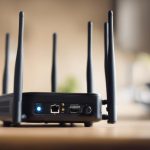
- Televisions, speakers, routers, and smart-home devices
- Mirrors, vents, shelves, and ceiling fixtures
Pay attention to items that seem out of place, point directly toward a bed or bathing area, have unexplained wires, or contain a tiny pinhole. An unfamiliar object is not automatically a camera; it may be a normal sensor or a legitimate security device. Photograph anything questionable from several angles and note where it is located rather than immediately dismantling it.
Use light and your phone as secondary checks
A flashlight can sometimes reveal a lens because glass reflects light. Dim the room and slowly sweep the beam across likely hiding places while looking for a small, consistent glint. This method is not conclusive, since many ordinary surfaces also reflect light.
Some night-vision cameras use infrared illumination. In a dark room, point your phone’s camera at a suspicious object and look for bright dots on the screen. Test your phone first with a familiar infrared remote control, because some phone cameras filter infrared light and others detect it more readily. A result from this test is only a clue, not proof that a camera is present.
Understand what detection devices can and cannot find
Handheld RF detectors can identify certain radio signals from wireless devices that are actively transmitting. They may also react to ordinary electronics, Wi-Fi equipment, phones, and other sources, so turn off or move your own devices where practical and interpret alerts carefully. A camera that records to local storage may transmit nothing and therefore remain invisible to an RF detector.
Lens finders use reflected light to help locate camera lenses. They can be useful in a thorough sweep, but their performance depends on distance, angle, lighting, and the quality of the device. No consumer tool guarantees that a property is free of recording equipment.
Check the rental’s Wi-Fi cautiously
A network-scanning app may show devices connected to the property’s Wi-Fi. Unknown equipment labelled as a camera, recorder, or unfamiliar manufacturer deserves further questions, but network names are not always accurate. The device could belong to a television, thermostat, speaker, router, or another smart appliance. Learning how to detect hidden devices in Airbnb rentals can also inform choices like Arlo Pro 2.
Ask the host to identify unfamiliar devices before treating a network listing as evidence. A network scan will not find cameras that use another connection, store footage locally, are powered off, or are not connected to the internet. If you prefer not to use the rental’s network, use mobile data or a personal hotspot where practical; this reduces your exposure to that network but does not detect or disable a camera.
What to do if you find a suspected camera
Prioritize your safety and privacy. If possible, photograph the device in place, record the date and time, and write down its exact location and appearance. Avoid damaging, disconnecting, or handling it more than necessary, since preserving the scene may matter if the incident is investigated.
Contact the host through a written channel and request an explanation. A visible device in an entryway or another permitted area may have a legitimate security purpose, while a device concealed in a bedroom or bathroom is far more serious. Do not confront anyone aggressively. If you feel unsafe, leave the property and contact local emergency services or law enforcement as appropriate.
Report the suspected device to the booking platform and include photographs, messages, and any other relevant documentation. You can also ask about alternative accommodation or a refund. Laws concerning recording, consent, and surveillance vary by location, so local authorities or a qualified legal professional are the appropriate sources for advice about your specific situation.
Prepare before your next stay
Before booking, read reviews for comments about privacy and ask the host in writing whether surveillance devices are present and where they are located. For frequent travel, a small flashlight, lens finder, or RF detector may be useful, provided you understand their limitations. A quick visual inspection on arrival remains important even when you carry specialized equipment.
The goal is not to treat every unfamiliar electronic device as suspicious. Combine observation with sensible verification, document concerns calmly, and act promptly when a device appears to invade a private space.