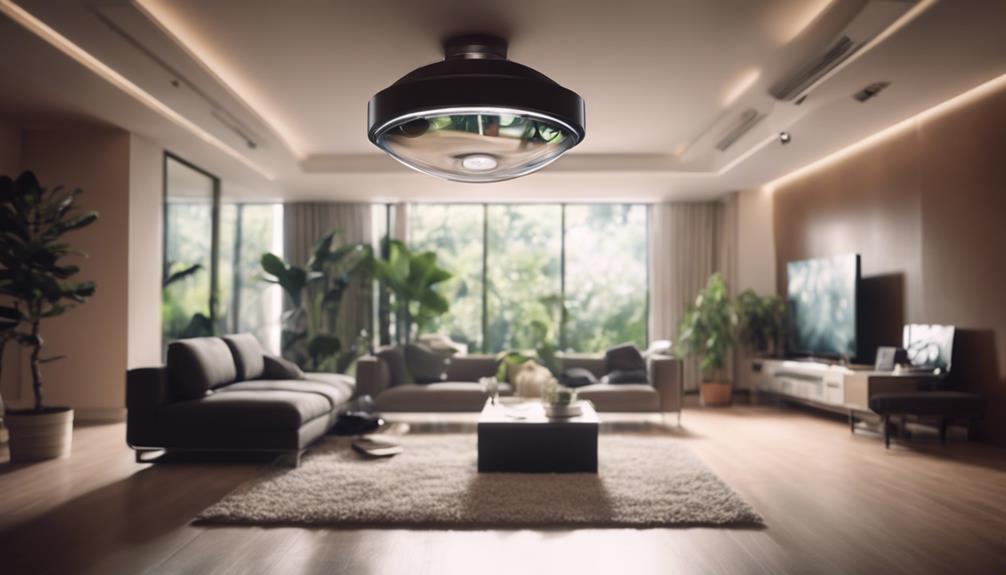

Light bulb cameras combine an LED bulb with a small security camera, allowing one ceiling fixture or lamp socket to provide both illumination and video monitoring. They can be useful for observing entryways, garages, hallways, and other areas where a conventional camera may be inconvenient to install. However, the best choice depends on more than image quality. Privacy, network security, viewing angle, storage, and local surveillance laws should all be considered before installation.
What to Look for in a Light Bulb Camera
Video quality and viewing angle
Choose a camera with enough detail for the area you want to monitor. Higher-resolution recording can make faces and activity easier to distinguish, but image quality also depends on lighting, camera placement, compression, and the distance between the lens and the subject.
A wide-angle lens can cover more of a room or outdoor area from a single socket. This is helpful in open spaces, although very wide views may produce distortion around the edges. Position the bulb so that the lens is not blocked by a shade, wall, beam, or nearby fixture.
Night vision and low-light performance
If the camera will operate after dark, look for infrared night vision or another low-light mode. Test or review the intended placement carefully: reflective surfaces, glass, and nearby walls can create glare or reduce the usefulness of infrared illumination. A camera may also provide better results when the bulb itself supplies some visible light.
Motion detection and notifications
Motion detection can reduce the need to watch a live feed continuously. Depending on the model, the camera may send an alert to a mobile app when movement is detected. Adjustable sensitivity is valuable because it can help reduce notifications caused by pets, changing shadows, moving curtains, or passing traffic.
Before relying on alerts, test them at different times of day. Confirm that notifications arrive promptly and that the camera continues recording when the internet connection is temporarily unavailable, if that capability is important to you.
Installation and Connectivity
Most light bulb cameras are designed to screw into a compatible socket and connect to a home Wi-Fi network through a mobile app. Turn off power before handling the fixture, and follow the manufacturer’s electrical and setup instructions. Do not force a bulb into an incompatible fitting or install it where heat, moisture, or weather conditions exceed its stated limits.
During setup, use a strong Wi-Fi signal and change any default password. If the camera will be mounted high overhead, complete account creation and testing before final placement. Check the live view, motion alerts, night vision, and recording settings so that problems are found while the device is still accessible.
Storage, Remote Access, and Account Security
Light bulb cameras may store footage locally, in cloud storage, or through a combination of both. Local storage can reduce dependence on a subscription, while cloud storage may make recordings easier to review if the camera is damaged or removed. Check how long recordings are retained, whether storage requires a paid plan, and how footage can be downloaded or deleted.
Remote viewing is convenient, but it also creates an account-security responsibility. Choose a service that uses encrypted connections and supports multi-factor authentication. Use a unique password for the camera account, keep the app and firmware updated, and review account-sharing permissions regularly.
Two-Way Audio and Smart Home Features
Some models include a microphone and speaker for two-way communication. This can be useful for speaking to someone near the camera, but audio recording is often more legally sensitive than video. Disable the microphone when it is unnecessary and check the rules that apply where you live before recording conversations.
Smart home compatibility may allow the camera to work with voice assistants, lighting routines, or other connected devices. Confirm that the specific model supports your preferred platform rather than assuming that every bulb camera will integrate with every system.
Privacy and Responsible Placement
A discreet appearance should not be treated as permission to record people secretly. Avoid bedrooms, bathrooms, changing areas, and other places where occupants or visitors reasonably expect privacy. Do not aim the camera into a neighbor’s property or toward areas outside your control.
- Tell household members and visitors about surveillance where required.
- Review local rules governing video and audio recording.
- Limit access to recordings and delete footage you no longer need.
- Use privacy zones or disable recording when monitoring is not appropriate.
Final Buying Checklist
Before choosing a light bulb camera, confirm socket compatibility, Wi-Fi requirements, video resolution, night vision, motion-alert controls, storage options, remote access, security updates, and smart home support. Most importantly, decide where the device can be used lawfully and respectfully. A well-positioned camera with protected accounts and sensible recording settings is more useful than one selected only for its discreet design.