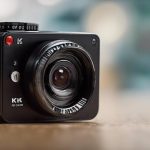

A mini cam offers a compact way to monitor a room, entrance, vehicle, pet area, or small workplace without the size and complexity of a traditional CCTV setup. Depending on the model, it may provide high-definition video, motion-triggered recording, night vision, wireless viewing, and local or cloud storage.
The best choice depends less on the camera’s size than on how and where you plan to use it. Before buying, consider the power source, recording method, network connection, viewing angle, and privacy requirements of the location.
What is a mini cam?
A mini cam is a small camera designed for flexible installation and relatively low-profile monitoring. Unlike many conventional security cameras, it may be battery-powered, USB-powered, or built for simple placement on a shelf or other indoor surface. Some models can also be mounted more permanently.
Compact cameras are useful where a larger device would be impractical, but a small body does not automatically mean better performance. The lens, sensor, software, battery, and connection quality all affect the results.
Features to compare before buying
Image quality and viewing angle
Resolution affects how much detail appears in recorded footage. A 1080p model may be suitable when you need clear general views, while the lens and field of view are equally important. A wide-angle lens can cover more of a room, but it may make people and objects appear smaller or distorted at the edges.
Power and battery life
Battery-powered cameras are easy to move and install in locations without a nearby outlet. They are best suited to temporary monitoring or areas where recording is triggered by movement. USB-powered and hardwired models are generally better for continuous use, provided a reliable power source is available.
Recording and storage
Some mini cams record to a microSD card, while others offer cloud storage or both options. Local storage can reduce dependence on an ongoing service, whereas cloud access may make remote viewing and backup more convenient. Check how footage is managed, how long it is retained, and whether a subscription is required.
Connectivity and alerts
Wi-Fi can support live viewing and notifications on a phone, but the camera must receive a dependable signal where it is installed. Motion detection, adjustable sensitivity, and activity zones can help reduce unnecessary alerts. Features such as two-way audio and infrared night vision may also be useful, depending on the setting.
Common uses for a mini cam
Mini cams can support several legitimate monitoring needs, including:
- Checking an entryway, hallway, or other shared area at home
- Watching pets or children from another room
- Monitoring a small inventory area or business entrance
- Recording a vehicle’s surroundings with a suitable dash or rear camera
- Keeping an eye on a temporary location where permanent installation is not practical
Use the camera to observe areas where monitoring is appropriate, and avoid treating its small size as a reason to record people without their knowledge.
Placement and installation tips
Position the camera so it has a clear, stable view of the area that matters. For indoor monitoring, placing it around face height often produces more useful footage than pointing it down from a high shelf. Avoid aiming directly at windows, lamps, or other strong light sources, since backlighting can make subjects difficult to see.
Test the camera before relying on it. Confirm that the image is sharp, the viewing angle covers the intended area, notifications arrive as expected, and the Wi-Fi signal is adequate. Keep the lens clean, and if the camera is battery-powered, check its charge regularly. A nearby USB connection or scheduled, motion-triggered recording may help when continuous battery operation is not practical.
Wired or battery-powered?
A wired mini cam is usually the more practical option for a fixed location that requires dependable, ongoing operation. It avoids the need to recharge a battery and may provide steadier availability. A battery model offers easier placement and portability, making it useful for short-term observation or areas without convenient power.
Choose based on the job rather than appearance: permanent monitoring generally favors wired power, while flexibility favors a battery-powered design.
Privacy, security, and responsible use
Camera laws differ by location, particularly when audio is recorded or when people may reasonably expect privacy. Do not place cameras in bathrooms, changing areas, or other private spaces. If a camera is used in a shared home, workplace, or business, inform the relevant occupants or employees in line with local law and applicable policies.
Protect the footage as carefully as the camera itself. Use a strong, unique account password, enable available security protections, keep firmware updated, and limit access to people who need it. Review stored recordings regularly and delete them when they are no longer necessary.
Making a mini cam part of a wider setup
A mini cam works best as one element of a broader security plan. Adjust motion sensitivity and detection zones to limit false alerts, and consider combining camera coverage with appropriate lighting, alarms, or larger cameras where a wider view is needed. By matching the camera’s power, storage, connectivity, and privacy features to the intended use, you can gain useful visibility without sacrificing reliability or responsible data handling.