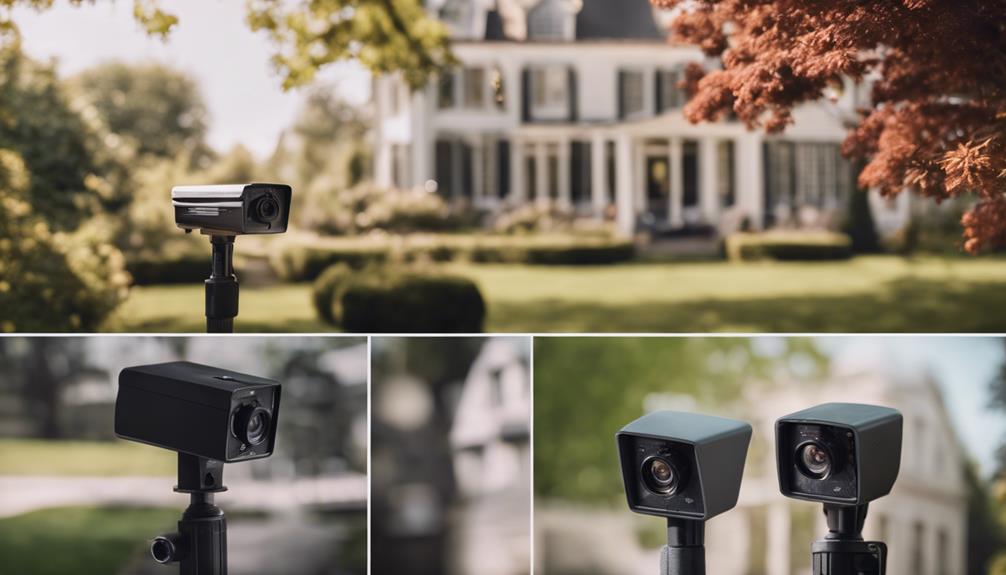

Choosing an outdoor camera with audio involves more than selecting the smallest or most discreet device. A useful system should produce understandable recordings, respond to activity, remain accessible when you are away, and continue working in changing weather. The five features below provide a practical way to compare outdoor spy cameras with audio before installation.
1. Clear Video and Audio Recording
Video quality affects how easily you can understand what happened in a recording. Look for a camera that produces sufficiently detailed images for its intended viewing area, particularly around entrances, gates, driveways, or other locations where identifying movement matters.
Audio quality is equally important when sound recording is appropriate and lawful. A built-in microphone should capture speech and nearby sounds clearly without excessive background noise. However, specifications alone do not guarantee useful audio: wind, traffic, distance, walls, and the camera’s placement can all affect what the microphone records.
- Match the camera’s image detail to the size of the area being monitored.
- Check whether the microphone is suitable for the distance involved.
- Consider wind and environmental noise before relying on recorded sound.
- Review storage options so important video and audio are not quickly overwritten.
2. Night Vision for Low-Light Conditions
Outdoor activity does not stop when daylight ends, so night performance is a central consideration. Many cameras use infrared illumination to help the sensor record in darkness or very low light. Infrared light is generally invisible to people, but its effectiveness depends on the camera, the surroundings, and the distance to the subject.
Compare the stated night-vision range with the area you need to cover rather than assuming that a longer advertised range will produce equally detailed footage everywhere. Nearby surfaces can also reflect infrared light and affect image quality. If possible, position the camera so that lights, reflective objects, and obstructions do not interfere with the lens.
Adjustable infrared settings can be useful when the camera is installed in a changing environment. Test both daytime and nighttime views after mounting, since a position that works well during the day may create glare or blind spots after dark.
3. Motion Detection and Custom Alerts
Motion detection can reduce the need to watch a live feed continuously. When movement is detected, the camera may record an event or send an alert through a supported app or notification system. This is particularly useful for checking an outdoor area while you are away.
Look for controls that allow you to adjust sensitivity or define activity zones. Without these controls, passing vehicles, trees, animals, or changing shadows may trigger unnecessary notifications. Customisation helps focus alerts on the parts of the scene that matter most.
- Set activity zones around doors, paths, or gates instead of the entire frame.
- Adjust sensitivity after observing how the camera behaves in normal conditions.
- Choose an alert method you are likely to notice promptly.
- Test whether motion events are recorded as clips, still images, or both.
4. Remote Viewing and Connection Reliability
Remote viewing allows you to check the camera from another location, provided the device, network, and viewing service support that function. A stable connection is important for reducing delays, interruptions, and buffering during live monitoring.
Before installation, check whether the camera uses Wi-Fi, a wired network connection, or cellular service. Wi-Fi signal strength can vary considerably outdoors, especially through exterior walls or over long distances. A camera with a weak connection may still appear functional but fail when you need to view an event.
Account security also matters. Use strong, unique login credentials and enable available security protections. If the camera stores or transmits audio, review how access is controlled and who can view the recordings.
5. Weatherproof Construction
An outdoor camera needs protection from the conditions where it will be installed. Look for a design intended for outdoor use and examine how the housing, ports, cables, and mounting points are protected against moisture, dust, temperature changes, and direct exposure.
Correct installation is just as important as the camera’s housing. Follow the manufacturer’s mounting instructions, avoid creating openings where water can enter, and position the device so that drainage and visibility are not compromised. Periodically inspect the lens, seals, mount, and cable connections for dirt, damage, or signs of moisture.
Privacy and Legal Responsibilities
Audio recording can be subject to different privacy and consent rules depending on where the camera is installed and who may be recorded. Before activating the microphone, check the laws and regulations that apply to your location. Avoid directing the camera into neighbouring private areas, and provide notice when required.
Use audio only when it has a legitimate purpose and can be managed responsibly. Limiting access to recordings, protecting accounts, and deleting footage when it is no longer needed can also reduce privacy risks.
How to Choose
Start with the area you need to monitor, then compare image and audio performance, nighttime coverage, motion controls, remote access, and weather protection. The best outdoor spy camera with audio is not necessarily the most feature-heavy option; it is the one that suits the location, remains dependable in its environment, and can be used lawfully and responsibly.