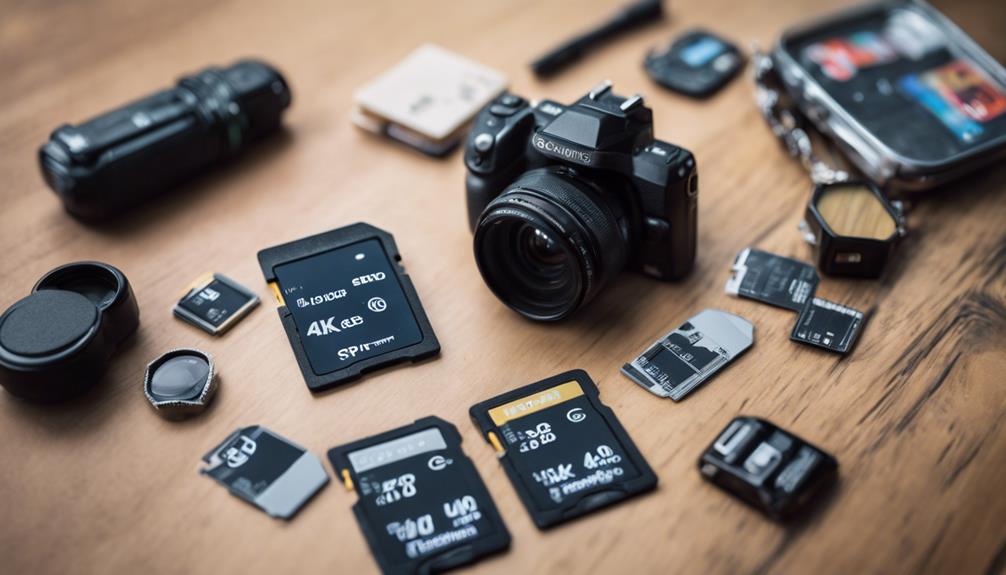

The right SD card can make a significant difference to the reliability of a spy camera. A card that is too small, too slow, or incompatible with the camera may cause recording interruptions, file errors, or lost footage. Before buying, check the camera’s manual or product specifications and match the card to its storage, speed, format, and physical-size requirements.
1. Check the Camera’s Card Type and Maximum Capacity
Start by confirming which card format the camera accepts. Many compact cameras use microSD cards, while other devices may use full-size SD cards or require an adapter. An adapter does not increase capacity or speed, so the card itself must meet the camera’s requirements.
Also check the maximum supported capacity. SD cards are commonly grouped into several capacity families:
- SD: lower-capacity cards, generally up to 2GB.
- SDHC: cards from 4GB through 32GB.
- SDXC: cards from 64GB upward.
A camera designed for SDHC may not support an SDXC card, even if the card physically fits. Do not assume that the largest available card will work; use the capacity range specified by the camera manufacturer.
2. Estimate How Much Storage You Need
Your ideal capacity depends on the camera’s resolution, frame rate, compression settings, and recording schedule. High-resolution video and continuous recording create larger files than occasional still images or short clips.
Consider how often you can transfer or delete footage. A smaller card may be adequate if recordings are reviewed regularly. If the camera is expected to record for longer periods without access, a larger supported card provides more working space. Remember that actual recording time varies by camera settings, so use the manufacturer’s recording estimates when available.
3. Choose an Appropriate Speed Class
The card’s write speed is especially important because the camera must save video data continuously while recording. If the card cannot write quickly enough, recordings may stop, contain missing sections, or fail to save correctly.
Look at the speed markings on the card and compare them with the camera’s minimum requirement. Common markings include:
- Speed Class: labels such as Class 10 indicate a minimum sustained write-speed category.
- UHS Speed Class: U1 and U3 identify higher performance categories, where supported by the camera.
- Video Speed Class: markings such as V30 may be relevant to cameras with demanding video settings.
A higher-rated card is not automatically better if the camera cannot use that standard, but it is generally sensible to meet or exceed the camera’s stated requirement. Read speed mainly affects how quickly footage can be copied to another device; write speed affects recording reliability.
4. Confirm Formatting and Compatibility
File-system support is another common source of problems. Depending on the card capacity and camera design, the device may require FAT32, exFAT, or another supported format. The camera’s instructions should specify the compatible format and whether the card must be formatted in the camera before use.
Formatting erases existing files, so back up any footage first. If a card is not recognized, do not immediately assume it is defective. Check the capacity limit, file-system requirements, physical format, and speed rating before troubleshooting further.
5. Prioritize Reliability for Continuous Recording
Surveillance-style recording can place repeated write demands on a memory card. Choose a card from a reputable manufacturer and avoid unusually cheap products with unclear specifications. Counterfeit or poorly labelled cards may report more capacity than they actually have and can lead to corrupted recordings.
For a camera that may be moved, carried, or installed in a less protected location, durability is also worth considering. Features such as resistance to shock, water, temperature changes, or magnetic exposure can provide additional protection, but always check the specific product rating rather than relying on general advertising.
6. Compare Price With Your Actual Needs
The most expensive card is not necessarily the best choice. Paying for a very high capacity or performance rating may offer little benefit if the camera records at a modest resolution and supports only basic card standards. On the other hand, choosing solely by price can result in slow performance or unreliable storage.
Balance capacity, sustained write speed, compatibility, brand reputation, and warranty coverage. A dependable card that meets the camera’s requirements is usually a better investment than a cheaper card with uncertain specifications.
Final Checklist
- Confirm whether the camera uses SD or microSD.
- Check the maximum supported capacity and card family.
- Match the card’s sustained write-speed rating to the camera’s requirement.
- Verify FAT32, exFAT, or other formatting support.
- Choose a reputable card with clear specifications and warranty coverage.
- Format the card as instructed before beginning important recording.
By matching the card to the camera instead of selecting on capacity alone, you can reduce compatibility problems and give your spy camera a more dependable place to store its footage.