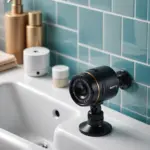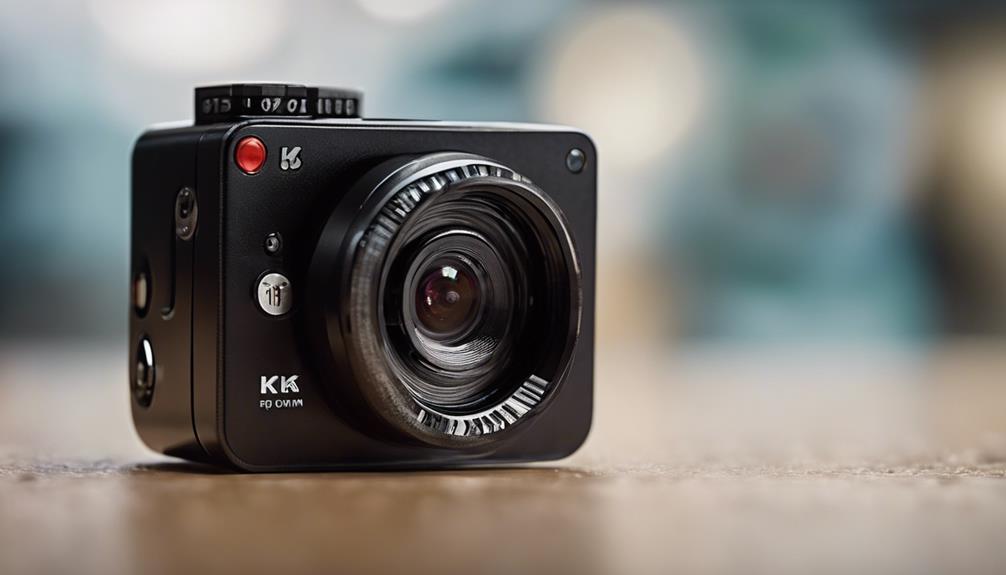

A security camera that streams to a computer can provide a larger live view, convenient recording, and a central place to monitor one or more cameras. This setup is useful for homes, small businesses, workshops, and other spaces where reviewing footage on a desktop or laptop is more practical than relying only on a phone.
How computer-based camera streaming works
Most modern network cameras capture video, encode it, and send it across a local network. A wireless camera connects to a router over Wi-Fi, while a wired model may use an Ethernet connection. The computer then receives the video through the camera’s software, a web interface, or a compatible streaming protocol.
Depending on the camera and software, the feed may be available through RTSP or ONVIF. These standards can help compatible viewing and recording applications connect to the camera without relying exclusively on the manufacturer’s app. Some systems also use a dedicated desktop program or a network video recorder to manage several feeds at once.
Choosing the right type of camera
The best camera depends on where it will be installed and what the footage needs to show. Consider the following factors before buying or installing a device:
- Resolution: Higher-definition video can make details easier to see, but it may require more network bandwidth and storage.
- Connection method: Wi-Fi simplifies installation, while Ethernet generally provides a more consistent connection when cabling is practical.
- Placement: A compact camera may fit in a narrow location, but a larger model may provide better image quality, night performance, or coverage.
- Streaming support: Check whether the camera supports a desktop application, browser viewing, RTSP, ONVIF, or another method compatible with your computer software.
- Storage: Decide whether footage will be saved on the computer, a network video recorder, a memory card, or a supported cloud service.
An HD wireless IP camera is often chosen when image clarity and broad coverage matter. A mini Wi-Fi camera may be more suitable where space is limited. Small size should not be confused with suitability for hidden recording, however; cameras should be installed and used in accordance with privacy laws and the expectations of people being recorded.
Setting up a security camera to stream to a computer
- Position and power the camera. Place it within reliable Wi-Fi range or connect it to the network with Ethernet. Make sure the view covers the intended area without pointing into spaces where recording would be inappropriate.
- Complete initial setup. Use the manufacturer’s app or setup instructions to connect the camera to the network, create credentials, and install any available firmware updates.
- Identify the connection method. The camera’s app or settings may show its local IP address, stream URL, or supported protocols. Some products allow computer access only through their own software.
- Install viewing or recording software. Add the camera using its account credentials and network details. If using RTSP or ONVIF, enter the required address and select the appropriate stream.
- Test live viewing and recording. Confirm that the picture is stable, the time and date are correct, and recordings are saved to the intended location.
For continuous recording, plan storage capacity and retention rules in advance. Higher resolution, higher frame rates, and longer retention periods require more space. A computer dedicated to monitoring may also need sufficient processing capacity when handling multiple feeds.
Viewing the feed on both a phone and a computer
Many cameras support phone access through a manufacturer’s app while also providing a local feed for a computer. A computer can handle a larger display or longer recording session, while the phone is convenient for checking the live view away from the monitoring station.
Before relying on both devices, verify that the camera supports simultaneous connections or multiple streams. Some systems reduce quality, disconnect one viewer, or limit recording when another device accesses the feed. A local computer or recorder can preserve footage even when a phone is not connected.
Security, privacy, and remote access
Protect the camera as carefully as any other networked device. Use a unique, strong password, update the firmware when updates are available, and enable encryption or secure connections where supported. Keep the camera and computer on a properly secured network.
Remote access deserves particular caution. Avoid exposing the camera directly to the public internet unless you understand the security implications. A VPN or a reputable service with strong authentication is generally preferable to careless port forwarding. Also check local requirements for recording audio or video, posting notices, and obtaining consent. Do not place cameras in bedrooms, bathrooms, or other areas where people reasonably expect privacy.
Making the system dependable
Test the camera at different times of day, including low-light conditions. Check for Wi-Fi dead spots, reflections, motion-triggered recording errors, and insufficient storage. Keep a written record of camera locations, login details stored securely, retention settings, and any software used to access the feeds.
With compatible equipment and careful configuration, streaming a security camera to a computer can create a flexible monitoring system with live viewing and organized recordings. The most effective setup balances image quality, network reliability, storage needs, cybersecurity, and respect for the privacy of everyone within the camera’s coverage area.