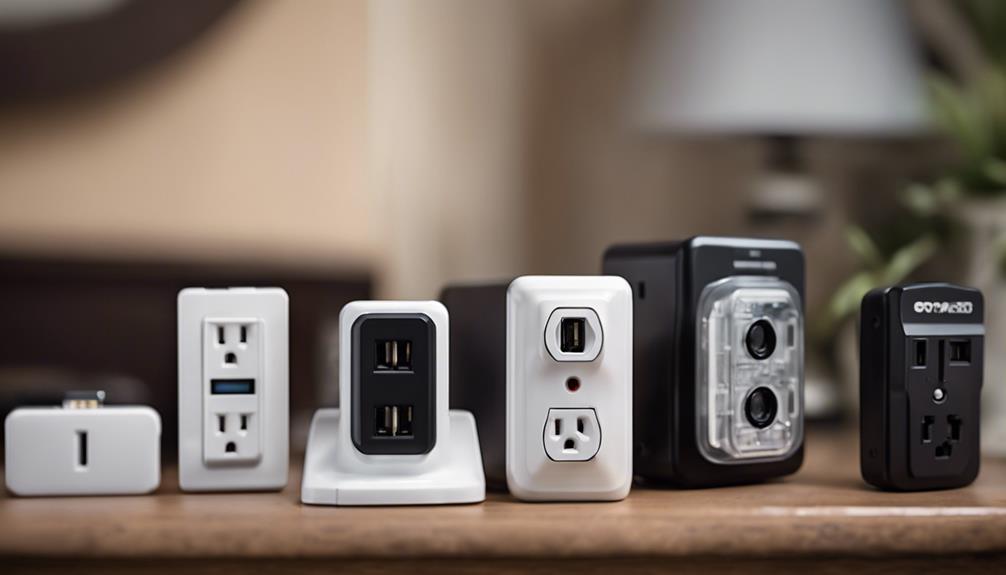

Spy outlet cameras are designed to resemble ordinary electrical outlets or power accessories while recording activity in the surrounding area. Their discreet form can make them useful for monitoring entryways, living areas, or other appropriate spaces, but the best choice depends on more than appearance. Video quality, connectivity, privacy controls, and installation requirements all affect how practical and responsible a camera will be.
Because these devices can record people without their knowledge, check the surveillance and audio-recording rules that apply where you live. Use any camera only for a legitimate security purpose, avoid areas where people reasonably expect privacy, and secure recordings against unauthorized access.
Ten features to compare before buying
1. Discreet, practical design
The camera should blend into its surroundings without obstructing the outlet or creating an obvious visual mismatch. A compact design is useful, but the device must still be positioned where its lens has a clear view. Look for a model that fits the intended outlet or power accessory securely and does not interfere with normal use.
2. Clear video resolution
High-definition recording can make faces, clothing, and movement easier to identify than low-resolution footage. Review the camera’s image quality in both bright and dim conditions rather than judging it solely by a resolution label. Clear video is particularly important when the camera covers a doorway or another area where details may matter.
3. Motion detection controls
Motion-triggered recording can reduce unnecessary footage and make important events easier to find. Useful controls may include adjustable sensitivity, activity zones, or the ability to limit alerts to selected parts of the image. Sensitivity should be balanced carefully: a setting that is too high may produce constant alerts from pets, shadows, or passing traffic.
4. Night vision and low-light performance
A security camera should remain useful after the lights go out. Infrared night vision can illuminate dark scenes for the camera sensor, while strong low-light performance may preserve more detail in partially lit rooms. Check whether night footage remains recognizable at the distance where you plan to install the device.
5. Wide-angle coverage
A broad viewing angle can cover more of a room from a fixed outlet position. This may reduce blind spots, but an extremely wide lens can make objects at the edge of the frame appear smaller or distorted. Choose a viewing angle that matches the room’s size and place the camera where the main access points remain visible.
6. Reliable wireless connectivity
Wi-Fi connectivity can simplify setup and allow the camera to communicate with a phone or other device without additional video cabling. Before installation, confirm that the camera supports your network and that the outlet location receives a dependable signal. An unstable connection can lead to delayed alerts, interrupted live viewing, or incomplete recordings.
7. Remote viewing and mobile access
A companion mobile app can let you check live footage, review events, change detection settings, and receive notifications while away from home. Evaluate whether the app is straightforward to use and whether account security features, such as strong password support and additional sign-in protection, are available.
8. Storage and recording options
Consider how footage is saved before choosing a camera. Some systems use local storage, while others offer cloud-based recording. Local storage can reduce dependence on an internet connection, whereas cloud storage may keep footage available if the camera is damaged or removed. Whichever option you choose, protect recordings with strong account credentials and review retention settings so unnecessary footage is not kept indefinitely.
9. Audio recording and privacy controls
Microphones and two-way audio can add context to an event, but audio surveillance may be subject to stricter rules than video recording. If audio is not necessary for your security goal, consider disabling it. Privacy zones, recording schedules, notification controls, and a clearly accessible camera-off function can also help limit collection in sensitive areas.
10. Installation and power requirements
An outlet camera should be simple to position and configure, but “easy installation” does not remove the need to follow the manufacturer’s instructions. Confirm electrical compatibility, check that the outlet remains safe to use, and avoid modifying household wiring unless the work is performed by a qualified professional. Test the camera’s viewing angle, motion alerts, night mode, and recording behavior before relying on it.
How to choose the right model
Start with the area you need to monitor and identify the essential function: clear entryway video, motion alerts, remote access, or nighttime coverage. Then compare storage, privacy settings, app security, and network reliability. A camera with fewer features but dependable performance and sensible controls may be more useful than a feature-heavy model that generates excessive alerts or cannot maintain a stable connection.
Use discreet cameras responsibly
Discreet placement should not be treated as permission to record anyone without appropriate consent. Do not install cameras in bedrooms, bathrooms, changing areas, or other private spaces. Inform household members, visitors, workers, or guests when required, limit access to footage, and delete recordings that are no longer needed. Used with clear boundaries, an outlet-style camera can support home security without unnecessarily compromising personal privacy.