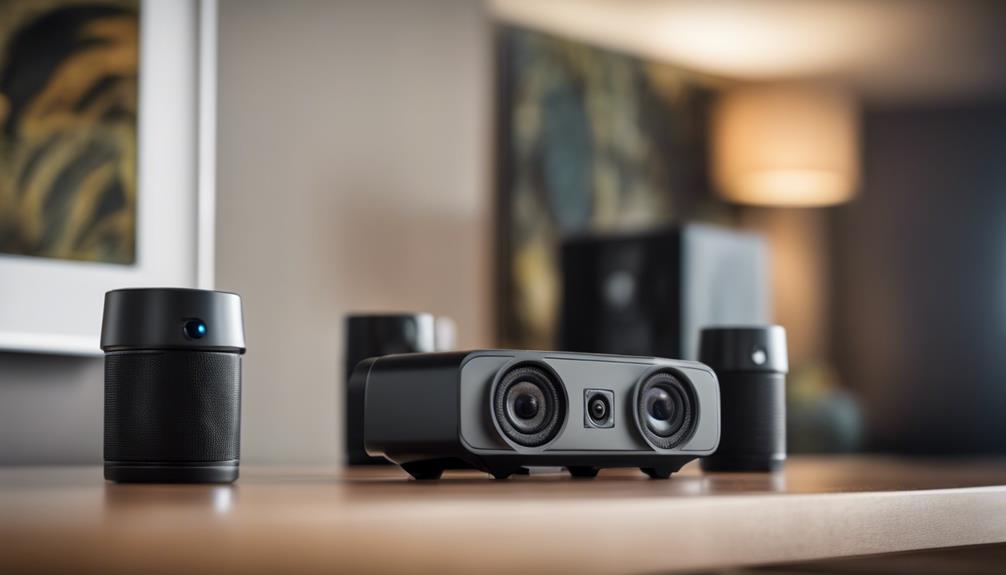

Speaker-style cameras are designed to resemble ordinary audio equipment while combining video recording with a built-in microphone. Their compact appearance can make them less visually prominent than conventional security cameras, but discreet design should never be treated as permission to record people without their knowledge. Before choosing or installing one, check the surveillance and recording laws that apply where you live and consider whether everyone who may be recorded has provided appropriate notice or consent.
What to Look for in a Speaker Camera
The right device depends on whether you need occasional recording, live viewing, or basic security alerts. Compare the following features rather than focusing only on appearance or resolution.
- Video quality: Higher resolution can make faces and other details easier to identify, although results also depend on lighting, lens quality, and camera placement.
- Audio recording: A built-in microphone may capture sound alongside video. Audio recording is often subject to stricter legal requirements than video, so verify the rules before enabling it.
- Motion detection: Motion-triggered recording and alerts can reduce unnecessary footage and notify you when activity occurs. Look for adjustable sensitivity where available.
- Night vision: Infrared illumination may allow recording in low-light or dark conditions. Check whether the device records usable monochrome footage rather than assuming night vision guarantees clear images.
- Remote access: Wi-Fi-enabled models may provide live viewing, saved recordings, and alerts through a mobile app or web interface. Remote features require careful account and network security.
- Power source: Battery-powered units are easier to position but require charging. Plug-in models can operate for longer periods, although a visible cable may limit placement options.
- Storage: Confirm whether recordings are stored on a memory card, on the device, or through an online service. Also check how recordings are exported and how long they remain available.
Placement and Everyday Usability
A camera that blends into a room is not necessarily a good camera. Place it where the lens has an unobstructed view, the microphone is not covered, and the device receives a stable Wi-Fi signal if remote access is required. Avoid positioning it toward bright windows, mirrors, or areas where glare can wash out the image.
Ease of setup matters as well. A practical installation process usually includes connecting the device to power, pairing it with an app or computer, selecting a network, and creating an account or device password. Test live viewing, motion alerts, audio, night vision, and playback before relying on the camera. If the connection is unreliable, move the device closer to the router or consider a model that records locally.
Battery Life and Recording Limits
Long battery life can be useful when a power outlet is unavailable, but operating time varies with video resolution, motion activity, Wi-Fi use, and whether night vision is active. Treat battery-life figures as estimates rather than guarantees. If continuous monitoring is important, a wired power source or a model with an external power option may be more suitable.
Motion recording can extend battery life and storage capacity by capturing activity only when movement is detected. However, sensitivity settings need to be balanced: a setting that is too high may generate alerts from pets, lighting changes, or passing vehicles, while a setting that is too low may miss relevant movement.
Security and Privacy Checklist
Connected cameras can create security risks if they are left with default credentials or outdated software. After installation:
- Change the default password and use a unique, difficult-to-guess password.
- Secure the associated email or mobile account with a strong password and additional verification when available.
- Install firmware and app updates from the manufacturer when they are provided.
- Use a protected home or office Wi-Fi network rather than an open public connection.
- Limit access to people who genuinely need it and review shared accounts regularly.
- Store recordings securely and delete footage that is no longer necessary.
Responsible Use
Do not use a speaker camera to secretly record private conversations, changing areas, bedrooms, bathrooms, or other places where people reasonably expect privacy. Workplace, rental-property, childcare, and domestic monitoring may involve additional notice, consent, or data-handling requirements. When in doubt, disclose the camera and disable audio unless you have a clear lawful reason to record it.
How to Choose
For general indoor security, prioritize reliable motion alerts, clear low-light performance, secure remote access, and straightforward storage. For temporary monitoring, portability and battery capacity may matter more. If discreet placement is important, choose a design that fits naturally into the room without obstructing the lens or creating a misleading impression of safety.
A speaker-style camera can combine an unobtrusive form with useful security functions, but the best option is the one that meets your recording needs while protecting the privacy and security of everyone affected by its use.