
Surveillance devices range from visible security cameras mounted on walls or ceilings to compact cameras designed for discreet placement. They can help protect homes, businesses and property, but their usefulness depends on choosing suitable equipment, installing it carefully and respecting the privacy of the people who may be recorded. Exploring covert recording devices reveals practical applications for monitoring, evidence collection, and privacy-aware observation.
Common types of surveillance devices
A surveillance system may contain one camera or several connected to a recorder, local network or cloud service. The most common options include:
- Visible security cameras: Dome, bullet and pan-and-tilt cameras can deter unwanted activity while recording entrances, driveways, work areas and other permitted locations.
- IP cameras: These connect to a wired or wireless network and may provide remote viewing through a phone, computer or web interface.
- Analog CCTV cameras: Often used with a dedicated digital video recorder, these systems can support continuous local recording.
- Indoor and portable cameras: Compact units may be useful for temporary monitoring, room checks or observing a specific area of a home.
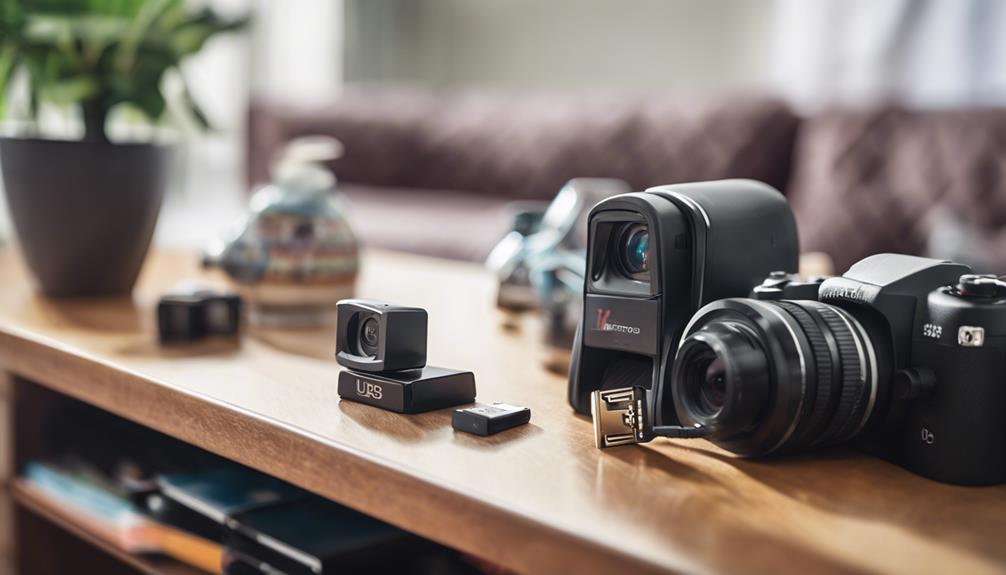
- Discreet or concealed cameras: Small lenses may be integrated into ordinary-looking objects. Their use requires particular care because concealment can remove a person’s opportunity to understand that recording is taking place.
A complete camera kit may include cameras, a recorder, power supplies, cables and mounting hardware. Other systems rely on a mobile application and cloud storage instead of a separate recorder.
Choosing equipment for video surveillance
Start with the purpose of the system rather than with a specific camera feature. A camera intended to identify activity at a driveway has different requirements from one used to check a nursery or monitor an indoor workspace.
Features to compare
- Resolution and image quality: Higher detail can make it easier to distinguish people, vehicles or objects, although image quality also depends on lighting and placement.
- Field of view: A wide-angle lens covers more space, while a narrower view may provide more detail at a particular distance.
- Night performance: Infrared or low-light capability can help when areas are poorly lit.
- Recording method: Consider local storage, a network recorder, cloud storage or a combination of these options.
- Motion detection: Adjustable sensitivity and activity zones can reduce unnecessary alerts caused by pets, traffic or changing light.
- Connectivity: Wired connections may provide consistent service, while wireless cameras can be easier to position but depend on network coverage and power.
- Privacy and security controls: Look for password protection, encryption where supported, user permissions and reliable firmware updates.
For remote monitoring, verify that the camera can provide a dependable live feed and that recordings can be accessed in a way that suits the intended users. For a larger installation, professional assistance may help with camera positioning, cabling, storage capacity and system configuration.
Responsible uses of discreet cameras
There are situations in which a small or less conspicuous camera may be appropriate, such as documenting suspected property damage or checking a restricted area that cannot easily accommodate a conventional camera. Homeowners may also use indoor cameras to check on children, pets or vulnerable relatives, provided the placement does not intrude on private activities.
Businesses may install cameras to protect entrances, stock areas or cash-handling locations. However, discreet monitoring should not be treated as a way to avoid informing workers, visitors or occupants when notice is required. In shared homes, rental properties and workplaces, the purpose and limits of monitoring should be clearly established. Among surveillance devices, the compact cube design offers discreet monitoring for rooms, offices, and other everyday spaces.
Legal and privacy responsibilities
Rules governing surveillance differ by location and may distinguish between video and audio recording. Private spaces such as bathrooms, changing areas and bedrooms generally require especially strong privacy protections, and recording in them may be prohibited. Audio can also create additional legal concerns.
Before installing any surveillance device, check the laws that apply to the property and the people being recorded. Where notice or consent is required, provide it. In workplaces, a written policy should explain:
- where cameras are located and why they are used;
- whether audio is recorded;
- who can view the footage;
- how long recordings are retained; and
- how people can raise privacy or access concerns.
Use the least intrusive setup that meets the security goal. Avoid pointing cameras into neighboring properties or areas unrelated to the stated purpose, and restrict access to recordings to authorized people.
Installation, security and maintenance
Position cameras to capture useful views without unnecessarily recording private spaces. Secure mounting, adequate lighting and protection from weather are important for outdoor equipment. After installation, test the image at different times of day and confirm that motion alerts and recording schedules work as intended.
Change default passwords, use strong unique credentials and enable available security protections. Keep camera firmware, recording equipment and mobile applications updated. Review user accounts regularly, remove access that is no longer needed and protect stored footage from unauthorized copying.
Finally, inspect the system periodically. Clean lenses, check power and network connections, confirm available storage and review sample recordings. A well-planned surveillance system should provide useful protection while remaining proportionate, secure and respectful of personal privacy.