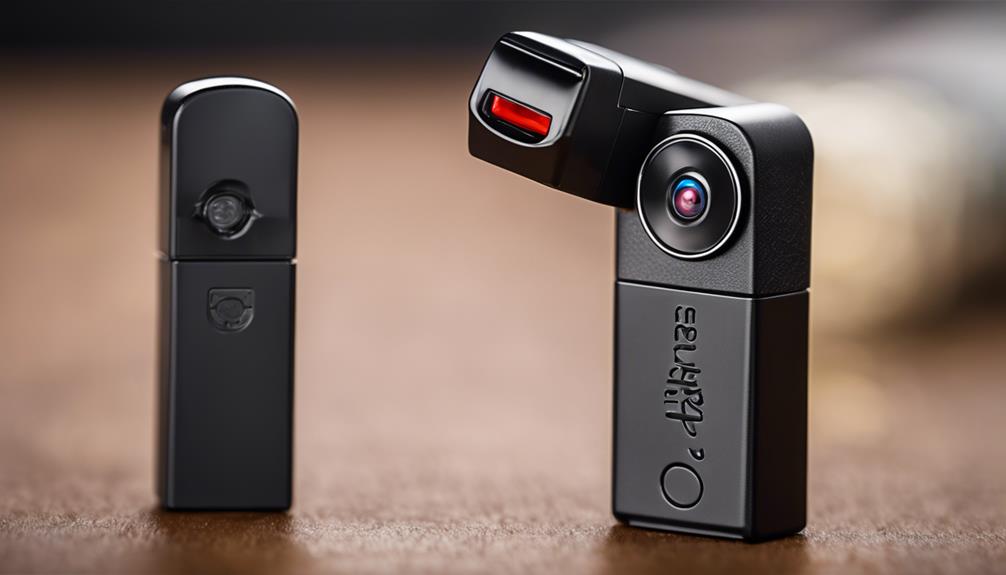

Thumb drive spy cameras are compact recording devices designed to resemble ordinary USB storage drives. Their small form factor can be useful for authorized security monitoring, documenting equipment, or observing a permitted area without installing a larger camera. However, appearance alone does not determine performance. The most important differences are found in video quality, recording controls, power, storage, and connectivity.
There is no single best camera for every situation. Before choosing one, confirm how and where it may legally be used. Recording people without their knowledge or permission can violate privacy and surveillance laws, which vary by location. Use any camera only in a lawful, transparent, and responsible manner.
Five features worth comparing
1. Video quality and lens performance
Resolution is only one part of useful video quality. A camera should also produce footage that is clear enough for its intended purpose, with acceptable focus, exposure, and image stability. A higher stated resolution does not automatically guarantee better results, particularly in dim rooms or when the lens is small.
- Check the stated recording resolution and file format.
- Look for sample footage recorded in lighting conditions similar to your own.
- Consider the lens angle: a wider view covers more space but may make subjects appear smaller.
- Confirm whether the camera records continuously or creates separate video files.
If identifying details matter, test the camera before relying on it. A short trial can reveal whether the image is sharp at the required distance and whether movement causes excessive blur.
2. Motion detection and recording modes
Motion detection can reduce unnecessary footage and conserve storage compared with continuous recording. Instead of recording all the time, the camera begins or continues recording when movement is detected. Its usefulness depends on sensitivity, detection range, and the amount of activity in the room.
Look for adjustable sensitivity and a clear way to review motion-triggered clips. Some devices may create very short recordings, miss subtle movement, or trigger repeatedly when lighting changes. If uninterrupted documentation is essential, continuous recording may be more appropriate than motion activation.
3. Low-light capability
Night vision is often promoted as a major advantage, but performance varies considerably. A camera may use infrared illumination or simply brighten a dark image, and these approaches do not produce identical results. Infrared footage is commonly monochrome, while visible-light recording may preserve color but require more illumination.
Before buying, determine whether low-light recording is actually needed and whether the device produces any visible indicators or illumination during operation. Review example footage rather than relying only on a feature label. Obstacles, reflective surfaces, and distance can all reduce nighttime image quality.
4. Battery life and storage
A compact design leaves limited room for a battery, so recording time may be shorter than expected. Battery performance can also change when using higher-quality video, motion detection, or wireless features. Treat any stated runtime as an estimate and check how the figure was measured.
Storage is equally important. Confirm whether the camera uses removable media, built-in memory, or another storage method. Check the maximum supported capacity, how files are transferred, and whether old recordings are overwritten automatically. A device with insufficient storage may stop recording sooner than anticipated or require frequent file management.
5. Connectivity and everyday operation
Some thumb drive-style cameras offer remote viewing, live streaming, or wireless file transfer. These functions can make monitoring more convenient, but they may consume additional battery power and require a compatible application or network connection. Remote access also introduces account and network-security considerations.
For a straightforward setup, prioritize clear controls and dependable file access. Check whether the camera works with your computer or phone, whether the app is required, and how recordings are exported. A simple device that reliably saves footage may be more useful than one with advanced features that are difficult to configure.
Practical questions to ask before purchase
- Where will the camera be used, and do local rules require notice or consent?
- How long must it record between charges?
- Is motion detection sufficient, or is continuous recording necessary?
- Will the footage be viewed locally, transferred later, or accessed remotely?
- Can the recording files be opened and backed up using your existing devices?
- Does the product documentation explain limitations, battery capacity, and storage requirements?
Responsible use matters
A thumb drive appearance should not be treated as permission to record secretly. Avoid placing cameras in private spaces or using them to monitor people without appropriate authorization. If the purpose is home, workplace, or equipment security, consider visible signage, clear policies, and less intrusive alternatives where practical.
The best choice is the model whose recording quality, power capacity, storage, and controls match the job. Comparing these five areas will produce a more reliable decision than choosing a camera based solely on its small size or list of advertised features.