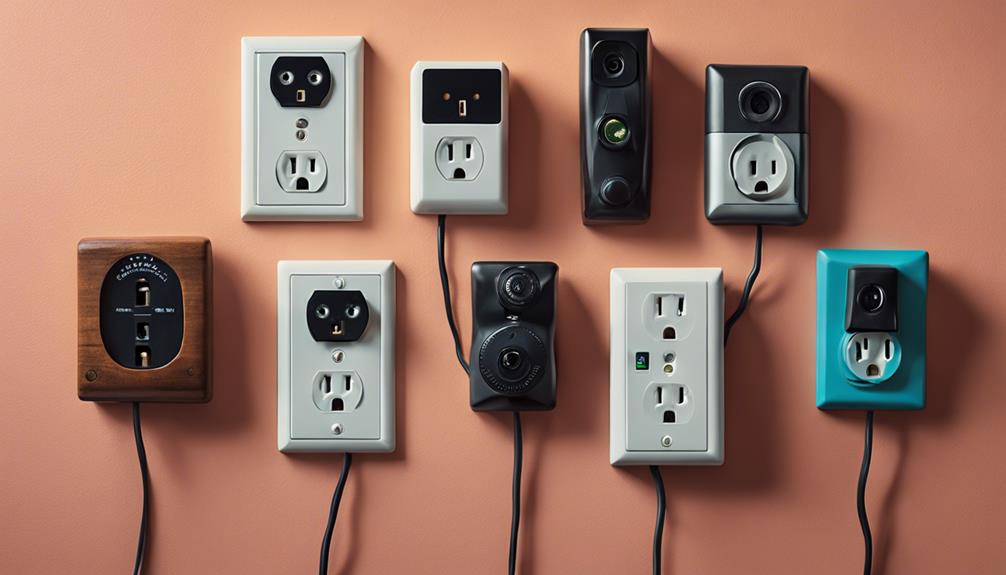

Wall-outlet cameras with audio combine a familiar outlet-style design with video monitoring and, on some models, sound recording. They may be considered for home security, entryway monitoring, or observing a permitted workspace. However, their discreet appearance creates important privacy and legal responsibilities. Before choosing or installing one, confirm that recording video and audio is lawful in your location and that everyone who may be recorded has been properly informed or has given consent where required.
What to Look for in a Wall-Outlet Camera
Rather than focusing only on appearance, compare the camera’s coverage, recording controls, connectivity, and security features. The most useful specifications will depend on the room, lighting, network, and amount of footage you need to retain.
Video quality and viewing angle
Higher-resolution video can make faces, objects, and activity easier to distinguish, but image quality also depends on lighting, lens design, placement, and compression. A wide-angle lens can cover more of a room from one position, although it may produce distortion at the edges and capture areas that should remain private. Position the camera toward an entrance or other permitted area rather than toward bedrooms, bathrooms, or other spaces where people reasonably expect privacy.
Audio recording
Audio can add context to video, but it is often subject to stricter rules than visual recording. A camera with a microphone may capture conversations unintentionally, including conversations involving people who were unaware of the device. If audio is not essential, consider disabling it. If it is necessary, provide clear notice and follow applicable consent and workplace-monitoring requirements.
Motion detection and recording modes
Motion-activated recording can reduce unnecessary footage and make important events easier to find. Check whether the camera offers adjustable sensitivity, activity zones, event notifications, or pre-event recording. A sensitive setting may produce excessive alerts, while a low setting could miss movement. Test the settings in the camera’s final position before relying on it for security.
Night vision and low-light performance
Infrared night vision can help a camera monitor dim areas, but performance varies with distance, obstacles, reflective surfaces, and available ambient light. Review sample footage from the intended location if possible. Avoid pointing infrared-equipped cameras through glass, where reflections may reduce image quality.
Storage, Power, and Remote Access
Continuous power and loop recording
Outlet-style cameras are commonly designed for continuous power, which can be useful for ongoing monitoring. Even so, verify the required outlet type and installation method, and do not use a device that blocks grounding, interferes with another plug, or appears unsafe. Loop recording may overwrite the oldest footage when storage fills, so important clips should be exported promptly and stored securely.
Wi-Fi and smartphone control
Remote viewing and smartphone controls can provide access to live video, alerts, settings, and recorded clips. These features also create an account-security risk. Use a strong, unique password, enable multi-factor authentication when available, keep the camera and app updated, and avoid sharing access credentials. Secure the home network as well, since an exposed camera account can reveal both video and audio.
Installation Checklist
- Choose a location that monitors only areas where recording is permitted.
- Inform household members, visitors, employees, or other affected people as required.
- Angle the lens away from private spaces and neighboring properties.
- Confirm that the outlet and camera are securely installed and do not create an electrical hazard.
- Test video, audio, motion alerts, night vision, and remote access before regular use.
- Set a retention period and delete footage that is no longer needed.
- Restrict app access to trusted users and review connected accounts regularly.
Privacy-Safe Use Matters
A discreet design should not be treated as permission to record secretly. Do not use an outlet camera to monitor people in private spaces, record conversations without the required consent, or evade workplace, rental-property, or local surveillance rules. Laws differ by location, particularly for microphones and shared spaces, so obtain appropriate legal guidance when the situation is unclear.
The best wall-outlet camera is not simply the one with the most features. Choose a model whose video coverage, audio controls, storage, security settings, and installation method fit a clearly defined and lawful monitoring purpose. Transparent placement, limited access, and responsible retention will make the system more useful while reducing the risk of harm or unauthorized surveillance.