
Live camera monitoring can help you check on a home, business, pet, or authorised security area without being physically present. Although these systems are often described as spy cameras, the most important considerations are their intended purpose, the security of the live feed, and the privacy of everyone who may be recorded. Explore live feed capabilities to understand the features and technology behind remote surveillance devices.
What a live spy camera can do
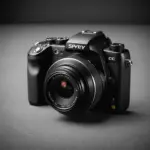
Modern compact cameras may combine small designs with features such as high-resolution video, motion detection, infrared night vision, two-way audio, and local or cloud storage. Depending on the model, you may be able to view a live feed through a smartphone, tablet, or desktop computer.
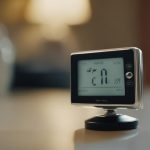
Some devices record continuously, while others begin recording when motion is detected. A live view is useful for immediate awareness, but recording and alert features can help when you cannot keep the camera open constantly. Features such as temperature sensing or two-way audio may also be useful in care and home-monitoring situations, provided their use is appropriate and lawful.
How live camera streaming works
A camera generally sends video through a local network, a direct connection, or a cloud-based service. Each approach has different effects on convenience, privacy, bandwidth, and delay.
- Local network streaming: The camera connects to a home or business router and sends video to a viewing app or network video recorder. This is suitable when monitoring is mainly taking place on the same network.
- Direct or peer-to-peer connections: These can provide remote access without relying on the same type of central relay used by cloud services. Performance and privacy depend on the camera’s design and security controls.
- Cloud streaming: A cloud service relays the feed and may provide remote access, motion alerts, or cloud backup. This can simplify setup, but it means account security and service privacy are especially important.
High-resolution video requires more bandwidth than a lower-resolution stream. Before relying on remote viewing, check that the camera’s network connection and available upload capacity can support the intended quality.
Choosing a camera for live monitoring
Start with the area you need to monitor and the length of time the camera must operate. A mains-powered camera is generally better suited to continuous use, while a battery-powered model may be easier to place but requires regular charging. For discreet viewing alternatives, explore wearable surveillance options that blend personal accessories with compact monitoring technology.
Features worth considering
- Low-light performance: Infrared night vision can help in dark areas, while the image sensor affects overall clarity.
- Motion detection: Alerts can draw attention to activity without requiring constant viewing.
- Storage options: Local storage, a network recorder, or cloud recording each involve different access and privacy considerations.
- Secure access: Look for encrypted connections, strong authentication, and two-factor authentication where available.
- Audio controls: Two-way audio can be useful, but audio monitoring may be subject to stricter privacy rules than video.
Legitimate uses for a live camera feed
Live monitoring may be appropriate when it serves a clear, authorised purpose. Homeowners may use it to check an entrance or a permitted area of their property. Families may monitor an infant or an elderly relative with appropriate knowledge and consent. Small businesses may use cameras to oversee customer areas, entrances, or stock areas, while remote workers may check on pets or their homes.
Professional or investigative use requires an especially clear legal basis and defined scope. A camera should not be used to secretly observe people simply because the technology makes it possible.
Privacy, legal, and ethical boundaries
Rules vary by location, but recording people in private places without consent may be unlawful. Audio recording can have additional restrictions, and workplace monitoring may require notice or a clearly defined policy. Public areas are not automatically free from privacy obligations either.
Before installing a camera, identify who may be recorded, what area is necessary, how long footage will be retained, and who can access it. Avoid bedrooms, bathrooms, changing areas, and other places where people reasonably expect privacy. When a visible camera can meet the security need, it is usually the more transparent choice. Do not bypass passwords, access someone else’s camera, or use hidden monitoring to evade consent requirements.
Best practices for secure monitoring
- Use a strong, unique password for the camera account.
- Enable two-factor authentication if the device or service supports it.
- Install firmware and app updates from the manufacturer.
- Limit camera placement to the area that genuinely requires monitoring.
- Review user permissions and remove access that is no longer needed.
- Test remote viewing, motion alerts, night vision, and recording access regularly.
- Set a sensible retention period and delete footage that is no longer necessary.
A live spy camera system is most useful when it provides a specific security or care benefit without creating unnecessary surveillance. Choosing suitable technology, protecting the feed, and respecting consent and privacy will make remote monitoring safer and more responsible.