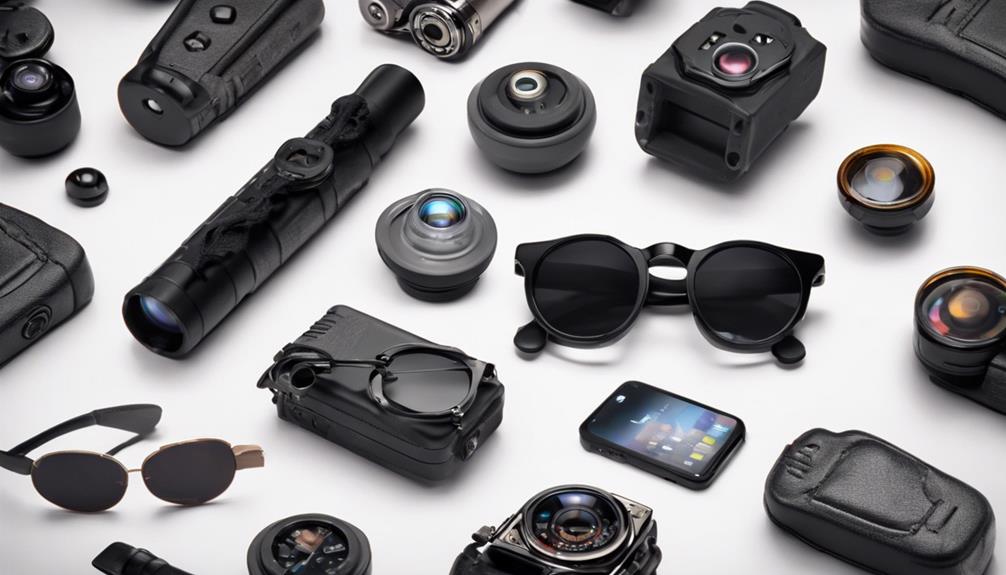

Wearable cameras with built-in microphones can make hands-free recording easier in situations where carrying a conventional camera is inconvenient. The options below represent seven popular wearable formats, from body-worn cameras to glasses and clip-on devices. Each offers a different balance of discretion, convenience, comfort, and recording control.
Before using any camera that records sound, check the laws that apply where you are. Audio recording rules often require consent, and recording people in private spaces or sensitive situations may be unlawful. Use these devices only for legitimate purposes, respect privacy, and follow workplace, venue, and local recording policies.
1. Sleek Body Camera With Audio
A compact body camera is a practical choice when you need hands-free video and audio recording. Many designs attach to clothing or fit into a pocket, allowing the wearer to document an event without holding a phone or camera.
This format can suit personal safety documentation, fieldwork, inspections, and other situations where a stable point of view is useful. When choosing one, consider how securely it clips to clothing, whether the controls are easy to operate, and how clearly the microphone captures nearby speech.
2. Discreet Pen Camera Recorder
Pen-style cameras are designed to resemble an ordinary writing instrument. Their familiar appearance and small size make them easy to carry, although their usefulness depends heavily on camera placement, battery capacity, and the quality of the built-in microphone.
A pen camera may be convenient for documenting notes, presentations, or other permitted activities when a larger camera would be distracting. Check whether the lens is visibly unobstructed and whether the device provides an obvious recording indicator, which can help support transparent, consent-based use.
3. Glasses Camera With Sound
Camera glasses combine eyewear with a forward-facing camera and microphone. Because the camera follows the wearer’s line of sight, this format can provide a natural first-person perspective while leaving both hands free.
Comfort is especially important with glasses-mounted equipment. Look for a fit that remains stable during movement, controls that are not difficult to reach, and recording indicators that make the device’s status clear. These glasses may be useful for creative projects, demonstrations, or authorized documentation where a hands-free viewpoint is helpful.
4. Covert Button Camera Set
A button-style camera is intended to sit near the front of clothing and capture a forward-facing view. Some sets include a separate recording unit or accessories that help position the camera more securely.
This design can be less noticeable than a handheld camera, but discretion should never be treated as permission to record people secretly. Use a button camera only when recording is allowed and appropriate. Pay attention to image alignment, clothing compatibility, cable placement, and microphone performance before relying on it for an important recording.
5. Hidden Watch Camera and Microphone
A watch-format camera integrates recording hardware into a wearable timepiece. Its wrist-mounted design can be convenient when you want controls close at hand without carrying a separate device.
Watch cameras generally trade some camera size and battery capacity for portability. When comparing this format, assess how recording is started, how footage is reviewed or transferred, and whether the watch remains comfortable during extended wear. A clear recording indicator and responsible use are particularly important because the device resembles an everyday accessory.
6. Mini Clip-On Camera With Audio
Clip-on cameras are among the most flexible wearable options. They can attach to a shirt, bag, strap, or other suitable surface and are usually easy to reposition. The legacy category also includes devices promoted with features such as night vision, motion detection, remote control, or live viewing.
Those features should be verified carefully before purchase because specifications vary widely between devices. Night recording may affect image detail, motion detection can produce unwanted clips, and live viewing may depend on a compatible connection. A secure clip and reliable audio are often more useful than a long list of untested features.
7. Wireless Earbud-Style Camera
Earbud-style camera concepts place recording hardware in an especially small wearable form. Their main appeal is portability and the ability to operate without holding a camera, while some designs are presented as offering both audio and video recording.
Because space is limited, carefully evaluate recording time, charging requirements, storage, microphone clarity, and the method used to start or stop recording. Small devices can also be easy to misplace, so secure storage and regular battery checks matter. Use this type only in settings where recording is clearly permitted.
How to Choose a Wearable Camera With Audio
- Audio quality: Confirm that the microphone is suitable for the distance and environment in which you plan to record.
- Battery life: Consider whether the device can last through the entire activity and how it recharges.
- Storage: Check recording capacity, file transfer options, and whether footage can be reviewed easily.
- Comfort and stability: A wearable camera should remain secure without obstructing movement or vision.
- Recording indicators: Visible status lights or other notifications support transparent use and help prevent accidental recording.
- Privacy and legality: Obtain consent when required and avoid recording in places where people reasonably expect privacy.
Final Considerations
The best wearable camera depends on the setting rather than the device’s appearance alone. Body cameras and clip-on models are versatile, glasses provide a first-person view, and pen, watch, button, and earbud formats prioritize compactness. Compare audio performance, battery life, storage, comfort, and legal requirements before choosing one—and use any recording device responsibly.