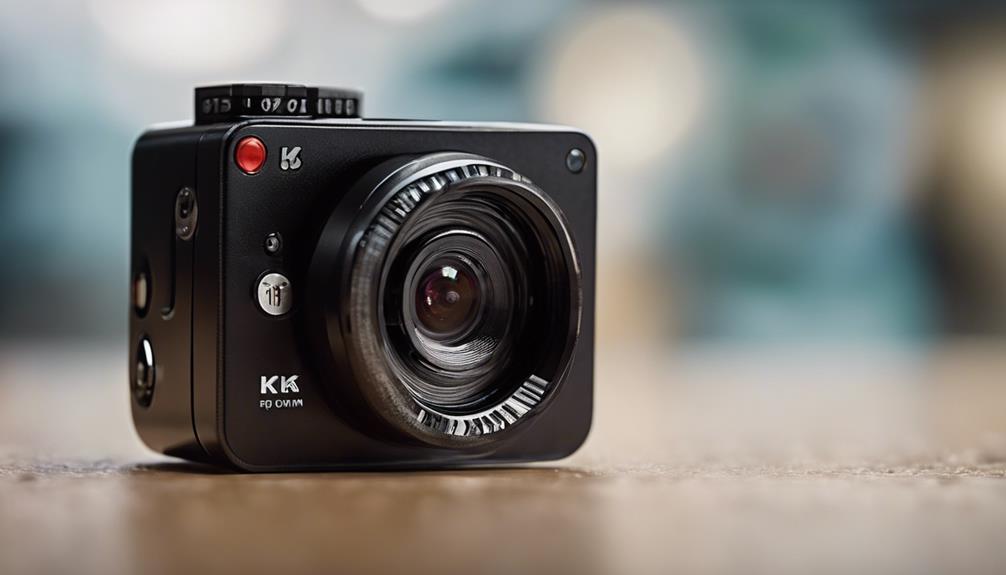

An 8-camera security system offers a practical balance between coverage and complexity. It can monitor entrances, driveways, outdoor areas, common rooms, and other important locations while leaving room to adjust the layout as your needs change. With the right combination of cameras, recording equipment, and carefully planned placement, an eight-channel system can support both visible deterrence and discreet monitoring where it is lawful and appropriate. An 8-camera security system can incorporate discreet surveillance options to monitor sensitive areas unobtrusively.
Why choose an eight-camera setup?
Smaller systems may leave gaps around a property, while larger installations can require more equipment, wiring, and maintenance than a home or small business needs. Eight camera positions are often enough to cover several key areas, such as:
- Front and rear entrances
- Driveways, paths, and parking areas
- Front and back yards
- Garages, stock rooms, or other access points
- Indoor common areas where monitoring is justified
Planning matters more than simply filling every available channel. A camera should have a clear purpose, a useful viewing angle, and a suitable power and recording connection.
Visible and discreet camera placements
Visible cameras can discourage unwanted activity and make it clear that an area is monitored. Exterior cameras are generally best placed high enough to reduce tampering while still providing a useful view of faces, doors, vehicles, or approaches to the property. Avoid pointing them toward areas where people reasonably expect privacy.
Discreet cameras may be considered for limited purposes such as monitoring a nursery, checking on an elderly family member, or protecting a small stock room. They should never be placed in bathrooms, changing areas, bedrooms used by guests, or other private spaces. A concealed camera should address a specific security or care need rather than become a way to monitor people indiscriminately.
In many situations, a combination of visible outdoor cameras and carefully justified indoor cameras provides better protection than relying entirely on hidden devices. The visible cameras help deter unwanted behavior, while appropriately placed indoor cameras can provide information about an incident.
Choosing cameras and recording equipment
Start by deciding whether the installation should use wired cameras, wireless cameras, or a combination of both. Wired cameras can provide consistent connections and power, which is useful for permanent indoor and outdoor installations. Wireless models may be easier to position in some locations, but they still require reliable power and a dependable network connection.
The recorder must support the type and number of cameras you plan to use. A DVR is commonly associated with compatible analog cameras and existing coaxial wiring, while an NVR is designed for network-connected IP cameras. Whichever option you choose, check that it supports: For systems with multiple cameras, review cellular data options to keep remote monitoring reliable.
- All eight camera channels, including any planned future additions
- The resolution and frame rate required for useful evidence
- Local playback and backup options
- The amount of storage needed for your recording schedule
- Audio support only where it is lawful and genuinely necessary
A system with a connected monitor can provide local live viewing and playback without depending entirely on remote access. A bundled CCTV kit may simplify installation, but confirm that its cameras, recorder, power supplies, and cables are compatible before purchasing.
Audio, intercoms, and remote viewing
Audio recording introduces additional privacy concerns and may be regulated differently from video. If sound is not essential, disabling microphones can reduce both legal and ethical complications. Where communication with visitors is the goal, a camera with two-way audio or an intercom function may be more appropriate than continuous audio recording.
Remote viewing can be useful for checking entrances or receiving information about an event, but access should be protected with strong account credentials and limited to authorized users. Local recording remains useful when an internet connection is unavailable or when immediate access to stored footage is required.
Installation and maintenance tips
- Sketch the property and mark entrances, likely approaches, and areas that need protection.
- Check each camera’s sightline in daylight and after dark.
- Keep outdoor cameras protected from weather and avoid glare from lights or windows.
- Route and label cables so faults can be traced easily.
- Place the recorder and power equipment somewhere secure and reasonably accessible.
- Test recording, playback, night views, and backups after installation.
- Review the system periodically to confirm that cameras are still aimed correctly and storing footage as intended.
Privacy, consent, and responsible use
Before installing an 8-camera system, check the laws that apply where the cameras will operate. Video recording rules can depend on the location, the people being recorded, and whether the area is private or shared. Audio recording often has separate requirements. Employee, tenant, guest, and childcare situations may also involve disclosure or consent obligations.
Use clear notices where required, limit access to recordings, retain footage only as long as there is a reasonable purpose, and avoid collecting more information than the system needs. If the legal position is uncertain, obtain advice from a qualified local professional before using covert monitoring.
Build the system around a clear purpose
An eight-camera security system works best when every camera has a defined role. Combine dependable exterior coverage with carefully considered indoor monitoring, choose a recorder that matches the cameras, and treat audio and hidden placements with particular caution. Thoughtful planning can improve security while respecting the privacy of everyone who may be recorded.