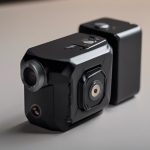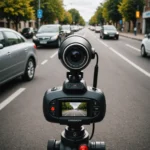

Compact CCTV cameras provide security monitoring in a smaller, less obtrusive format than traditional dome or box cameras. Their low-profile design makes them useful where space is limited or where a large visible camera would be impractical. Depending on the model, a compact camera may offer high-definition video, motion detection, night vision, wireless connectivity, remote access, and two-way audio.
Small surveillance equipment can support home security, property protection, business monitoring, and caregiver oversight. However, discreet monitoring must always be balanced with privacy, consent, and local legal requirements.
What is a compact CCTV camera?
A compact CCTV camera is a small surveillance device designed for flexible placement and a minimal visual footprint. Some models are intended to be clearly visible but unobtrusive, while others can be recessed into a ceiling or positioned behind a decorative feature. The camera should never be placed where its use would violate a person’s reasonable expectation of privacy.
Compared with larger surveillance systems, compact cameras are generally easier to position in small rooms, entryways, garages, offices, and other confined areas. Their size can simplify installation, but it does not eliminate the need to plan the camera’s view, power supply, network connection, and recording method.
Practical uses for small CCTV cameras
Compact cameras can be appropriate for monitoring areas where safety, access control, or property protection is a concern. Common applications include:
- Watching entrances, hallways, garages, and other parts of a home
- Monitoring a small retail or office area
- Checking a vacation property between visits
- Observing a nursery or shared living area where monitoring is permitted
- Supporting the oversight of elderly relatives or care arrangements with appropriate notice and consent
- Recording activity around storage areas or other locations vulnerable to theft
In workplaces and shared properties, surveillance should be limited to legitimate security purposes. Clear notices and written policies can help people understand where cameras are installed and why they are being used.
Features to compare before buying
Image quality and viewing conditions
Choose a resolution appropriate for the distance and detail you need to capture. A wide-angle lens can cover more space, while an adjustable lens may help frame a specific entrance or passage. Night vision, infrared illumination, and good performance in uneven lighting are important when the camera will operate after dark or near windows.
Power and connectivity
Wired cameras generally provide a consistent power and network connection, although installation may require more planning. Wireless models are easier to position but depend on reliable signal strength. Battery-powered cameras can be useful where wiring is difficult, but their operating time and recharging requirements should be considered before installation.
Recording and alerts
Motion-triggered recording can reduce unnecessary footage and make important events easier to find. Check whether recordings are stored locally, on a memory card, or through a cloud service. Cloud storage may involve account limits or subscriptions. Useful additional features can include remote viewing, two-way audio, tamper alerts, and notifications when movement is detected.
Installation and placement guidance
Begin by identifying the area that actually needs coverage. Consider the main approach routes, likely activity, lighting conditions, and any obstructions. Test the camera from its intended position before completing the installation, and review sample footage at different times of day.
- Keep the lens unobstructed and free from glare, dust, and reflective surfaces.
- Position the camera high enough to discourage tampering while retaining a useful view of faces and activity.
- Check wireless signal strength at the final location rather than beside the router.
- Make sure power cables, batteries, and storage media remain accessible for maintenance.
- Avoid pointing cameras into neighboring homes, private rooms, or areas unrelated to the security purpose.
A discreet camera should not automatically mean a secret camera. In many situations, a small but visible installation is the clearest and most respectful option.
Privacy, legal, and ethical responsibilities
Rules governing surveillance differ by location. Audio recording may be subject to separate requirements, and recording in bathrooms, changing areas, bedrooms, or other private spaces can create serious legal and ethical problems. Workplace and rental-property rules may also require notice or consent.
Before installing a camera, review the laws that apply to your jurisdiction and the people being recorded. Use the least intrusive setup that achieves the security objective, restrict access to recordings, and retain footage only as long as necessary. If the situation involves employees, tenants, caregivers, or shared property, consider obtaining appropriate advice from a qualified legal professional.
Maintenance and security
Clean the lens periodically and confirm that the camera is still aimed at the intended area. Test motion alerts, recording, night vision, and remote access after installation and whenever the network or power setup changes. Replace or recharge batteries before they run down, and review storage capacity so important footage is not overwritten unexpectedly.
For internet-connected cameras, use a strong unique password, enable available account security controls, and install manufacturer-provided firmware updates. Also review who can access the camera and remove permissions that are no longer needed.
When selected carefully and used within appropriate boundaries, a compact CCTV camera can provide flexible monitoring without dominating a room or property. Good planning, responsible placement, regular maintenance, and respect for privacy are just as important as resolution or connectivity.