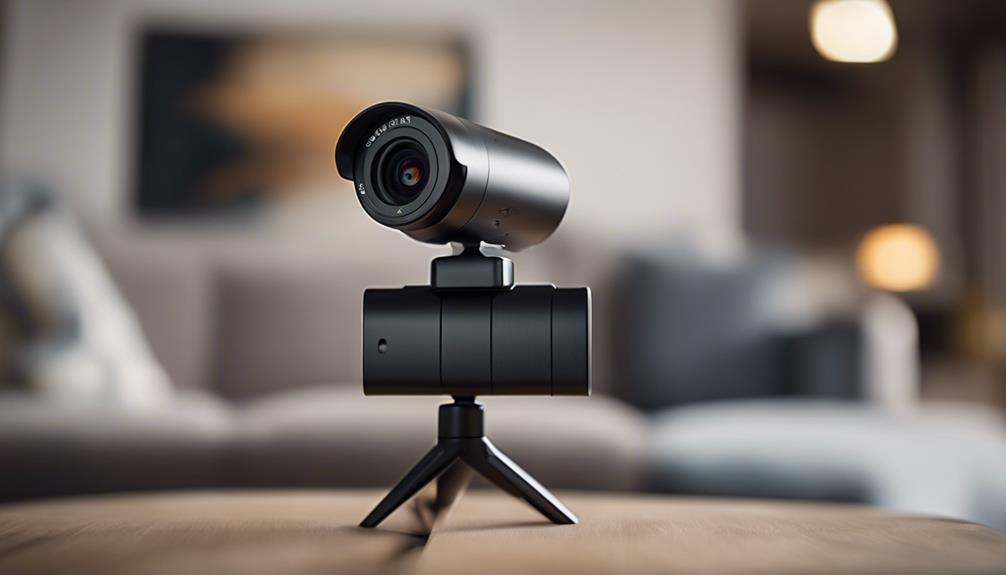

A wireless battery camera can provide flexible monitoring without the need to run a power cable to every installation point. Because it combines a rechargeable battery, camera, motion detection and wireless connectivity in one unit, it can be useful in homes, temporary work areas and other locations where permanent installation is inconvenient.
The right choice depends on more than image resolution. Battery life, network reliability, storage, night performance, security and privacy all affect whether a camera will work well in practice.
How wireless battery cameras work
A typical wireless battery camera captures video through a built-in camera module and uses a rechargeable battery as its power source. Depending on the model, footage may be sent over Wi-Fi to a mobile app or cloud service, saved to a local microSD card, or transferred to another compatible storage device.
Most battery cameras are designed to remain in a low-power standby state and activate when motion or another event is detected. This approach generally uses less energy than continuous recording, although actual runtime depends on battery capacity, recording frequency, wireless signal strength, temperature and camera settings.
Features worth comparing
Battery life and charging
Look beyond the advertised runtime and consider how the camera will be used. Frequent motion events, live viewing and weak Wi-Fi coverage can increase power consumption. A removable battery, charging dock or optional external power connection can reduce downtime for cameras that need to operate for longer periods.
Useful power-saving controls may include:
- Motion-activated recording instead of continuous recording
- Activity schedules for times when monitoring is unnecessary
- Adjustable motion sensitivity and detection zones
- Reduced resolution or shorter clips during less important periods
Image quality and night vision
Higher resolution can reveal more detail, but it may also require additional storage and battery power. Full HD can be adequate for many indoor monitoring tasks, while higher-resolution cameras may be preferable when identifying details at a distance. A wide field of view covers more of a room, although it can make distant objects appear smaller.
For dark areas, check whether the camera provides infrared night vision or another low-light mode. Also consider whether infrared illumination is visible and whether night images remain clear when subjects are moving.
Motion alerts and app controls
Reliable motion detection is often more important than a long list of smart features. The ability to adjust sensitivity, define activity zones and receive useful notifications can help reduce false alerts and conserve battery power. A well-designed app should make it straightforward to view live footage, change settings, review recordings and check the remaining battery level.
Connectivity and storage
Most smart battery cameras use Wi-Fi, so placement should provide a dependable signal. A camera installed too far from the router may disconnect frequently or consume more energy while trying to maintain a connection. Some devices support different Wi-Fi bands, while Bluetooth may be used for setup or short-range pairing rather than video transmission.
Cloud storage offers access to recordings away from the camera and may protect footage if the device is damaged or removed, but it can involve subscription costs. Local microSD storage can avoid recurring fees, though the card and camera may remain vulnerable to physical damage or theft. Review how recordings are encrypted and how long they are retained under each storage option.
Practical indoor uses
A battery camera is especially convenient for renters, temporary installations and rooms where adding a power cable is impractical. Common legitimate uses include checking an entryway, monitoring pets, observing a nursery, or keeping an eye on a home during a short absence. Because the camera can be moved, it can also adapt to changing household needs.
In workplaces or temporary project areas, a battery-powered unit may provide short-term oversight without permanent wiring. Any workplace monitoring should follow applicable rules and clearly defined policies.
Security, maintenance and privacy
Change default passwords, use a strong unique account password and enable available account protections. Keep the camera firmware and companion app updated, since updates may address security weaknesses as well as add features. Review account permissions and avoid sharing camera access more widely than necessary.
Placement is equally important. Avoid aiming the camera at windows, reflective surfaces or busy areas that can trigger unnecessary recordings. Recharge or replace the battery before it reaches a critical level, and periodically check that alerts, storage and the wireless connection still work as expected.
Use cameras only where recording is lawful and appropriate. People generally have a strong expectation of privacy in areas such as bathrooms and private changing spaces, and audio recording may be subject to separate consent requirements. Before monitoring guests, household members, employees or tenants, check local regulations and provide notice or obtain consent when required. A compact or discreet design should never be treated as permission to record people secretly.
Making the final choice
For occasional indoor monitoring, prioritize simple app controls, dependable motion alerts and convenient charging. For longer deployments, focus on battery replacement options, storage reliability and stable connectivity. If low-light coverage matters, evaluate night vision in addition to daytime resolution. By balancing runtime, image quality, storage, security and privacy requirements, you can select a wireless battery camera that fits the location without creating unnecessary maintenance or legal problems.