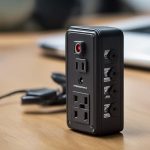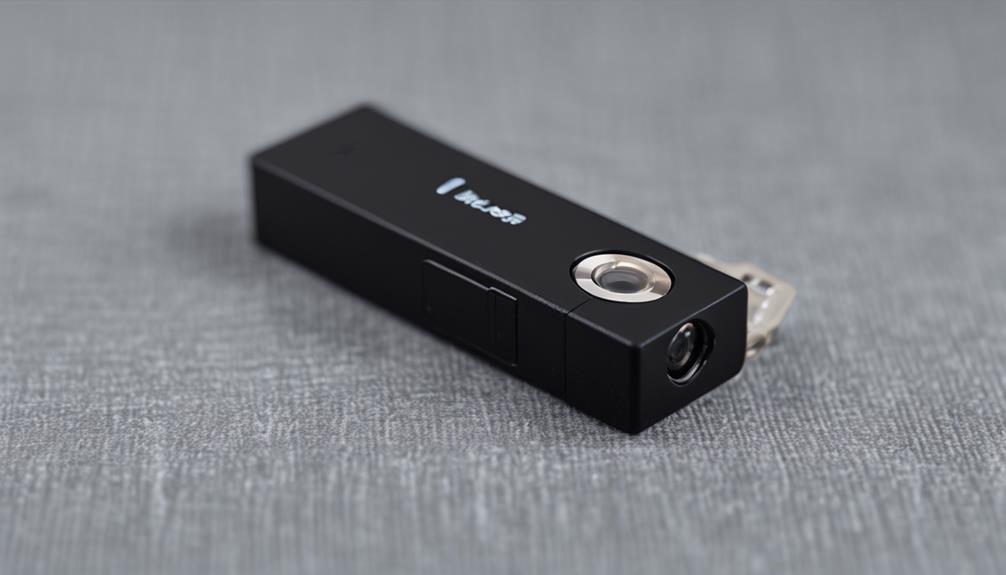

Micro Cam Motion devices combine a compact design with motion-activated recording. Instead of capturing footage continuously, these small cameras remain ready to detect activity and begin recording when movement occurs. That approach can reduce unnecessary video, conserve battery power, and make important events easier to find.
A motion-activated mini camera may suit home monitoring, small-business security, delivery areas, wildlife observation, or other situations where a large camera would be impractical. The best choice depends on the scene, available power, storage preferences, image quality requirements, and the privacy responsibilities that come with recording people or property.
How Micro Cam Motion Technology Works
These devices generally combine a small lens, an image sensor, motion detection, and power-management features inside a compact housing. When the camera detects activity, it can record a video clip, take still images, or send an alert through a connected mobile application, depending on the model.
Motion detection commonly uses one of several methods:
- Passive infrared (PIR) detection: Detects changes in infrared energy associated with moving people or animals.
- Pixel-change analysis: Compares frames to identify changes in the image.
- Hybrid detection: Combines sensor input and image analysis to help reduce unwanted triggers.
Each method has limitations. PIR sensors can be affected by placement and may not respond reliably to very slow movement. Image-based detection can react to changing light, moving vegetation, or other background activity. Understanding the detection method makes it easier to choose a suitable location and adjust sensitivity correctly.
Where a Tiny Motion-Activated Camera Can Help
At home, a compact camera can be used to monitor an entryway, nursery, hallway, or outdoor boundary, provided the installation respects the privacy of everyone being recorded. In a small business, it may help document after-hours activity, deliveries, or access to an inventory area.
The lightweight form factor can also be useful for observing wildlife or monitoring a trail. In any setting, motion-triggered operation focuses storage and battery use on periods when activity occurs rather than recording an uneventful scene indefinitely.
Features Worth Comparing
Image and low-light performance
Choose image quality according to the distance and detail you need. Resolution is only one consideration; lens quality and low-light performance are especially important when activity may occur at dusk or during the night. A wide field of view can cover more space, while a narrower view may provide more detail in a specific area.
Power and recording time
Check whether the camera uses a rechargeable battery, replaceable cells, or continuous mains power. Motion activation can extend battery life, but frequent activity, wireless connections, and night imaging may still increase power use. Scheduled recording and power-saving settings may help when constant availability is not required.
Storage and connectivity
Footage may be saved locally to a microSD card, transferred to cloud storage, or accessed through a wireless connection. Local storage can reduce ongoing service dependence, while cloud access may simplify remote retrieval. Review storage capacity, subscription requirements, account security, encryption, and what happens when the storage becomes full.
Adjustment and mounting options
Useful controls may include motion sensitivity, clip length, detection zones, alert settings, and recording delays. A flexible mount makes it easier to aim the lens accurately and secure the camera without blocking the sensor.
Placement and Setup Tips
Position the camera so the intended area is clearly visible and the lens is not obstructed. Avoid aiming directly at bright lights, reflective surfaces, or windows, since glare and changing illumination can reduce image quality or create unwanted alerts.
For PIR-based devices, aim the sensor toward the path of movement rather than directly at a person approaching it. For image-based detection, limit sources of constant background movement such as curtains, branches, or rapidly changing shadows. Test the camera at different times of day and review short recordings before relying on it.
Adjust sensitivity gradually. A setting that is too high may produce repeated alerts, while a setting that is too low can miss relevant activity. Confirm that wireless signal strength is adequate if alerts or remote viewing depend on a network connection.
Privacy, Legal, and Ethical Responsibilities
Compact cameras should be used for legitimate, clearly defined purposes. Do not place one in areas where people reasonably expect privacy, such as bathrooms or private changing spaces. Depending on your location, recording audio, monitoring employees, or capturing public-facing areas may involve additional rules. Inform household members, visitors, or workers when appropriate, and check local requirements before installation.
Protect recorded footage with strong account credentials and restricted access. Keep only the material you need, avoid unnecessary sharing, and consider whether local storage or encrypted services provide the privacy level required for your situation.
Maintenance and Troubleshooting
Clean the lens periodically and check for condensation, dust, or obstructions. Recharge or replace batteries as recommended, inspect outdoor seals and mounts after severe weather, and verify that storage still has available space.
If the camera records too often, reduce sensitivity, change the detection zone, or move it away from moving foliage and unstable lighting. If it misses events, review the angle, distance, lighting, and detection method. Firmware updates, when provided by the manufacturer, and a stronger wireless connection may also resolve reliability problems.
With careful selection, thoughtful placement, and responsible handling of footage, a Micro Cam Motion device can provide practical event-based monitoring without the bulk of a conventional camera system.