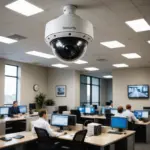

A Netgear wireless camera can provide remote video monitoring without the need to run network cables to every location. For homes, small businesses, rental properties, and other everyday applications, a wireless camera system combines video capture, Wi-Fi connectivity, motion detection, and either local or cloud-based recording.
The right setup depends on where the camera will be installed, how much video needs to be retained, and whether the priority is live viewing, event alerts, continuous recording, or a combination of these functions.
How a Netgear wireless camera works
A wireless camera uses an image sensor and lens to capture video, then sends that footage over Wi-Fi to a router, hub, mobile application, or storage service. Many cameras process video locally to identify movement or sound before sending an alert. This can reduce unnecessary notifications and limit the amount of footage that must be uploaded.
Depending on the device and configuration, useful capabilities may include:
- High-definition video for clearer views of entrances, rooms, and work areas
- Infrared or low-light viewing for monitoring after dark
- Motion or sound detection with smartphone notifications
- Two-way audio for communication through the camera
- Live remote viewing through a connected app or service
- Local recording, cloud storage, or a combination of both
Features to compare in a Netgear camera system
Video coverage and image quality
Resolution is only one part of image quality. A wide field of view can cover more of a room or entrance, while a narrower view may provide more detail in a specific area. Consider the camera’s position, lighting conditions, and the distance between the lens and the area you want to monitor.
Wireless reliability
A camera is only useful when it can maintain a dependable connection. Check the strength of the Wi-Fi signal at the intended mounting location rather than assuming coverage will be the same throughout the property. Walls, floors, appliances, and other wireless devices can affect performance. Some systems connect directly to a router, while others use a dedicated hub or base station.
Detection and notifications
Motion detection can help focus attention on important events, but sensitivity and detection zones matter. A camera aimed at a busy street, moving branches, or a frequently used walkway may generate excessive alerts. Adjustable zones and sensitivity settings can make notifications more useful.
Storage choices
Cloud recording can make footage available from outside the property, while local storage provides an alternative when you prefer to keep recordings within your own system. Review how long footage is retained, what happens when storage is full, and whether important clips can be exported. If the camera supports more than one storage method, using both may provide additional recovery options.
Power and environmental protection
Indoor and outdoor installations have different requirements. A battery-powered camera may be easier to place but will require charging or battery replacement. A continuously powered camera can support longer operation but needs a suitable outlet and cable arrangement. Outdoor use also requires equipment designed to withstand the relevant weather conditions.
Practical installation tips
Begin with the areas that matter most, such as doors, driveways, reception areas, stockrooms, or shared living spaces. Position the camera to observe natural movement paths and avoid pointing it toward large empty areas that can increase false alerts.
- Test the Wi-Fi connection before permanently mounting the camera.
- Keep the lens clear of glare, bright windows, and obstructions.
- Set activity zones around the areas that require attention.
- Adjust motion sensitivity after observing normal activity for several days.
- Check recordings and notifications regularly to confirm the system is working.
- Install firmware updates when they are available for the device.
If the system uses cloud storage, confirm that the account is active and understand its retention settings. For local recording, test how to find, export, and recover footage before an important event occurs.
Privacy and security responsibilities
A wireless camera should be secured like any other network-connected device. Replace default login details, use a strong unique password, and enable two-factor authentication when the service provides it. Keeping cameras on a separate guest or Internet of Things network can also help limit their access to other devices.
Camera placement requires equal attention to privacy. Avoid recording areas where people reasonably expect privacy, including bathrooms and private bedrooms. Depending on local law, visitors, employees, tenants, or household members may need to be informed about surveillance or recording. Audio can raise additional privacy concerns, so review applicable rules before enabling two-way sound or audio capture.
Compact or discreet cameras should be used only for lawful, responsible purposes. In situations where consent is required, concealment does not remove that obligation.
Making the most of a Netgear wireless camera
A successful Netgear wireless camera installation is built around more than video resolution. Reliable connectivity, sensible placement, appropriate storage, useful alert settings, and strong account security all contribute to a dependable system. By planning the installation around the property and the people being monitored, you can improve awareness while reducing unnecessary alerts and privacy risks.