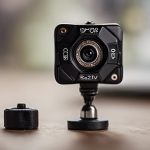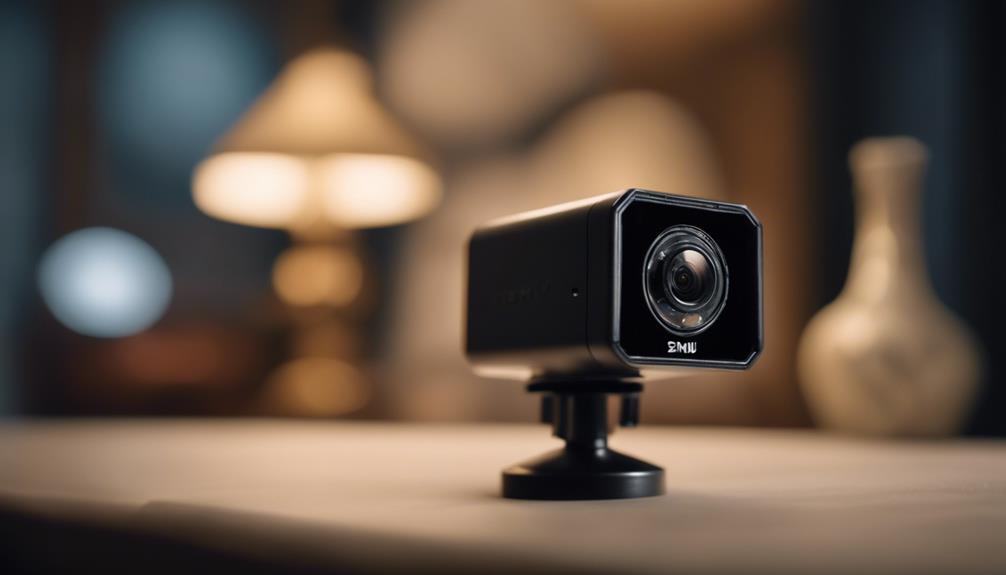

A Full HD 1080p mini camera can provide useful detail without the bulk of a conventional security camera. Its compact design makes it suitable for monitoring rooms, entryways, valuables, pets, or small work areas where a larger camera may be distracting. However, resolution is only one part of the decision. The best model for your situation will also depend on lighting, power, storage, connectivity, placement, and privacy requirements.
What 1080p means for a mini camera
Full HD 1080p generally refers to a 1920 × 1080-pixel image. Compared with lower-resolution cameras, this can preserve more visible detail when reviewing footage or enlarging part of a frame. Image quality still depends on the sensor, lens, frame rate, lighting, and compression, so a “1080p” label should not be treated as a complete performance guarantee.
Look for sample footage recorded in conditions similar to your intended installation. A camera that looks sharp in bright daylight may produce very different results in a dim hallway or room with strong backlighting.
Features worth comparing
Image quality and viewing angle
Check whether the lens provides enough coverage for the location. A wide-angle lens can show more of a room, while a narrower view may produce more useful detail at a distance. Image correction or stabilization can also help if the camera is mounted on a surface subject to vibration, although digital correction may affect the final image.
Low-light performance
If monitoring continues after dark, examine the camera’s night-vision design rather than relying only on the resolution specification. Infrared illumination and low-light sensors can help produce a usable image in darkness, but range and clarity vary between models. Consider whether infrared LEDs may be visible or distracting in the intended location.
Motion detection and notifications
Motion detection can reduce the amount of footage you need to review. Some cameras allow you to adjust sensitivity or define activity zones, which can help limit alerts caused by curtains, traffic outside a window, or moving pets. Notification speed and reliability depend on the camera, its software, and the quality of the network connection.
Audio and remote access
Some mini cameras include a microphone, speaker, or two-way audio. These functions may be useful for checking on a room or communicating remotely, but audio recording can be subject to additional privacy rules. Wi-Fi models may offer live viewing and app-based alerts, while offline cameras may rely on local storage and require the memory card to be removed for playback.
Power and storage
Battery-powered cameras are easier to position and can work well for temporary monitoring, but recording frequency, night vision, wireless activity, and notification settings can affect runtime. Wired models are better suited to continuous operation when a suitable power source is available.
Storage options commonly include a microSD card, event-based uploads, or cloud recording. Before buying, check whether storage requires a subscription, whether recordings can be exported, and how long footage remains available. Protect stored footage with a strong unique password and use additional account security features when offered.
Choosing the right mini-camera format
Compact cameras are available in several designs:
- Standalone mini cameras: Usually easy to install and reposition, with a visible housing and features such as Wi-Fi or magnetic mounting.
- Disguised cameras: Built into everyday-looking objects and intended to blend into their surroundings, though the housing may limit viewing angle or adjustment.
- Pinhole-style cameras: Useful where installation space is restricted, but they may require more careful mounting and cable management.
- Rechargeable cameras: Convenient when permanent wiring is impractical, provided the device can be accessed safely for charging.
Choose the format according to the installation rather than appearance alone. A camera that is difficult to reach, recharge, update, or reset may become inconvenient even if it is very small.
Placement and installation guidance
Position the camera where it has a clear view and is unlikely to be knocked out of alignment. Corners can provide broad coverage, while a higher mounting position may capture faces and movement more naturally. Avoid pointing the lens directly at bright windows or reflective surfaces, since glare can reduce usable detail.
For wired devices, route cables neatly and only place them inside walls or trim where this is permitted and safe. Battery-powered models should remain accessible enough for charging or battery replacement. Secure the mount and check the recorded view after installation rather than relying solely on the live preview.
Use mini cameras responsibly
Small cameras should not be installed in places where people reasonably expect privacy, such as bathrooms, changing areas, or similar private spaces. Depending on your location and the purpose of monitoring, consent or notice may be required, particularly when recording audio, employees, guests, or shared living spaces. Review applicable laws and workplace or property rules before installation.
Before making a purchase, compare real-world sample footage, expected battery performance, storage costs, app quality, firmware support, and account security. A Full HD 1080p mini camera is most useful when its image quality, power arrangement, access method, and placement all suit the environment—not simply when it has the smallest housing.