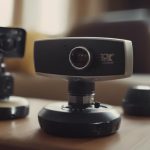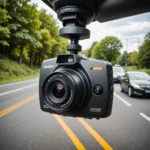

AI camera security combines video surveillance hardware with software that can interpret what it sees. Instead of treating every movement as an alert, an intelligent camera can help distinguish people, vehicles, packages, and other activity. This makes it easier to focus on meaningful events and can reduce the false alarms caused by wind, changing light, or small animals. Explore real-world monitoring uses to understand how hidden devices support AI-powered security in varied settings.
These systems can support home protection, small-business monitoring, caregiving, and property management. However, effective use depends on more than choosing a camera with AI features. Placement, connectivity, data security, maintenance, and privacy compliance all matter—especially when a camera is intended to be discreet.
How AI camera security works
A traditional CCTV camera may record continuously or respond to basic motion. An AI-enabled camera adds software that analyzes the video and categorizes activity. Depending on the model, this may include person detection, vehicle recognition, package alerts, facial detection, or behavior-based rules.
Some cameras process video on the device itself. This edge processing can reduce the amount of footage sent to the cloud, lower bandwidth use, and support faster alerts. Other systems upload footage for cloud-based analysis and centralized management. Cloud services may provide remote access and ongoing feature updates, but they also require careful attention to account security, storage policies, and subscription terms.
Wi-Fi models are convenient for homes and smaller premises because they can transmit footage and notifications without extensive data cabling. Their reliability still depends on network coverage, available power, and protection against interference or outages. A wired or hybrid setup may be more suitable for locations where continuous monitoring is especially important.
Where intelligent cameras can be useful
AI cameras can be used in visible or discreet installations, provided the monitoring is lawful and does not violate another person’s reasonable expectation of privacy. Common applications include:
- Home entry monitoring: Receive alerts when someone approaches a door, enters a monitored area, or remains near a property unexpectedly.
- Caregiving support: In appropriate, consent-based settings, activity detection can help identify falls or unusual inactivity without requiring constant manual viewing.
- Small-business security: Monitor entrances, cash-handling areas, stockrooms, loading zones, and other operational spaces while prioritizing relevant events.
- Property and parking oversight: Use motion detection, low-light capabilities, and event clips to review activity around buildings or vehicles.
A discreet camera may be useful where a visible device could be obstructed or tampered with. Discretion should not be treated as a way to bypass consent, notice, or local surveillance requirements. In many business environments, clear signage and written policies provide a more responsible approach.
Choosing an AI security camera system
Start with the area you need to monitor rather than with a list of features. Consider the camera’s field of view, image resolution, night performance, power source, and ability to capture faces or actions clearly. Multiple cameras positioned from complementary angles may provide better coverage than one hidden unit and can help reduce blind spots. For broader business protection, compare business-grade 4K systems alongside AI-powered monitoring capabilities.
Next, compare how the system handles connectivity and storage. A Wi-Fi smart camera may simplify installation and remote access, while Ethernet or hybrid systems can offer a more dependable connection. Check whether footage is stored locally, in the cloud, or through both methods. Review retention limits, export options, access controls, and any continuing service costs before making a decision.
AI features should also match the task. Person-only alerts may be useful for a doorway, while vehicle detection may matter more for a driveway or parking area. Advanced functions such as facial recognition can create additional privacy and compliance obligations, so they should not be enabled casually.
Placement, privacy, and legal responsibilities
Do not place cameras in areas where people reasonably expect privacy, such as bathrooms, changing areas, or private bedrooms. Follow applicable rules for recording employees, visitors, tenants, family members, and guests. Audio recording can be subject to separate consent requirements even when video surveillance is permitted, so disable audio when it is not necessary and verify the relevant local rules before installation.
Position cameras so they capture useful activity without unnecessarily recording neighboring properties or public areas. Avoid direct sunlight and headlights, test the view at night, and confirm that important faces and access points are not hidden by glare or shadows. Where monitoring takes place in a business, document its purpose and explain who can access the footage.
Keeping the system reliable and secure
Update camera firmware, mobile applications, and AI components when updates are available. Review alerts and recorded events regularly so detection settings can be adjusted when they produce too many irrelevant notifications or miss important activity.
Protect the system with unique passwords, two-factor authentication, and a secured wireless network. If possible, place cameras on a separate network from personal or business-critical devices. Limit access to footage, encrypt stored data where supported, and check cloud retention settings so important evidence is not deleted unexpectedly.
Used responsibly, AI camera security can make monitoring more focused and manageable. The strongest system is not necessarily the most concealed or feature-heavy; it is one that provides appropriate coverage, dependable alerts, secure storage, and clear respect for privacy and the law.