
An alarm clock camera can combine an everyday bedside design with video monitoring and, in some models, audio recording. These devices may be useful for checking a room, watching an entry area, or reviewing activity while you are away. However, audio and hidden-camera features raise significant privacy and legal concerns, so they should be used only in places where monitoring is permitted and everyone who needs to know has been properly informed.
The five options below describe the main types of alarm clock spy cameras with audio and the features worth comparing. They are presented as categories rather than specific product recommendations, since capabilities vary between models.
1. Digital Alarm Clock Camera
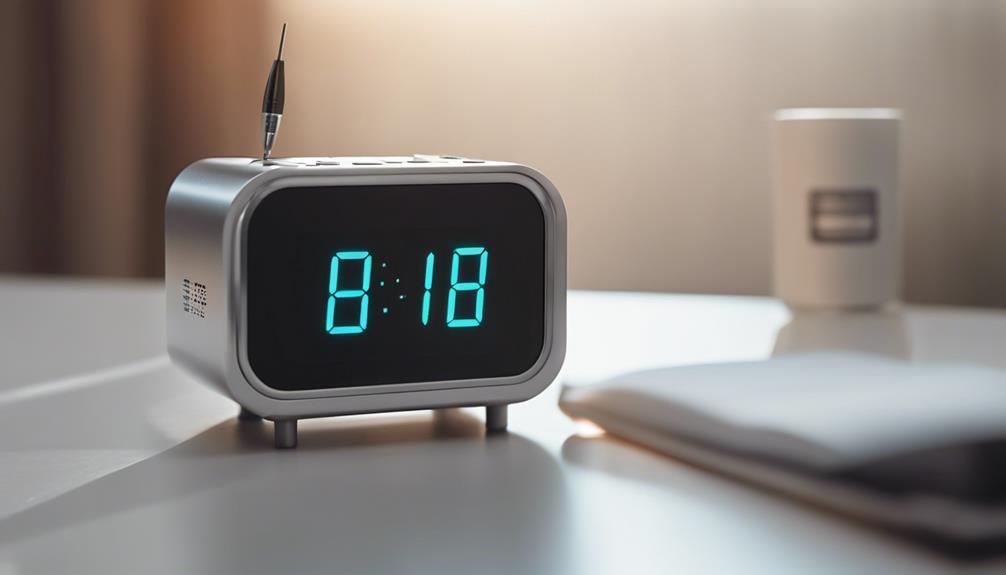
A digital alarm clock camera is designed to resemble a standard bedside clock while providing a fixed view of the surrounding room. Its simple appearance can make it suitable for visible, permission-based monitoring in a bedroom, office, or common area.
- Digital time display and ordinary alarm-clock functions
- Video recording, depending on the model
- Possible motion detection for recording activity rather than continuous footage
- Possible night-vision support for low-light scenes
- Audio recording on models that include a microphone
When comparing this style, focus on image clarity, viewing angle, recording controls, and whether the camera can be clearly disclosed to people in the space.
2. Wireless Alarm Clock Camera With Audio
A wireless clock camera may connect to a local network or another compatible device, allowing the owner to review recordings or check a live view remotely. This can be convenient for monitoring an authorised area without needing to remove the clock or access its storage directly.
Wireless features differ considerably. Some devices may support remote viewing, while others simply transfer files over a network. Check how recordings are stored, whether access is protected by a password, and what happens if the internet connection is interrupted. Audio should be treated separately from video: recording conversations without consent may be restricted even when video monitoring is allowed.
3. Alarm Clock and Radio Camera Combination
An alarm clock radio with an integrated camera offers several everyday functions in one unit. Its larger casing may allow room for additional controls, internal storage, or a more prominent speaker than a miniature camera.
Potentially useful features include motion-triggered recording, low-light support, adjustable recording settings, and a built-in microphone. Before choosing one, consider whether the clock’s display or radio functions are reliable enough for daily use and whether the camera’s position provides the coverage you actually need. A wide viewing angle can help cover more of a room, but it may also capture areas that should remain private.
4. Mini Spy Alarm Clock Camera
A mini alarm clock camera is intended for situations where a smaller device is preferable. Its compact form may be easier to place on a shelf, desk, or bedside table, but a smaller design does not automatically mean better performance.
Pay particular attention to battery life, charging requirements, storage capacity, and heat management. If the device supports motion detection or remote viewing, test those features in advance rather than assuming they will work reliably in every room. For home monitoring, use this type of camera openly and avoid placing it in bathrooms, changing areas, bedrooms used by guests, or other spaces where people reasonably expect privacy.
5. Smart Alarm Clock Surveillance Device
A smart alarm clock camera may offer app-based controls, alerts, remote access, and other connected features. These capabilities can make it easier to review activity, but they also increase the importance of account security and careful privacy settings.
- Use a strong, unique account password.
- Install updates supplied for the device and its companion app.
- Limit access to trusted users and remove old accounts.
- Check whether audio recording can be disabled when it is not needed.
- Review storage and sharing settings before enabling remote access.
What to Compare Before Buying
Rather than choosing solely by appearance, compare the camera’s video quality, low-light performance, viewing angle, recording method, storage options, power source, and notification controls. If audio is included, look for a clear way to turn it off and confirm how recordings are protected. A visible security camera may be a better choice than a concealed device when transparency is important.
Responsible Use of Audio and Hidden Cameras
Privacy and recording laws vary by location, and audio rules can be stricter than video rules. Get permission before recording conversations or monitoring people, follow workplace and housing requirements, and never use a camera to invade someone’s private space. For childcare, caregiving, or household security, discuss the monitoring arrangement in advance and keep recordings only as long as there is a legitimate need.
Final Considerations
Alarm clock cameras with audio range from basic digital clock designs to connected smart devices with remote access. The best option depends on the intended room, required recording features, storage method, and privacy safeguards. Choose a device that meets the security need without collecting more video or audio than necessary, and use it openly and lawfully wherever possible.