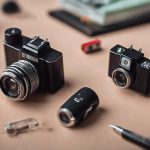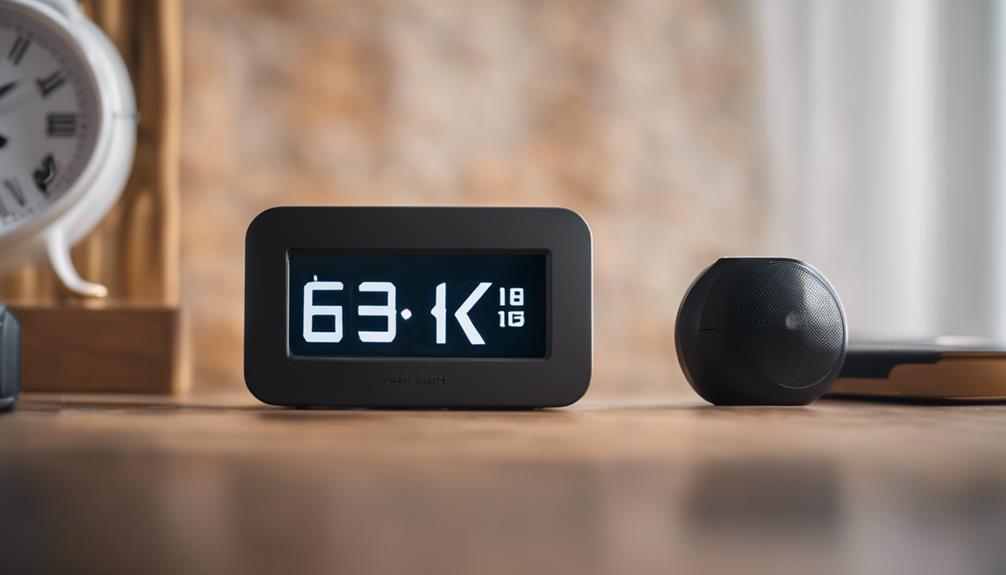

A clock camera can combine an everyday desktop clock with a small camera for monitoring a room. Because the device is designed to resemble ordinary home décor, it may attract less attention than a conventional security camera. However, appearance should not be the only consideration. Video quality, storage, motion detection, remote viewing, and responsible use all matter when choosing a clock camera for home monitoring.
The three options below represent useful feature combinations rather than specific brands. Product specifications vary, so check the details carefully before buying.
1. Basic motion-activated clock camera
A simple clock camera with motion detection can be suitable when the main goal is recording activity only when movement occurs. Instead of capturing hours of empty footage, the camera starts recording when its sensor detects activity. This can make important clips easier to find and may reduce the amount of storage required.
This type of device may work well for monitoring an entryway, home office, or room containing valuable belongings. Before choosing one, check whether motion sensitivity can be adjusted. A sensor that is too sensitive may record constantly because of pets, changing light, or movement outside the camera’s intended area.
- Useful for event-based recording
- May reduce unnecessary video files
- Usually simpler to configure than a fully connected system
- Best suited to users who do not need continuous remote viewing
2. Wi-Fi clock camera with remote access
A connected clock camera can provide access to live or recorded footage through a phone or computer, depending on the model and its software. Remote viewing is helpful when you want to check a room while away from home, but it also introduces additional setup and security considerations.
Look for clear instructions, dependable network setup, and account security features. A strong unique password should be used for the camera’s application or account, and any available software updates should be applied. Remote access can be less useful if the device frequently disconnects, so reviews and product documentation should be examined for information about reliability.
Also check how recordings are stored. Some devices use removable memory, while others may support app-based or network storage. Confirm whether remote playback requires a subscription or depends on a particular application before making a purchase.
3. Higher-resolution clock camera with night recording
For monitoring in changing light, a model with higher-resolution video and low-light or night-vision capability may provide more usable footage. Resolution alone does not guarantee clear identification: lens quality, camera placement, lighting, and the viewing angle all affect the result.
A wider lens can cover more of a room, but it may make objects appear smaller or introduce distortion at the edges. If the camera will face a doorway or another specific area, a narrower field of view may produce more useful detail. Test the position during both daytime and nighttime conditions, and avoid placing the clock where bright windows or lamps point directly into the lens.
Features worth comparing
When comparing clock camera spy devices, focus on practical specifications instead of promotional language. The most useful features may include:
- Recording modes: Determine whether the device supports continuous, scheduled, or motion-triggered recording.
- Storage: Check the supported memory capacity, file format, and whether loop recording overwrites older footage automatically.
- Video and audio: Confirm the stated video resolution and whether audio recording can be disabled when it is unnecessary.
- Low-light performance: Find out whether night recording uses infrared illumination and how that may affect the scene.
- Power: A continuously powered clock may be more suitable for stationary monitoring than a device with limited battery life.
- Clock function: Make sure the time display remains readable and that settings such as time format and alarms meet your needs.
Use a clock camera responsibly
A discreet camera should be used only where monitoring is lawful and appropriate. Avoid recording bathrooms, bedrooms used by guests, or other private areas. Do not place a camera where people reasonably expect privacy, and consider informing household members, visitors, or workers when required. Audio recording can have separate privacy rules, so disable it unless it is genuinely needed and permitted.
Finally, secure stored footage and delete recordings that are no longer necessary. A clock camera can be a convenient addition to a home-monitoring setup, but careful placement, realistic expectations, and respect for privacy are just as important as motion detection or remote access.