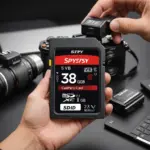

Usually, no. Most GoPro cameras are sold without a microSD card, so you will generally need to purchase storage separately. The standard package may include the camera, battery, and mounting accessories, but storage is often left to the buyer. Some retailers and promotional bundles may include a card, so check the product listing carefully before ordering. If your GoPro lacks storage, consider microSD card options compatible with many surveillance accessories and recorders.
Why a GoPro needs a microSD card
GoPro cameras save recorded video and photos to a removable microSD card. This includes action footage, time-lapse sequences, high-resolution clips, and other files created during recording. Without a compatible card inserted, the camera may not be able to record normally.
A microSD card is especially important when recording in demanding formats, such as 4K, 5K, or high-frame-rate video. These settings produce large files and require a card capable of writing data consistently. Although some cameras may have limited internal storage or temporary memory for specific functions, a microSD card is the practical storage solution for keeping your footage.
What type of microSD card should you buy?
When choosing a card for a GoPro, focus on three factors: speed, capacity, and reliability. The correct choice depends on the camera model and the recording settings you plan to use.
Speed rating
For many 4K recording workflows, a microSD card rated UHS-I U3 or V30 is a suitable starting point. Higher-speed cards, such as V60 or V90 models, may be worth considering for particularly demanding, high-bitrate recording modes. Always compare the card’s specifications with the requirements in your camera’s manual, especially if you plan to use high frame rates or other intensive settings.
Reputable product lines commonly used for action cameras include SanDisk Extreme and Extreme Pro, Samsung EVO Plus and Select, and Lexar Professional cards. The brand name alone does not guarantee compatibility, so verify the speed class and capacity before buying.
Capacity
- 64GB: Useful for shorter outings or occasional recording.
- 128GB: A practical choice for many single-day shoots.
- 256GB or more: Helpful for travel, extended sessions, and situations where changing cards frequently is inconvenient.
Higher capacity does not replace the need for an appropriate speed rating. A large card that cannot sustain the camera’s write requirements may still cause recording problems. If you're comparing GoPros and charger video models, confirm whether they include an SD card.
How to install and format the card
Turn the GoPro off before inserting or removing the microSD card. Insert it into the camera’s card slot according to the model’s instructions, then power the camera on and check that the card is recognised.
It is generally best to format a new card in the GoPro before recording. In-camera formatting prepares the card for the camera’s file system, but it also permanently deletes anything stored on the card. Back up important files first, and do not format a card until you are certain that its contents are no longer needed.
Tips for dependable recording
- Buy from a trusted seller to reduce the risk of counterfeit or defective cards.
- Back up footage regularly to a computer or other storage location.
- Carry a spare card for travel, long shoots, or unexpected recording needs.
- Keep cards protected from moisture, extreme temperatures, dirt, and physical damage.
- Format the card in the camera after backing up footage when you are preparing it for a new recording session.
Using a GoPro for monitoring or mounted recording
A GoPro may be used in mounted recording setups such as bike cameras, vehicle cameras, wildlife observation, property documentation, or other lawful monitoring applications. In these situations, card capacity becomes particularly important because longer recording sessions create more footage. External power, a suitable housing, and a reliable mounting system may also be needed.
For unattended or semi-permanent recording, confirm how the camera handles loop recording, power management, heat, and automatic file creation. Do not assume that a large card alone will make a camera suitable for continuous operation. When recording in or around private spaces, respect applicable privacy and consent requirements.
Bottom line
Most GoPros do not come with an SD card, so plan to buy a compatible microSD card separately unless your package specifically includes one. Choose a reputable card with a speed rating that matches your camera’s recording modes, select enough capacity for your typical sessions, and format it in-camera before use. Treating the microSD card as an essential part of your GoPro kit will help you avoid running out of space or discovering storage problems when you are ready to record.