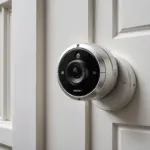

The right accessories can make a surveillance camera more reliable, easier to install, and better suited to its surroundings. Power supplies, memory cards, mounts, network equipment, and protective housings all affect how well a camera performs. Instead of buying every available add-on, start by identifying the limitations of your camera and the conditions in which it will operate.
Essential accessory categories
Power and charging
Power requirements vary widely between camera models. Some use rechargeable batteries, while others require a USB adapter, a dedicated power supply, or a continuous wired connection. A portable battery pack may be useful where there is no nearby outlet, whereas a permanent adapter is generally more suitable for continuous monitoring.
- Rechargeable or replaceable batteries for portable installations
- USB charging cables and compatible wall adapters
- Portable power banks for temporary setups
- Longer, correctly rated cables for cameras mounted away from outlets
Check the camera’s required voltage, connector type, and power rating before connecting an accessory. An incompatible adapter can prevent recording or damage the equipment.
Storage and recording media
Many compact cameras record to a microSD card, while network-connected systems may save footage to a computer, network storage device, or dedicated recorder. A memory card should match the camera’s supported capacity, speed rating, and file-system requirements. A card that is too large or incompatible may lead to recording interruptions or failed files.
For cameras using local storage, periodically review important footage and maintain a sensible retention routine. Format cards only according to the manufacturer’s instructions, and replace media that develops repeated write errors. If footage may be needed as evidence, copy it to secure storage rather than relying on a single card.
Mounts, brackets, and housings
Mounting accessories determine the camera’s angle, stability, and visibility. Adjustable brackets make it easier to aim the lens accurately, while adhesive mounts can be useful where drilling is not permitted. Magnetic bases, clips, and tabletop stands may suit temporary installations, provided they hold the camera securely.
Protective housings can help shield equipment from dust, moisture, or accidental contact. Use only a housing that leaves the lens, microphone, controls, and ventilation areas unobstructed. A concealed or disguised enclosure should never be used to record in places where people reasonably expect privacy.
Connectivity accessories
Wi-Fi cameras depend on a stable connection between the camera and the network. A router positioned too far away, thick walls, or interference from other devices can cause dropped connections and delayed notifications. Depending on the camera’s specifications, a Wi-Fi extender or wired Ethernet connection may improve reliability.
Before purchasing networking equipment, confirm the camera’s supported frequency bands, connection method, and security requirements. Keep the camera, router, and viewing applications protected with strong unique passwords. Disable features that are not needed, and install firmware or application updates supplied by the manufacturer when appropriate.
Choosing accessories for different environments
Accessory priorities depend on the installation rather than on the camera’s appearance alone.
- Rental or temporary locations: Consider non-permanent mounts, a suitable portable power source, and local storage to reduce dependence on a weak wireless signal.
- Small business areas: A fixed mount, continuous power, and centralized storage may be more practical than a battery-powered camera that requires frequent attention.
- Outdoor locations: Select equipment specifically rated for the environment and protect connections from moisture. Check that any housing does not interfere with night vision or audio.
- Travel or short-term monitoring: Compact mounts, spare compatible storage media, and a reliable charger can make the setup easier to relocate.
These combinations should be treated as planning examples, not universal specifications. The camera manual remains the best source for compatibility information.
Installation and maintenance checklist
Test the camera before fixing it in place. Check the viewing angle, lighting, wireless signal, audio settings, and recording behavior from the intended position. Avoid pointing cameras into neighboring homes, private work areas, bathrooms, changing areas, or other spaces where recording would be inappropriate or unlawful.
- Secure the mount and confirm that the lens has a clear view.
- Test day and low-light image quality before relying on the system.
- Inspect cables, connectors, and batteries regularly.
- Clean the lens and housing with suitable materials.
- Check available storage and verify that recordings can be played back.
- Use a charging schedule for battery-powered equipment.
- Restrict access to live views and stored footage.
Privacy, legal, and ethical responsibilities
Recording laws differ by location and may treat video and audio capture differently. Consent requirements, rules for workplaces and rental properties, and restrictions on recording private conversations can all apply. Before installing a hidden or disguised camera, check the laws in the relevant jurisdiction and obtain permission where required.
Use surveillance only for a legitimate, clearly defined purpose. Limit the camera’s coverage to that purpose, avoid collecting unnecessary footage, and establish who may view or share recordings. Strong account credentials, secure network settings, and controlled storage help reduce unauthorized access.
Make accessories solve a real problem
A dependable setup does not require the largest collection of related products. Prioritize accessories that address a specific need: stable power, compatible storage, accurate mounting, reliable connectivity, or protection from the environment. Careful compatibility checks and responsible data handling will usually improve performance more than adding unnecessary equipment.