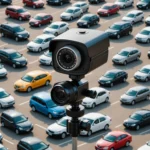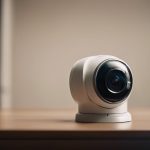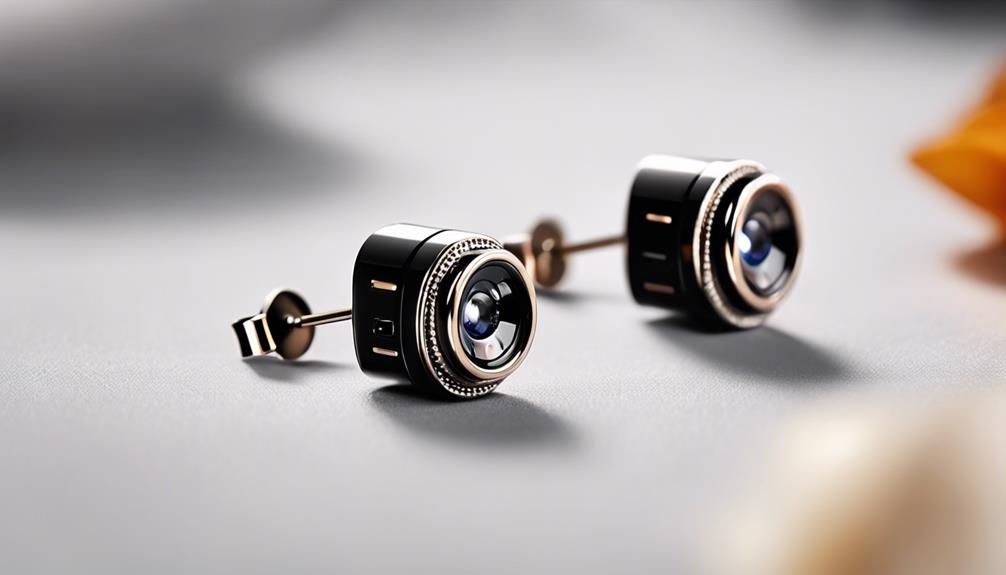

A hidden camera charger adapter is designed to look like an ordinary wall charger or USB power adapter while containing a small camera. Some models also include a microphone, motion detection, night-vision capability, wireless connectivity, or storage for recorded footage. Because the adapter can continue supplying power to another device, it may blend into a room more easily than a conventional camera. Explore discreet charging accessories to complement your hidden adapter and browse related surveillance product categories.
These products should be selected and used carefully. The right choice depends on whether you need local recording, remote viewing, motion-triggered capture, or continuous operation. Just as important, any installation must respect privacy laws and the expectations of people who may be recorded.
How a hidden camera charger adapter works
Inside the adapter is a compact camera module positioned behind a small lens opening. The adapter connects to a mains outlet and may provide pass-through USB charging, allowing it to function as a charger while recording video. Depending on the model, footage may be saved to a microSD card, viewed through a smartphone app over Wi-Fi, or stored using a connected cloud service.
Power arrangements vary. A mains-powered unit can operate for extended periods, while a model with an internal battery may be easier to position away from an outlet but will require recharging. Some devices record continuously, whereas others begin recording when motion is detected. Check the product documentation carefully, since recording modes, storage limits, and app features differ between models.
Features worth comparing
- Video quality: Higher resolution can make faces and other details easier to identify, although placement and lighting also affect the result.
- Storage: Confirm whether the adapter supports a microSD card, the maximum supported capacity, and how older files are handled when storage becomes full.
- Motion detection: Motion-triggered recording can reduce unnecessary footage and conserve available storage.
- Low-light performance: If the device will operate in dim conditions, check whether it offers night vision or improved low-light sensitivity.
- Remote access: Wi-Fi models may offer live viewing, alerts, or remote access through an app. Use strong account credentials and review the device’s security settings.
- Pass-through charging: If the adapter must power another device, verify that it can charge while the camera is active.
- Indicator lights and controls: Understand how recording indicators work and whether they can be managed lawfully and appropriately in the intended setting.
- Documentation and support: Clear instructions, firmware updates, and warranty coverage can make setup and troubleshooting easier.
Where a lawful installation may be appropriate
In an appropriate and permitted setting, a charger-style camera may be used to monitor an entryway, a living area, a delivery location, or another general space where surveillance is allowed. It can also be considered for oversight of a vacation property or for checking on a household environment when a less conspicuous device is preferred.
Businesses and property managers should establish a clear surveillance policy before installing any recording equipment. The camera should be aimed only at the area that needs monitoring, rather than at private spaces or locations unrelated to the stated purpose. For caregiving situations, discuss the arrangement with the people involved whenever possible and consider whether a visible camera would provide a more respectful alternative.
Privacy, legal, and ethical responsibilities
Covert recording is regulated differently across jurisdictions. Video recording may be restricted in places where people reasonably expect privacy, including bathrooms, changing areas, and bedrooms in many circumstances. Audio recording can have additional consent requirements, so a device with a microphone may create greater legal risk than a video-only model. Consider a front lens cover to block inadvertent recordings if a charger adapter hides a tiny camera.
Before installation, check the rules that apply to your location, property, workplace, tenancy, and the people being recorded. Obtain consent or provide notice where required, and avoid recording conversations unless you have confirmed that doing so is lawful. Do not use a hidden charger camera to harass, intimidate, secretly monitor intimate activity, or invade someone’s private space. If the legal position is unclear, seek advice from a qualified local professional.
Setup and maintenance
Setup commonly involves placing the adapter at a suitable angle, inserting a memory card if required, connecting it to the manufacturer’s app, and configuring the network. Test the field of view before relying on the device. A camera aimed too high, too low, or toward a bright window may produce footage that is difficult to use.
Check storage regularly and confirm that recordings are being saved correctly. Keep the app and device firmware updated when updates are available, use a secure Wi-Fi network, and change default passwords. If remote access fails, verify the network credentials, restart the adapter, and check its distance from the router. For problems with alignment or unstable footage, reposition the adapter on a firm outlet or use an approved support surface where appropriate.
Choosing the right model
For extended monitoring, prioritize dependable mains power, motion detection, suitable storage, and reliable operation. For remote checks, look for stable Wi-Fi connectivity and an app that clearly explains alerts and access controls. If the adapter will be visible among other electronics, build quality and a realistic everyday design may matter, but discretion should never take priority over privacy compliance.
A hidden camera charger adapter can combine ordinary charging with security monitoring, but it is not automatically suitable for every situation. Define the purpose first, limit the camera’s view, protect recorded footage, and confirm that the installation is lawful and ethically justified before using it.