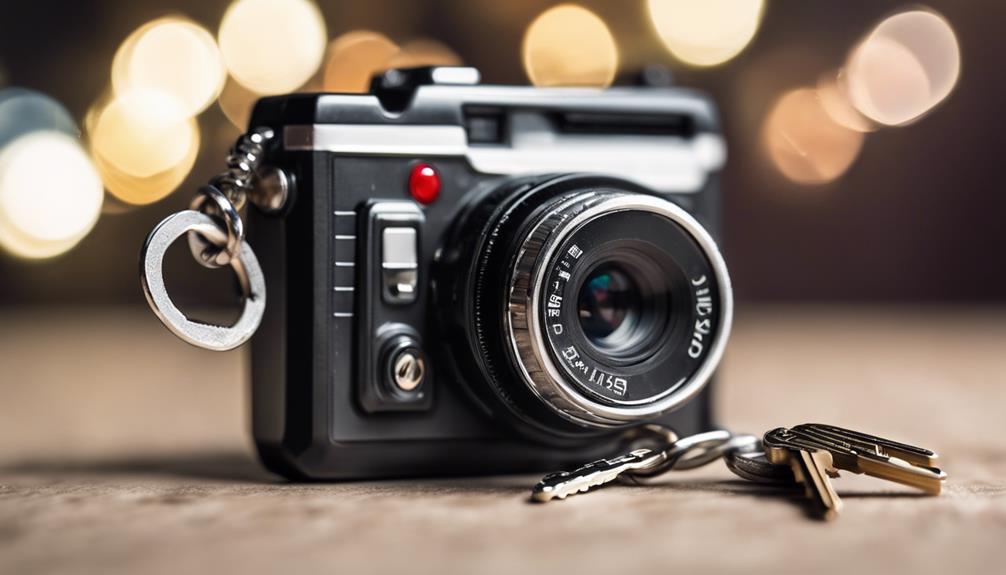

Key-chain spy cameras are small, portable cameras designed to be carried with everyday items. Their compact form can be useful when you need a camera that is easy to transport, quick to access, and less noticeable than a conventional security camera. However, their small size also means that recording quality, battery capacity, storage, and controls can vary considerably between models.
Before choosing one, consider how you intend to use it, what recording conditions you expect, and whether recording is permitted where you live. Cameras should be used responsibly and in accordance with privacy, consent, and workplace-monitoring laws. Avoid recording private conversations or people in places where they reasonably expect privacy.
What Makes a Key-Chain Camera Useful?
Portable, compact design
The main appeal of this camera format is portability. A key-chain body can be carried in a pocket, bag, or with other personal items without the bulk of a traditional camera. This makes it convenient for documenting an event, checking a property, or carrying a personal safety device.
Compact dimensions do not automatically indicate good performance, though. A smaller camera may have limited controls, a narrower field of view, shorter battery life, or reduced storage capacity. Treat portability as one part of the decision rather than a guarantee of recording quality.
Video and audio recording
Look for clear video, reliable file saving, and controls that are easy to operate without extensive setup. Some models support still photographs as well as video, while others focus primarily on continuous recording. The supplied article describes high-quality video and audio capture, but actual results depend on the specific model, lighting, lens, microphone, and recording settings.
When comparing cameras, check:
- Supported video resolution and file format
- Whether audio recording can be disabled
- How recordings are transferred to another device
- Whether the camera adds a date or time stamp
- How much footage can be stored before older files are replaced
Features to Evaluate
Simple controls
A camera intended for quick use should have clearly marked buttons and a straightforward recording process. A simple design can be helpful when you need to start recording promptly, but you should still test the device beforehand. Confirm that recording has started, learn how files are saved, and check whether the camera uses indicator lights or sounds that may reveal its operation.
Motion detection
Motion detection can start recording when movement is detected within the camera’s view. This may reduce unnecessary footage and conserve storage space or battery power compared with continuous recording. Its usefulness depends on the detection range, sensitivity settings, camera position, and the amount of movement in the scene.
Motion detection is not a substitute for regular testing. A stationary subject may not trigger recording, while changes in light or background movement can sometimes produce unwanted clips. Review the settings before relying on the feature for security-related documentation.
Low-light and night recording
Some key-chain cameras include night vision supported by infrared illumination. This can make recording possible in dim conditions, often producing monochrome footage rather than normal color video. Night vision performance varies, and it may not provide useful detail across a large room or at a long distance.
If low-light recording matters, test the camera in the environment where it will be used. Check whether faces, objects, and movement remain distinguishable, and remember that a camera cannot compensate for an obstructed lens or poor positioning.
Battery and charging
Battery life is especially important in a small camera because its compact enclosure may limit battery capacity. Recording resolution, motion detection, night vision, and standby time can all affect operating time. Review the manufacturer’s stated recording duration, but treat it as an estimate rather than a guarantee.
To reduce interruptions, fully charge the camera before use, carry a suitable charging cable or power bank when appropriate, and avoid leaving unnecessary features enabled. If continuous monitoring is required, a larger camera designed for that purpose may be more suitable than a key-chain model.
Storage and File Management
Storage arrangements differ by device. A camera may save footage internally, use a removable memory card, or offer an app-based transfer system. The source article also mentions cloud storage, but this should not be assumed to be included with every camera. Check whether a service requires an account, internet access, a subscription, or additional equipment.
After recording, transfer important files promptly and keep a backup in a secure location. Use sensible file names and record the date, time, and context of important footage. Protect stored recordings because they may contain personal information about you or other people.
Responsible Uses
Depending on local law and the consent of everyone involved, a compact camera may be useful for documenting property conditions, recording permitted workplace or home-security activity, or keeping a personal record of an event. It should not be used to invade someone’s privacy, secretly capture intimate activity, or record conversations unlawfully.
The best key-chain camera is not necessarily the smallest one. Choose a model whose recording quality, battery life, storage method, controls, and low-light performance match the situation, then test it openly and responsibly before depending on it for important footage.