
A nanny cam can help parents check on children, review caregiving routines, and stay informed when they are away from home. Modern models range from simple cameras that record locally to connected devices that stream video to a phone and send motion alerts.
The right choice depends on what you need to monitor, where the camera will be placed, whether you need remote access, and how you plan to handle consent and privacy. A camera should support a safe, clearly understood childcare arrangement—not replace communication or responsible supervision.
What is a nanny cam?
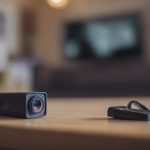
A nanny cam is a camera used in the home to observe activity in areas where childcare takes place. It may record video, transmit a live feed, capture audio, or combine several of these functions. Families commonly use nanny cameras to check on children, review feeding or sleep routines, and investigate unusual incidents involving a babysitter or caregiver.
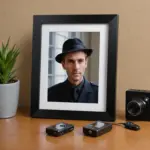
Some parents choose a visible camera because it makes monitoring clear to everyone in the home. Others consider a concealed device when they are worried that a caregiver may change their behavior when being observed. Concealed monitoring carries greater legal and ethical concerns, particularly when audio is recorded, so it should not be treated as the default option.
Features to compare
Nanny cameras differ considerably in video quality, storage, connectivity, and controls. Before buying, consider which features are genuinely useful for your home:
- Video quality: A clear image makes it easier to identify what is happening in a playroom, nursery, or feeding area.
- Night vision: Infrared or low-light viewing can help you check on a child after dark without turning on bright lights.
- Audio and two-way communication: Some cameras let parents hear activity and speak through the device. Audio recording may be subject to stricter rules than video.
- Live streaming: Wi-Fi models may provide remote viewing through a phone or other connected device.
- Motion alerts: Notifications can draw attention to movement without requiring someone to watch a live feed continuously.
- Storage: Recordings may be saved to local media or a cloud service. Cloud plans can add a recurring cost.
- Security controls: Use strong account credentials and review the device’s privacy and connection settings before placing it in the home.
There is no single best nanny camera for every family. A model with local storage may suit someone who wants to avoid a subscription, while a live-streaming camera may be more useful for parents who need occasional remote check-ins.
Privacy, consent, and responsible use
Recording laws vary by location, and audio can be especially sensitive. In some jurisdictions, recording a conversation without the required consent may be restricted. Before using a nanny cam with a microphone, check the rules that apply where you live or seek advice from a qualified legal professional.
It is also important to consider the caregiver’s reasonable expectation of privacy. Cameras should not be placed in bathrooms, changing areas, or other private spaces. Even where video monitoring is permitted, informing a caregiver about cameras in shared areas is often the clearest and most respectful approach. Explain what the camera records, where it is located, whether audio is enabled, and how long recordings will be kept.
Where to place a nanny camera
Choose a location that provides a useful view without creating unnecessary privacy risks. Common options include a play area, nursery, or feeding space. Keep the camera and its cables securely mounted and out of a child’s reach. Avoid positions where furniture, toys, or poor lighting will block the view.
For overnight monitoring, a night-vision model can show activity in low light. If you use motion notifications, adjust the camera so that normal household movement does not produce constant alerts. Test the view, sound, network connection, and recording function before relying on the device.
Visible or concealed camera?
A visible babysitter camera supports transparency and may make it easier to establish clear expectations with a caregiver. A concealed nanny camera may seem appealing when a parent suspects a serious problem, but it can create additional legal, ethical, and relationship risks. Hidden devices that record audio deserve particular caution.
For many households, a practical compromise is to use visible cameras in common areas and discuss the monitoring policy before childcare begins. If a camera is being considered because of a specific safety concern, document the concern and obtain appropriate legal guidance rather than relying solely on covert surveillance.
Where to buy a nanny cam and what it may cost
Nanny cameras are available through online marketplaces, electronics retailers, home-security suppliers, and some local big-box stores. Compare the camera’s specifications, app requirements, storage terms, return policy, and customer support—not just its headline price.
As a general guide from the supplied pricing information, basic cameras may cost about $25 to $50. Wi-Fi models with mobile apps commonly fall around $75 to $200, while more advanced systems with features such as higher resolution, cloud recording, or multiple cameras may cost $200 or more. Prices can change, and cloud storage or premium features may add ongoing fees.
A sensible buying checklist
- Decide whether you need recording, live viewing, audio, or alerts.
- Choose an appropriate location before selecting the camera’s viewing angle.
- Check local rules concerning video and audio recording.
- Prefer secure account access and a clear privacy policy.
- Include subscriptions, storage, and accessories in the total cost.
- Tell caregivers what is monitored whenever possible.
Used thoughtfully, a nanny cam can provide useful reassurance and a record of activity. The strongest setup balances image quality and convenience with secure connectivity, careful placement, respect for privacy, and honest communication with the people providing care.