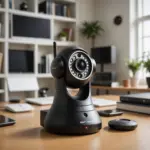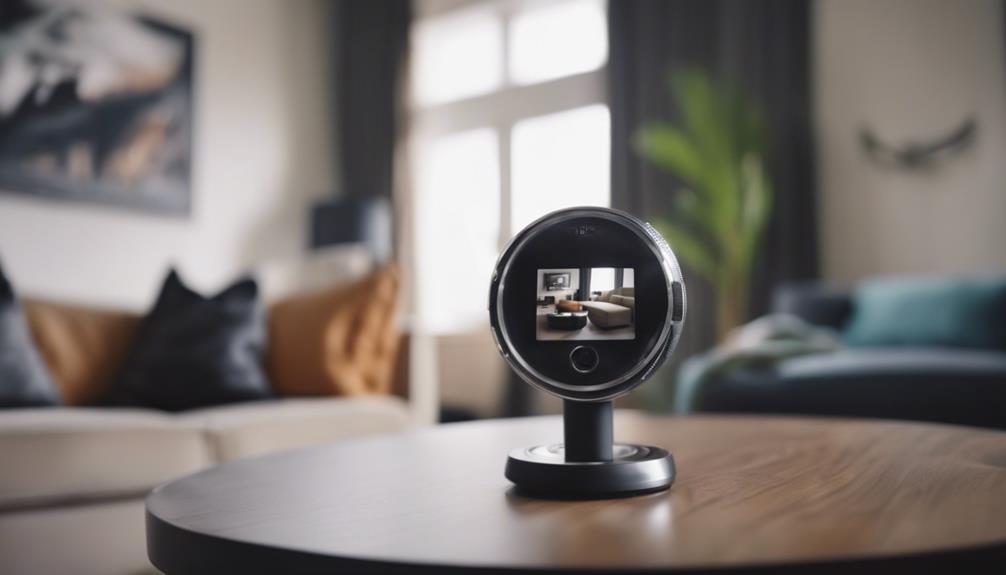

A nanny cam can help parents stay connected to children and understand what happens at home while they are away. It may be used to check on a sleeping baby, monitor an after-school routine, or review an incident that needs clarification. A camera should support good communication and responsible caregiving—not replace personal judgment, regular check-ins, or appropriate supervision.
What a nanny cam can be used for
Families choose home cameras for several practical reasons. Parents may want to check whether a baby is sleeping comfortably, confirm that a caregiver arrived, or see how a child’s daily routine is progressing. Live video can also provide reassurance during travel or a long workday.
Recorded video may help clarify what happened during a specific event, but recordings should be handled carefully. Limit access to people who genuinely need it, avoid sharing clips casually, and delete footage when it is no longer necessary. A camera is most useful when expectations about care, privacy, and communication have already been discussed.
Types of nanny cams and useful features
Nanny cams range from simple plug-in devices to networked cameras that can be viewed from a phone or computer. The right choice depends on where the camera will be used, whether you need recordings, and how much technical setup you are comfortable managing.
- Wired cameras: These can provide a dependable connection but need to be positioned near suitable power or network connections.
- Wireless cameras: These are easier to place and often support remote viewing, but they depend on a stable wireless network.
- Local storage: Video is saved to a memory card or another device in the home, which may reduce reliance on an online service.
- Cloud storage: Recordings can be accessed remotely, although storage limits, account security, and possible subscription costs should be reviewed.
- Night vision: This can make it easier to view a nursery or hallway in low light.
- Motion alerts: Notifications can draw attention to activity, but they may also produce false alerts from pets, shadows, or ordinary movement.
- Two-way audio: This allows a parent to speak through the camera, though it should not be treated as a substitute for attending to a child in person.
- Pan, tilt, and zoom: These controls can expand coverage but may also make it easier to capture areas that were not intended to be monitored.
Placement and installation tips
Place a camera to cover a clearly defined area rather than attempting to record the entire home. In a nursery, a secure corner position may provide a useful view of the crib and surrounding floor area. In shared rooms, consider activity zones such as a play area, stairway, or entrance.
Avoid bathrooms and other spaces where people reasonably expect privacy. Do not position the device so that it unnecessarily records private conversations or areas unrelated to childcare. Keep cords secured and mounts stable, especially in rooms used by young children. Test the image during both daytime and low-light conditions, and check for blocked views caused by furniture, curtains, or changing room layouts.
Before relying on the system, confirm that the camera has a reliable power source, the wireless connection reaches its location, alerts work as expected, and recordings are being saved correctly. Check the device periodically rather than assuming it will continue working indefinitely.
Privacy, consent, and legal responsibilities
Surveillance rules differ by location, and audio recording can be treated differently from video recording. In some jurisdictions, recording a conversation without the required consent may create legal problems even when video monitoring is allowed. Rules may also apply to where cameras can be installed, how footage is stored, and whether people must be notified.
Informing caregivers about cameras is often the clearest and most respectful approach. Explain where devices are located, whether audio is enabled, whether footage is recorded, who can access it, and how long recordings will be retained. Written expectations can prevent misunderstandings. If you are uncertain about local requirements, seek advice from a qualified legal professional before recording.
Secure the camera and its recordings
A connected camera is part of your home network, so treat it as a security-sensitive device. Change default login details, use a strong unique password, enable two-factor authentication when available, and keep the camera’s software updated. Secure the wireless network and review account access regularly.
Choose a manufacturer that explains its privacy practices clearly and provides understandable storage controls. Decide in advance how long footage should be kept and remove recordings that are no longer needed. If footage may be relevant to a formal complaint or dispute, preserve the original file carefully and avoid editing or repeatedly transferring it.
How to choose a nanny cam
Start with the purpose of the camera rather than the longest feature list. Compare image quality, low-light performance, storage options, notification controls, installation requirements, and ongoing costs. Also consider whether the design makes the device easy to identify and whether everyone affected by the monitoring can understand how it works.
The best setup balances useful oversight with privacy. Clear communication, careful placement, strong account security, and routine maintenance can make a nanny cam a practical tool while helping preserve trust between families and caregivers.