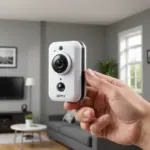

A Nest Home Camera can provide a convenient way to check on activity in your home when you are in another room or away. Families may use one to keep an eye on children, monitor shared living spaces, or check in on an older relative. Its usefulness depends not only on video quality and alerts, but also on thoughtful placement, reliable Wi-Fi, account security, and respect for the privacy of everyone being recorded. Learn how the Nest Home Camera compares with other home monitoring options for childcare supervision and peace.
What a Nest Home Camera does
A Nest camera connects to your home Wi-Fi and lets you view a live feed through the relevant Nest or Google Home app, depending on the camera and platform setup. Common capabilities include:
- High-definition video for viewing activity and identifying people in the frame
- Motion and sound detection with app notifications
- Two-way audio for speaking through the camera
- Night vision for monitoring in low-light conditions
- Wide-angle coverage for rooms and other larger areas
- Optional cloud-based recording or event history, depending on the service and plan
Features can vary between models, so check the requirements for the specific camera before buying. A camera that works well in one room may not be the best choice for an outdoor area, a nursery, or a location where continuous recording is important.
Using a Nest camera as a nanny cam
For childcare or caregiver supervision, a Nest camera can help parents check whether everyday routines are being followed and whether a child is safe while resting or playing. Two-way audio may also allow a parent to communicate remotely, such as reminding a caregiver about a scheduled routine or speaking briefly to a child.
However, a camera should support—not replace—responsible supervision. Live video can be delayed, a device can lose its internet connection, and alerts may not capture every event. If monitoring a sleeping infant, do not treat the camera as a medical or safety device that can guarantee the child’s wellbeing.
Choosing the right location
Placement has a major effect on what the camera can actually show. Before mounting or positioning it, consider the room’s activity areas, lighting, power access, and Wi-Fi signal.
- Nursery: Aim the camera toward the crib or main sleeping area with a modest downward angle, while keeping cables and the device out of reach.
- Living room: Position it to cover seating, play areas, or important entry points rather than a blank wall.
- Caregiver areas: Choose a location that shows the relevant shared space without unnecessarily recording private parts of the home.
- Temporary setups: A stable shelf or tall piece of furniture may work, but avoid surfaces where the camera could easily be knocked over.
Test the live view from the intended position during both daytime and nighttime. Check that faces and activity zones are visible, the camera is not pointed toward a strong light source, and the connection remains dependable. If you use a Nest Home Camera, consider whether an alarm clock camera with audio suits discreet monitoring needs.
Privacy, consent, and responsible use
Recording people in a home raises privacy and legal questions, particularly when the camera includes audio. Rules differ by location and may depend on whether the recording is video, audio, or both. Before using a camera to monitor a babysitter, caregiver, houseguest, or employee, learn the applicable requirements and consider obtaining clear consent.
Open communication is usually the most responsible approach. Explain where cameras are located, what they record, who can access the footage, and how long recordings will be kept. Never place a camera in highly private areas such as bathrooms or changing spaces. Also consider disabling audio or limiting monitoring when audio is not necessary for the purpose.
Protecting camera access and recordings
Because a connected camera can expose activity inside your home, secure the account as carefully as any other important online service. Use a strong, unique password and enable two-factor authentication when available. Review account access regularly and remove people who no longer need permission to view the camera. Keep the camera’s software and the associated mobile app updated, and avoid sharing login details casually.
How to compare Nest cameras and alternatives
When comparing models, focus on the features that match your room and monitoring habits rather than choosing solely by resolution. Useful questions include:
- Is the camera intended for indoor use, outdoor use, or both?
- How wide is the field of view, and will it cover the required area?
- Does it provide the night vision and two-way audio you need?
- Is continuous power available at the planned location?
- Do you need event history or continuous cloud recording?
- Are you comfortable with the required subscription and cloud-storage approach?
- Would local storage or a different privacy model be a better fit?
A Nest Home Camera can be a practical home-monitoring tool when its capabilities match the space and the household’s expectations. The best setup combines sensible placement, dependable connectivity, clear consent, strong account security, and a realistic understanding of what a camera can—and cannot—monitor.