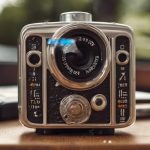

Choosing among IP camera brands is an important step in planning a reliable security system. The right manufacturer can affect image quality, network security, software support, compatibility, and the availability of replacement parts. These factors matter whether you are monitoring a home, a small business, a rental property, or another location where lawful security recording is required. Consider compact IP models for discreet surveillance tasks, as brand features influence concealment and performance.
For discreet installations, product design is only one consideration. A compact camera is useful only if it also provides dependable recording, secure remote access, and a clear image in the available lighting. Before comparing brands, define the purpose of the system, the areas that need coverage, how footage will be stored, and who is authorised to view it.
What separates one IP camera brand from another?
Security camera manufacturers differ in more than resolution and price. Their firmware quality, update policies, technical documentation, mobile applications, warranty terms, and compatibility with third-party systems can have a major effect on the ownership experience.
When evaluating a manufacturer, look for:
- A clear schedule or history of firmware and security updates
- Strong account security, including unique passwords and available multifactor authentication
- Compatibility with network video recorders and video management software
- Reliable documentation for installation, configuration, and integrations
- Appropriate warranty coverage and access to replacement accessories
- A product range that includes the size, mounting style, and weather rating you need
A reputable brand should make it possible to understand how its cameras handle video, user accounts, storage, and network access. Avoid choosing solely on a low purchase price if the camera will be used for long-term monitoring or sensitive recordings.
Features to compare before buying
Image quality and lighting
Resolution should match the area being monitored. A higher-resolution camera can preserve more detail, but it also requires additional storage and network capacity. Wide dynamic range can help when a scene includes both bright and dark areas. For low-light locations, compare real-world performance rather than relying only on a specification sheet. Infrared illumination or a high-sensitivity sensor may be useful, depending on whether visible light is acceptable in the installation area.
Storage and recording options
IP cameras may record to a local network video recorder, a computer, a memory card, or a cloud service. Each option has different costs and privacy implications. Local storage can reduce dependence on an internet connection, while remote storage may simplify access from another location. Check recording retention, backup options, export formats, and whether footage can be protected against accidental deletion.
Networking and power
Power over Ethernet can provide both power and network connectivity through one cable, which often simplifies installation and improves reliability. Wireless models may be easier to place where cabling is difficult, but they depend on signal strength and a stable power source. Confirm that the camera supports secure network connections and can operate on the available bandwidth. Comparing IP camera brands becomes easier when evaluating enterprise surveillance platforms for scalability, analytics, and integration.
Detection and notifications
Motion detection and other analytics can reduce unnecessary recordings and alerts. Their usefulness depends on how well they can be adjusted for the environment. Look for configurable activity areas, schedules, sensitivity controls, and notification settings. Test these features after installation so that important events are not missed and storage is not filled with irrelevant footage.
IP cameras compared with DVR systems
IP cameras transmit digital video over a network and can connect to network video recorders or software-based systems. This makes them flexible for new installations and can support higher-resolution video, remote management, and network-based analytics.
DVR systems generally use cameras connected directly to a recorder with dedicated cabling. They may be suitable where an existing analog system is still serviceable or where a self-contained recording arrangement is preferred. However, the available resolution, camera features, remote access, and upgrade options depend heavily on the equipment already in place.
Choose between the two architectures by considering existing cabling, network capacity, storage requirements, remote access, and future expansion. A brand that supports common standards and third-party recorders may provide more flexibility if you later replace or add equipment.
Planning a discreet, privacy-respecting installation
Any camera that is not obvious to people in the area requires particular care. Use cameras only for lawful, clearly defined security purposes, and follow the recording and privacy rules that apply in your location. Requirements may differ for homes, workplaces, shared buildings, and public-facing areas. Audio recording can be subject to stricter rules than video, so disable audio unless it is lawful, necessary, and properly disclosed.
Before installation, survey the site for power, network access, lighting, viewing angles, and storage needs. Position equipment to cover the intended area without unnecessarily recording private spaces. Keep an inventory of devices, restrict administrator access, use strong unique credentials, and separate cameras from other important devices on the network where practical.
Making the final choice
The best IP camera brand is the one that fits the complete system rather than the one with the longest feature list. Compare image performance, secure networking, storage compatibility, update support, installation requirements, and total cost of ownership. After setup, test recordings, alerts, remote access, and backups regularly. A carefully selected and maintained system will provide more dependable security than a cheaper camera that is difficult to update, integrate, or protect.