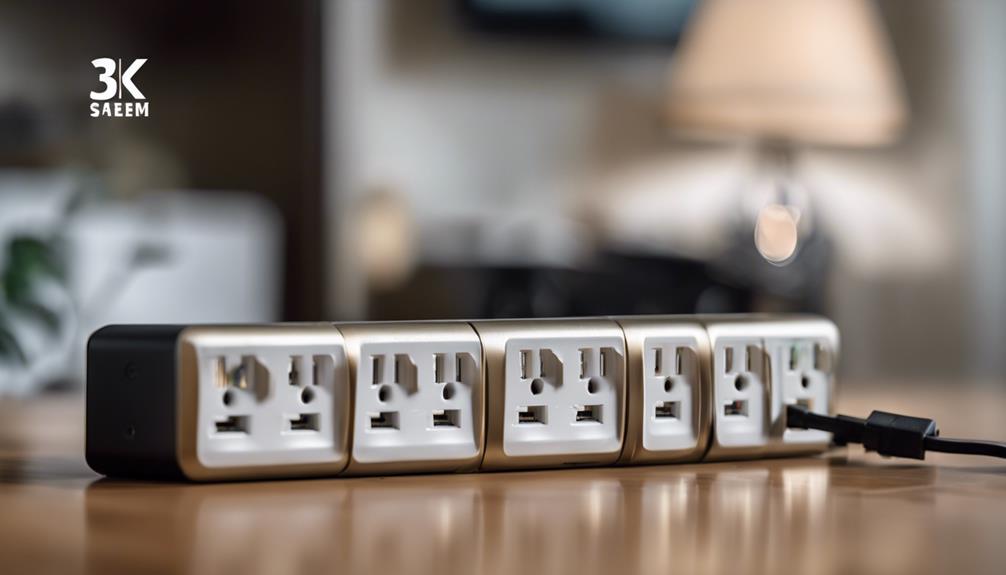

A power-strip camera combines an everyday electrical accessory with a compact security camera. Its familiar appearance can make it less visually distracting than a conventional camera, while features such as motion detection, night vision, remote access, and local or cloud storage may support monitoring in a home or office.
These devices should be used responsibly. Place them only in areas where recording is lawful and appropriate, inform household members or visitors when required, and avoid bedrooms, bathrooms, changing areas, or other spaces where people reasonably expect privacy. Audio recording can be subject to stricter rules than video, so check the laws that apply to your location before enabling it.
What to Look for in a Power-Strip Camera
Discreet, practical design
The main appeal of this camera format is its compact design. A well-built unit can sit naturally on a desk, shelf, or wall outlet without taking up much space. Discreet placement should not mean unsafe placement, however. Keep the device away from moisture, excessive heat, blocked outlets, and locations where its cable could create a trip hazard.
Clear video quality
Video quality determines how useful recorded footage will be. Look for a camera that produces clear images in the lighting conditions where it will be used. A wider view can help cover more of a room, but a wide-angle image may show more distortion at the edges. Consider the distance between the camera and the area you want to monitor rather than choosing a specification in isolation.
Motion detection
Motion detection can start recording or send an alert when movement is identified. This may reduce unnecessary footage and make important events easier to find. False alerts can occur because of changing light, moving curtains, pets, or other activity, so check whether the camera allows sensitivity or notification settings to be adjusted.
Night vision
Night vision is useful for entryways, living areas, and other locations that become dim after dark. Infrared illumination can help the camera capture footage in low-light conditions, although image quality may differ from daytime recording. Test the camera at night and confirm that the intended area is visible before relying on it.
Remote Viewing and Smartphone Access
Many power-strip cameras connect to a smartphone app so users can view a live feed, review recordings, change settings, or receive motion notifications while away. Before purchasing, confirm that the app supports your phone and that the camera can connect reliably to your Wi-Fi network.
Remote access also creates security responsibilities. Use a strong, unique account password, enable available account protection features, keep the camera and app updated, and avoid sharing access credentials. If the device supports encryption or secure cloud storage, review how those features work and what data is retained.
Audio Recording Requires Extra Care
Some models record sound as well as video. Audio can provide additional context, but it can also capture private conversations without the participants’ knowledge. Laws differ between jurisdictions, and consent requirements may apply even when video recording is permitted. If you do not clearly need sound, consider disabling the microphone. If you do use it, make sure everyone affected is informed when required by law.
Storage Options
Storage affects how long footage remains available and how easily it can be reviewed. Depending on the model, recordings may be saved to removable memory, a connected device, or a cloud service.
- Local storage: Keeps footage on or near the camera and may reduce dependence on an internet connection, but the storage capacity is limited and the device could be removed or damaged.
- Cloud storage: Can make recordings available remotely and may provide backup, but it depends on account security, internet access, and the provider’s storage terms.
- Motion-based recording: May use storage more efficiently than continuous recording, although important activity can be missed if detection settings are too restrictive.
Review how recordings are automatically overwritten, exported, or deleted. Choose a retention period that suits your needs without keeping sensitive footage longer than necessary.
Installation and Positioning
Setup is usually straightforward: place the unit where it has a stable power connection, aim the lens at the intended area, connect it according to the manufacturer’s instructions, and configure the app or storage settings. Avoid pointing the camera toward neighboring homes, public areas, or places where people expect privacy. Check the field of view from the camera’s actual position, since furniture, glare, and low light can limit coverage.
Use Power-Strip Cameras Responsibly
A power-strip camera can be useful for monitoring a permitted common area, checking an entrance, or observing a space when you are away. The best choice balances image quality, motion alerts, night performance, storage, app reliability, and privacy protections. Treat the camera as part of a broader security plan rather than a complete solution, and prioritize lawful, transparent use over concealment.