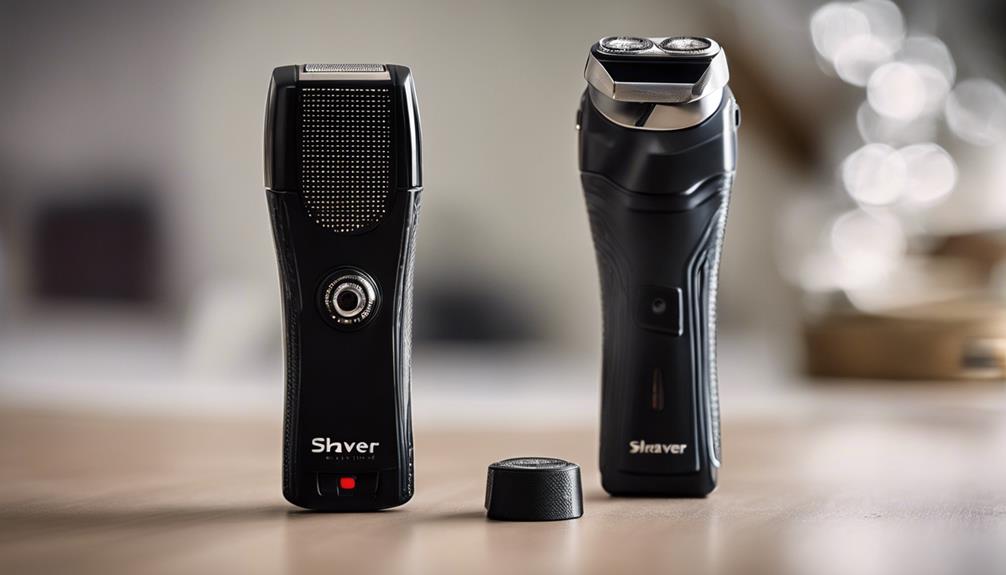

A shaver spy camera is designed to resemble an ordinary electric shaver while recording video. Because this type of device is intended for discreet placement, choosing the right model involves more than checking image quality. Storage, battery performance, connectivity, motion detection, controls, and privacy safeguards all affect whether the camera is practical and responsible to use.
Before buying or operating one, check the laws that apply where you live. Recording people without their knowledge may be restricted, particularly in private spaces or where audio is captured. Use any concealed camera only for a lawful, clearly defined purpose and avoid placing it where people reasonably expect privacy.
Video quality and recording settings
Video quality determines how useful recorded footage will be. A camera that captures sharper images can make it easier to identify relevant details, but the highest available resolution is not always the best setting for every situation. Higher-quality video generally requires more storage and may use battery power more quickly.
Look for a model that clearly states its available resolutions, such as 720p or 1080p, and explains how those settings affect recording time. Also consider:
- Image clarity in the lighting conditions where the device will be used
- The camera’s viewing angle and whether the lens is easily obstructed
- Whether recordings include useful date and time information
- How smoothly the camera records moving subjects
A camera with adjustable recording quality gives you more flexibility. You can select a higher setting when detail matters or use a lower setting when conserving storage and power is more important.
Storage capacity and backup
Storage capacity affects how long the shaver camera can record before older files must be transferred or overwritten. Models may use built-in storage, a removable microSD card, or, where supported, cloud storage. The legacy specifications for this product category describe internal capacities ranging from 16GB to 128GB and memory card support up to 256GB, but exact compatibility should always be confirmed in the product documentation.
Check whether the camera uses loop recording. This feature can automatically replace the oldest files when storage is full, which is useful for continuous monitoring but may result in permanent loss of footage. If recordings may be important, choose a system that makes it easy to copy files to another device.
Cloud backup can provide remote access and an additional copy if the physical camera or memory card is lost. However, it may require an internet connection, an account, or an ongoing service arrangement. Review how recordings are protected and how long they are retained before uploading sensitive material.
Battery life and charging
A discreet camera is of limited use if its battery runs out during the period you need it. Compare the advertised recording time rather than looking only at the battery’s capacity. Recording resolution, motion detection, wireless access, and livestreaming can all influence how quickly power is consumed.
Also check the charging time and whether the device can record while connected to power. A shorter recharge period reduces downtime. If the camera is intended for occasional use, confirm that its battery does not lose charge unusually quickly while stored.
Connectivity and app support
Wireless connectivity can allow you to change settings, review saved footage, or view a live feed from a phone. A companion mobile app may make setup easier, but app quality and security are just as important as the presence of the feature.
Before relying on remote access, confirm:
- Whether the camera requires Wi-Fi or can operate without an internet connection
- Which phone operating systems are supported
- Whether livestreaming is available or the device records only to local storage
- How accounts, passwords, and transmitted footage are protected
Wireless features can also increase battery use. If you do not need livestreaming or remote access, disabling those functions may help extend recording time.
Motion detection
Motion detection starts recording when movement is identified in the camera’s field of view. This can conserve storage and power compared with recording continuously, while making it easier to locate events in a collection of files.
Look for adjustable sensitivity and, if available, configurable detection zones. Without those controls, the camera may record too many irrelevant movements or fail to respond reliably to activity. Motion detection is not a substitute for lawful use: it can reduce unnecessary recording, but it does not remove privacy obligations.
Disguise, controls, and everyday usability
The housing should resemble a normal shaver without making the camera difficult to operate. Pay attention to the position of the lens, recording indicator, charging port, and controls. Controls that are too obvious may undermine the product’s appearance, while controls that are poorly designed can make it difficult to confirm whether recording has started.
Choose a model that is straightforward to configure, review, and reset. A convincing exterior matters, but dependable operation, clear status information, and secure handling of recordings matter more.
Making the final choice
Compare the complete combination of features rather than selecting a camera based on disguise alone. Prioritise video quality appropriate to the setting, enough storage for the intended recording period, dependable battery performance, connectivity you will actually use, and adjustable motion detection. Most importantly, use the device transparently where required and respect the privacy and consent rights of everyone who may be recorded.