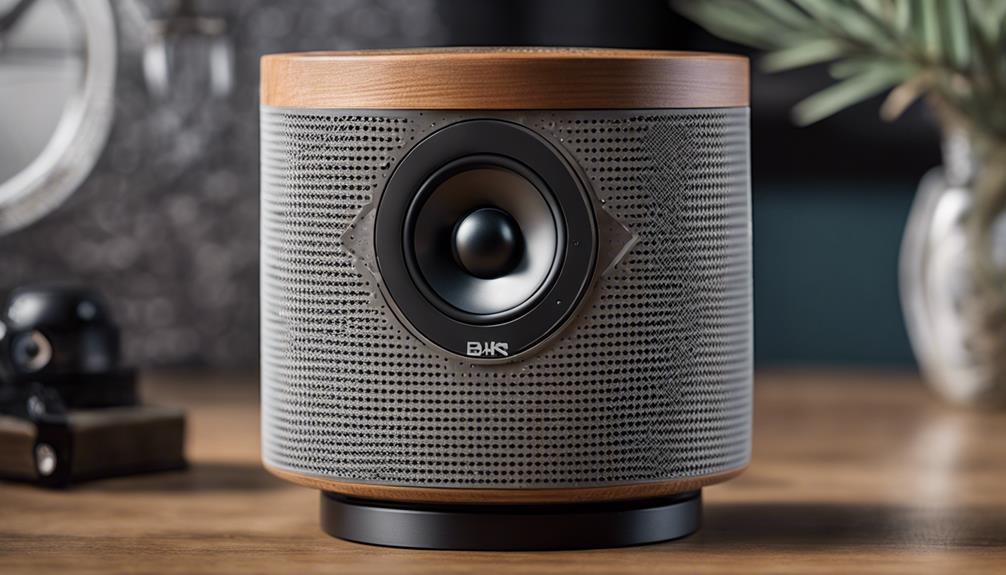

Bluetooth speaker cameras combine an ordinary-looking audio device with a small camera and, on some models, additional features such as motion alerts, night recording, mobile access, and two-way communication. Because these products can affect the privacy of everyone in their surroundings, they should be used only in lawful, consent-based situations. This guide explains the features to evaluate and the practical safeguards to consider before buying one.
What Is a Bluetooth Speaker Camera?
A Bluetooth speaker camera is a compact device designed to play audio while also recording video. Depending on the model, video may be saved to local storage or made available through a companion app. The speaker form factor can make the unit suitable for visible placement in a home, office, or other permitted setting, but it should never be used to secretly record people where they reasonably expect privacy.
Features Worth Comparing
Video quality and viewing angle
Resolution affects how clearly recordings show faces, movement, and other details. A wide-angle lens can cover more of a room, but a broader view may also capture areas that do not need to be monitored. Check whether the product provides adjustable framing, image correction, and a clear explanation of its actual recording limits rather than relying only on promotional descriptions.
Low-light recording
Night or low-light capability can be useful for permitted monitoring after dark. Infrared illumination may improve visibility without using a bright lamp, although image quality can vary considerably in darkness. Confirm whether night recording is automatic, whether infrared lights are visible, and how much detail the camera can realistically capture.
Motion detection
Motion detection can reduce unnecessary recording and conserve storage or battery power. Look for adjustable sensitivity, activity zones, and alert controls. Basic motion sensors may react to pets, moving curtains, or changes in lighting, so consider whether the app allows you to reduce unwanted notifications.
Battery and power options
Battery life depends on recording quality, wireless connections, motion activity, and app settings. A power-saving mode may extend operation by recording only when movement is detected, but it can also miss events outside the selected triggers. Review charging requirements and whether the device can operate continuously from a suitable power source.
App access and data storage
A mobile app may provide live viewing, saved clips, notifications, and device configuration. Before purchasing, check whether the camera requires an account, stores footage locally or in the cloud, and supports strong password protection. Features such as encryption, two-factor authentication, automatic firmware updates, and clear deletion controls are important when video could include sensitive information.
Setup and Placement
Follow the manufacturer’s instructions and place the device where all affected people can see it and understand its purpose. Position it to monitor only the area necessary for the stated security or care-related task. Avoid bedrooms, bathrooms, changing areas, and other private spaces. Keep the device stable, protect its charging cable, and test the camera’s field of view before relying on it.
- Change the default password immediately.
- Use a unique password for the camera account.
- Install updates from the official manufacturer.
- Limit app permissions to those the device actually needs.
- Delete recordings when they are no longer required.
- Securely reset the device before selling or disposing of it.
Privacy and Legal Considerations
Recording laws differ by location and may depend on whether video, audio, or both are captured. Audio recording is often subject to additional consent requirements. Workplace, rental-property, childcare, and shared-home situations may involve further rules or policies. Obtain clear permission whenever other people may be recorded, display notice where appropriate, and seek local legal advice if the intended use is unclear.
Making a Responsible Choice
The best Bluetooth speaker camera is not necessarily the one with the most features. Choose a model with transparent privacy controls, dependable software support, suitable image quality, and a recording method you can secure. Treat the camera as a networked device that stores potentially sensitive data, not simply as a speaker with an extra function. Used openly and responsibly, it can support limited, legitimate monitoring without turning ordinary spaces into areas of unwanted surveillance.