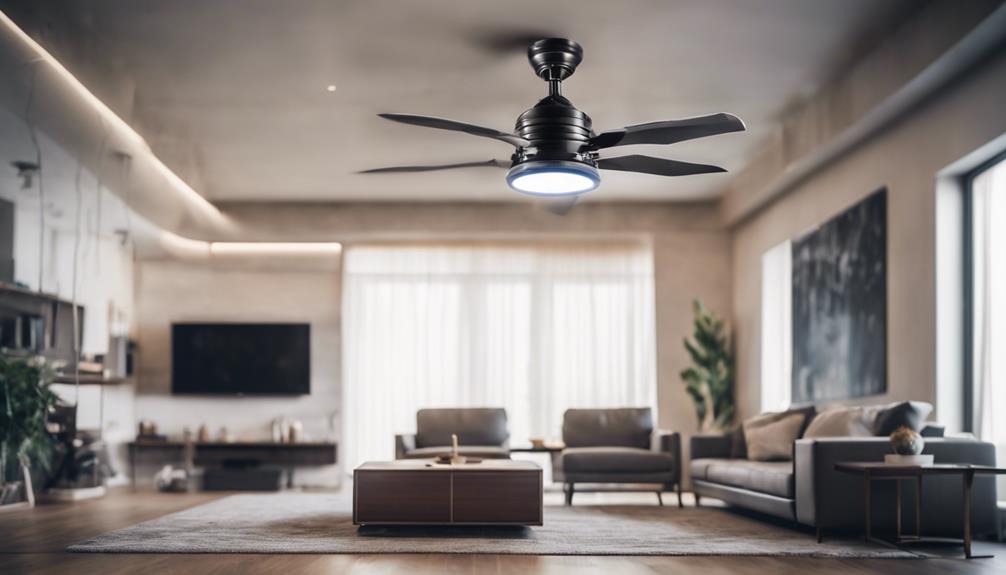

A spy camera fan combines an ordinary household fan with a built-in camera. Because this type of device can record people in their surroundings, setup should always follow local law and respect privacy. Use it only in areas where monitoring is permitted, provide notice or obtain consent when required, and never place it in private spaces such as bedrooms, bathrooms, or changing areas.
Choose the Right Spy Camera Fan
Start by comparing the camera and fan features that matter for your intended use. Image resolution affects how clearly people and objects appear, while the lens angle determines how much of the room can be seen. A model with 1080p video may provide useful clarity, but the best choice depends on the device’s actual specifications, lighting conditions, and storage options.
- Video quality: Check the resolution, low-light performance, and whether the image remains clear at the planned distance.
- Recording options: Confirm whether the device supports continuous recording, motion-triggered clips, local storage, or another method described by the manufacturer.
- Connectivity: If remote access is important, verify that the camera supports the required Wi-Fi network and viewing application.
- Fan operation: Make sure the fan’s controls, speed settings, and power requirements suit the room where it will be installed.
- Design and visibility: The camera should be integrated neatly without obstructing airflow or making the fan unstable.
Plan the Location Before Installation
Choose a stable location with a clear view of the area you are authorized to monitor. An elevated position or a corner with an unobstructed sightline can provide broader coverage, but avoid placing the fan where vibration, heat, moisture, or accidental contact could damage it.
Check the lighting at different times of day. A bright window or lamp directly facing the lens can create glare and make footage difficult to use. Point the camera toward evenly lit areas when possible, and confirm that the intended subjects will not be hidden by furniture, curtains, or other obstructions.
Do not assume that a wide-angle lens covers every part of a room. Review the live image after installation and adjust the fan’s position until the authorized area is framed correctly. Keep the device within a safe distance of the subjects and avoid extending cables across walkways.
Connect the Fan and Camera
Follow the product manual for the initial installation. Connect the power adapter to the specified port and use a suitable electrical outlet. Before switching the unit on, check that the cable and plug are undamaged and that the fan is sitting securely on a level surface.
Some models have the camera built into the fan, while others may require a separate connection or an app-based setup. Complete each step in the manufacturer’s stated order. If the camera does not start, check the power connection, confirm that any required memory card is installed correctly, and restart the unit according to the instructions. Avoid opening the housing or modifying the wiring unless the manufacturer specifically allows it.
Configure Remote Viewing Carefully
If the device supports Wi-Fi, connect it through the official app or setup interface. Use a strong, unique password for the camera account and change any default login details. Enable encryption, automatic security updates, or multi-factor authentication when those options are available.
Limit remote access to the people who genuinely need it. Review the app’s permissions and remove old users or viewing devices. Test the live feed from an authorized phone, tablet, or computer, then check whether the connection remains stable from the locations where it will normally be used. Do not share camera credentials or expose the device directly to the public internet unless the manufacturer’s secure process requires it.
Test Recording and Privacy Settings
Before relying on the camera, make a short test recording. Confirm that the lens is aimed correctly, audio is disabled if it is not necessary or permitted, and motion detection is set appropriately. Recording only what is needed can reduce privacy risks and make stored footage easier to manage.
Decide how long recordings should be retained and delete footage that is no longer required. Store files securely, especially if they contain identifiable people or sensitive activities. If the camera is used in a workplace, shared home, rental property, or other setting involving third parties, follow the applicable notice and consent requirements.
Maintain and Troubleshoot the Device
Inspect the fan and camera regularly. Unplug the unit before cleaning, then remove dust from the fan blades and housing with a soft, dry cloth. Clean the lens gently with a lint-free cloth, and check for loose parts, unusual noise, excessive vibration, or overheating.
- If the camera is offline, check the power supply and Wi-Fi connection before restarting it.
- If footage is blurry, clean the lens and recheck the focus, distance, and lighting.
- If motion alerts are unreliable, review the detection area and sensitivity settings.
- Install firmware or app updates through the official source, and review security settings afterward.
A properly selected and maintained spy camera fan can support lawful monitoring without compromising the safety or privacy of others. Position it carefully, secure its accounts, test its operation, and use recording features only for a clear, legitimate purpose.