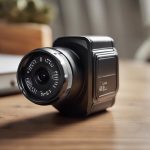

A hidden camera with SD card storage can provide a practical way to record activity locally without relying entirely on cloud subscriptions. The right choice depends on where the camera will be used, how long it needs to record, and whether you need features such as motion detection, night vision, or remote access.
Before installing any covert camera, check the privacy and recording laws that apply to your location. Recording people without their knowledge may be restricted, particularly in private spaces or where audio is captured. Use these devices only for lawful, legitimate purposes and avoid bedrooms, bathrooms, changing areas, and other places where people reasonably expect privacy.
What to Look for in an SD Card Hidden Camera
Video resolution and image quality
Resolution affects how clearly the camera captures faces, objects, and events. Higher resolution can provide more detail, but it may also use more storage space and require greater processing power. Consider the viewing area carefully: a wide room may benefit from a broader field of view, while a doorway may be better served by a narrower angle with more detail at a distance.
Local recording and SD card support
SD card recording keeps footage on the device rather than requiring a constant internet connection. Check the camera’s manual for its supported card type, capacity, speed rating, and formatting requirements. A card that is incompatible, damaged, or too slow may cause recording failures.
- Choose a card capacity that matches your recording schedule.
- Use motion-triggered recording when storage space is limited.
- Check whether the camera overwrites the oldest files when the card is full.
- Review important footage promptly and copy it to secure storage.
- Format the card using the camera’s recommended process when required.
Motion detection
Motion detection can reduce the number of empty recordings by starting capture only when movement is detected. Some models also offer adjustable sensitivity or activity zones. These controls can help reduce alerts caused by curtains, pets, changing light, or passing traffic.
Motion recording is not perfect, so test the camera from different angles and distances. A person moving quickly, poor lighting, or an obstructed lens can affect whether an event is captured.
Night vision and low-light performance
If the camera will operate after dark, examine its low-light capabilities rather than assuming that night vision will produce equally clear images in every setting. Infrared illumination may help in darkness, but reflective surfaces, glass, and nearby objects can create glare. Test the camera in its intended position before relying on it for important monitoring.
Wireless Access and Remote Viewing
Some SD card cameras connect to a local Wi-Fi network and provide live viewing or alerts through a mobile application. This can be useful when you need to check the camera while away, but it also introduces account and network-security considerations.
- Change default passwords immediately.
- Use a strong, unique password for the camera account.
- Install firmware updates supplied for the specific model.
- Secure your home or office Wi-Fi network.
- Disable remote access if you do not need it.
Remote viewing may stop working during an internet outage even if local SD card recording continues. Confirm how the camera behaves when the network is unavailable, and check whether an app, account, or subscription is required for alerts or off-site access.
Discreet Design and Responsible Placement
A compact design can make a camera less visually distracting, but concealment should never be used to defeat consent or privacy expectations. Place the device where recording is lawful and where it will not be blocked by furniture, decorations, tinted glass, or other obstructions. Keep the lens clean and make sure the camera has adequate power and ventilation.
Battery-powered models may be convenient, but recording continuously can shorten runtime. A wired model may be more suitable for fixed, long-term monitoring, provided the cable and power adapter can be installed safely.
Setup and Troubleshooting
Begin by reading the model-specific instructions. Insert a compatible SD card, power on the camera, set the date and time, and select the preferred recording mode. Record a short test clip, then play it back to confirm that the image, sound settings, timestamps, and storage function work as expected.
If the camera does not record, check the card format, available capacity, power connection, and motion settings. If remote access fails, verify the Wi-Fi connection and app permissions. Firmware updates may resolve some problems, but install them only according to the manufacturer’s instructions and avoid interrupting the update process.
Choosing the Best Option for Your Needs
The best hidden camera with SD card storage is not necessarily the smallest or most feature-heavy model. Prioritise dependable local recording, suitable image quality, adequate low-light performance, and controls that match your environment. Motion detection can conserve storage, while Wi-Fi access adds convenience but requires stronger security practices. Most importantly, use the camera transparently and lawfully wherever consent or notification is required.