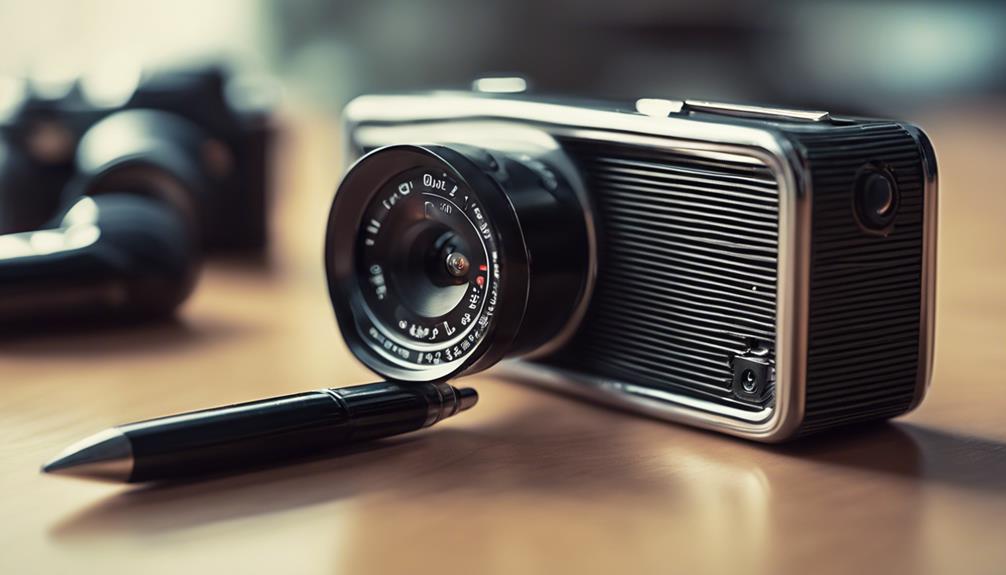

Non-Wi-Fi cameras record video without connecting to a wireless network or sending footage over the internet. Depending on the model, recordings may be saved to a memory card or internal storage, allowing the camera to operate in locations without reliable Wi-Fi. This can be useful for local security monitoring, travel, temporary observation of personal property, and other lawful situations where offline recording is preferred.
The right choice depends less on the camera’s appearance and more on how and where it will be used. Battery life, storage, recording triggers, low-light performance, and ease of retrieving footage are usually more important than having the smallest possible design.
What to Look for in a Non-Wi-Fi Camera
- Local storage: Check whether the camera uses a memory card, built-in storage, or another recording medium. Confirm the supported capacity and how files are transferred.
- Power source: Battery operation improves portability, while a USB or mains connection is better for extended recording in a fixed location.
- Recording modes: Continuous recording uses more storage and power. Scheduled or motion-triggered recording can be more efficient.
- Video quality: Resolution, frame rate, lens angle, and image quality in changing light all affect how useful the footage will be.
- Ease of operation: A simple start/stop control, clear status indicators, and straightforward file access can make a significant difference.
- Physical design: Select a form factor that suits a legitimate, clearly defined purpose rather than choosing a device solely because it is difficult to notice.
Miniature and Portable Cameras
Small non-Wi-Fi cameras are easy to move between locations and may be built into compact housings such as USB-style cases, pens, or other everyday forms. Their main advantages are portability and flexible placement. However, smaller devices often have limited battery capacity, reduced storage, or a narrower lens than larger cameras.
Before choosing a miniature model, consider whether its controls can be operated reliably and whether the recording indicator, charging method, and file-transfer process are practical. A compact camera is only useful if it can capture footage consistently and the files can be reviewed when needed.
Motion-Activated Recording
Motion-activated cameras begin recording when movement is detected within the lens’s field of view. This can reduce unnecessary footage and help conserve battery power and storage compared with continuous recording. It is particularly suitable for monitoring an entryway, room, vehicle, or personal belongings when activity is intermittent.
Motion detection is not always perfect. Very small movements, objects outside the detection zone, poor lighting, or an overly sensitive setting can affect results. Look for adjustable sensitivity and, where available, a short pre-recording or post-recording period so that important activity is less likely to be missed.
Battery-Powered Options
Battery-powered cameras can be installed where there is no convenient outlet. They are useful for temporary setups and portable monitoring, but operating time varies with recording mode, temperature, motion frequency, and night-vision use. Continuous recording generally drains a battery faster than motion-triggered operation.
Review the charging method and expected runtime before purchase. A removable battery, external power bank compatibility, or a low-power standby mode may be valuable for longer sessions. Test the camera in its intended location before relying on it, since walls, furniture, and temperature can affect performance.
Night Vision and Low-Light Recording
For dark environments, choose a camera with infrared night vision or another stated low-light mode. Infrared illumination can make nearby subjects visible without requiring ordinary room lighting, although footage may appear monochrome and detail can decrease with distance.
Night vision works best when the lens is clean and the scene does not contain reflective surfaces close to the camera. Check whether the camera switches automatically between daytime and nighttime modes, and test the image at the distance where identification or monitoring will actually take place.
Wearable Cameras
Wearable non-Wi-Fi cameras may be attached to clothing, equipment, or accessories for hands-free recording. They can be useful for documenting a person’s own activities, training, inspections, or property-related events. Comfort, mounting stability, battery life, and the position of the lens are key considerations.
Audio recording may be included, but audio privacy rules can be stricter than video rules. Always check the laws that apply to the location and situation before recording anyone.
Privacy and Legal Considerations
Offline operation does not make surveillance automatically lawful. Do not use a camera to record people in private spaces without appropriate permission, and do not place devices where individuals would reasonably expect privacy. Recording conversations, using wearable cameras, and capturing footage in workplaces or shared buildings may be subject to additional requirements.
For a responsible setup, define the purpose of recording, limit the camera’s field of view, secure stored files, and retain footage only as long as necessary. When consent is required, obtain it before recording.
Choosing the Best Fit
A non-Wi-Fi camera is a practical option when local recording, portability, or independence from an internet connection matters. Choose motion activation for intermittent activity, battery power for flexible placement, night vision for dark scenes, and a wearable design only when hands-free recording is appropriate and lawful. Comparing these features with the actual recording environment will produce a more reliable result than choosing based on size or appearance alone.