
Using a body-worn camera can be useful for documenting your own activities, creating personal videos, or recording situations where everyone involved understands that recording is taking place. Because these devices can capture images and audio of other people, responsible use matters as much as camera placement and image quality.
Start With Permission and Local Rules
Before wearing a camera, consider whether recording is lawful and appropriate in your location. Privacy and consent requirements can vary, particularly when audio is recorded or when people have a reasonable expectation of privacy. Do not use a body-worn camera in private spaces, sensitive situations, or around people who have not agreed to be recorded.
When in doubt, tell people that you are recording and explain the purpose. Avoid recording confidential conversations, personal information, medical situations, or restricted areas. Recording should never be used to intimidate, harass, or secretly monitor another person.
Choose a Camera That Fits the Activity
Select a device based on how and where you plan to use it. Important considerations include:
- Size and weight: A compact, lightweight camera is more comfortable for longer periods.
- Battery life: Choose enough capacity for the length of the planned recording, and charge it before use.
- Storage: Make sure the camera has sufficient internal storage or a compatible memory card.
- Video quality: Select a resolution that provides useful detail without creating unnecessarily large files.
- Controls: Simple, accessible buttons make it easier to start and stop recording without interrupting your activity.
Features such as stabilization, a wide-angle lens, or low-light performance may be helpful, but they should support a legitimate recording purpose rather than encourage recording where it is not appropriate.
Wear the Camera Securely
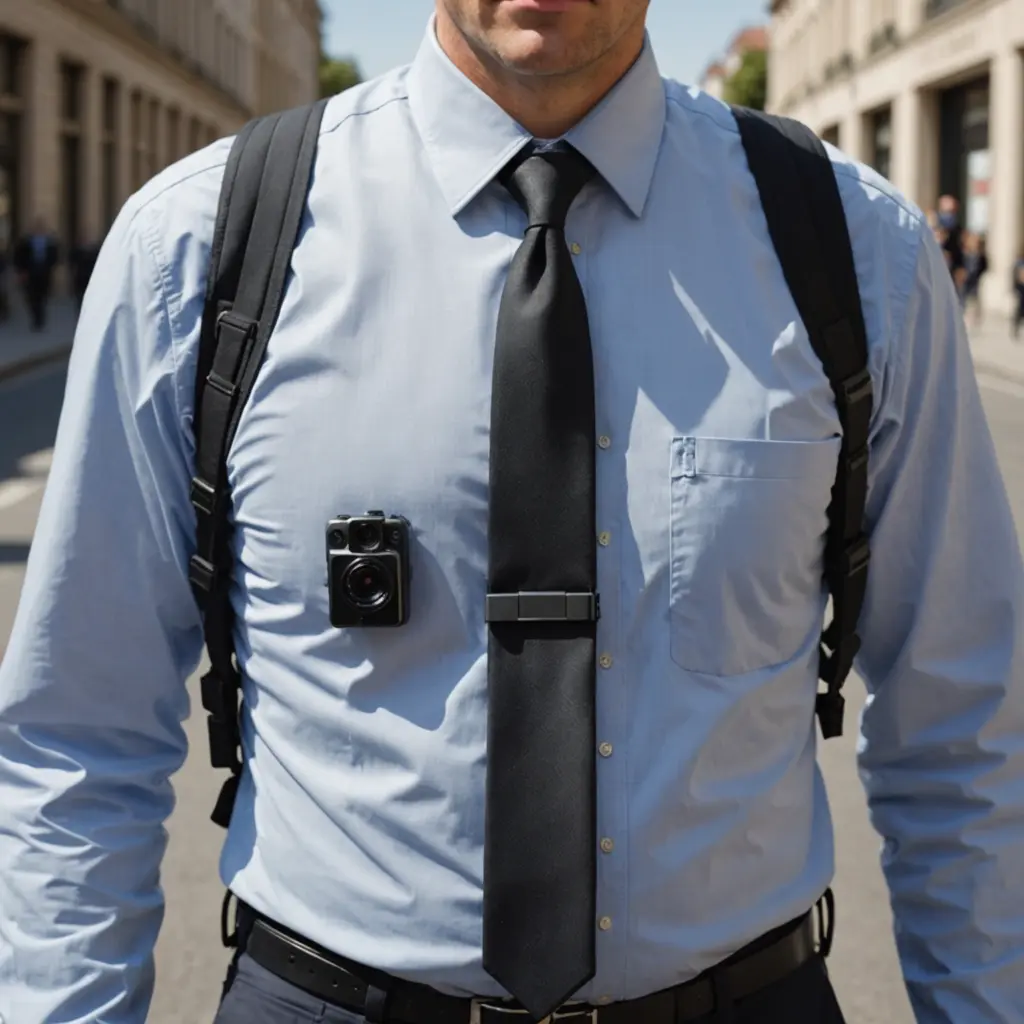
Use the manufacturer’s clip, harness, strap, or mount instead of improvised fasteners. A secure attachment reduces shaking and helps prevent the camera from falling or becoming damaged. Common visible positions include the chest, shoulder strap, or upper torso, provided the camera does not interfere with movement or safety equipment.
Check that the lens is unobstructed and that clothing, hair, bags, or straps are not covering the frame. Position the camera so it points generally in the same direction as your line of sight. A slightly downward angle can help keep the subject within the frame, but test the position before recording anything important.
Test the Framing and Audio
Record a short test clip while standing, walking, and turning naturally. Review it to check for excessive motion, blocked views, poor exposure, or unwanted background noise. If audio is enabled, confirm that the microphone is not covered and that the recording is clear enough for its intended purpose.
Lighting also affects results. Avoid pointing directly toward a strong light source when possible, and check whether faces or other important details are too dark. Use the camera’s available exposure or recording controls only as needed; complicated adjustments can distract you from your surroundings.
Operate It Carefully
Learn how to start, pause, and stop recording before you leave. Check the battery, available storage, date, and time settings in advance. Keep your movements natural and remain aware of other people, traffic, equipment, and changing conditions. Do not adjust a camera while driving, climbing, handling machinery, or performing another task that requires your full attention.
When recording in a public or shared setting, make the camera visible and provide notice when appropriate. If someone asks not to be recorded, stop recording or move away unless you have a clear legal and ethical reason to continue.
Store Recordings Responsibly
Transfer important files to a secure location and limit access to people who need them. Use clear file names and delete footage that is no longer necessary, especially when it contains identifiable people or sensitive information. Do not publish or share recordings without considering consent, privacy, and the possible consequences for everyone shown or heard.
Troubleshoot Common Problems
- Camera will not start: Charge the battery and check whether storage is full.
- Shaky footage: Tighten the mount, choose a more stable position, or enable stabilization if available.
- Obstructed view: Reposition the camera and inspect the lens for dirt or clothing.
- Poor audio: Check the microphone opening, recording settings, and surrounding noise.
- Connection problems: Confirm that wireless features are enabled and follow the device’s pairing instructions.
A body-worn camera works best when it is secure, tested, and used transparently. Careful preparation improves the footage while respecting the privacy and safety of the people around you.