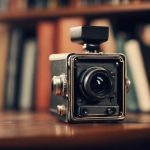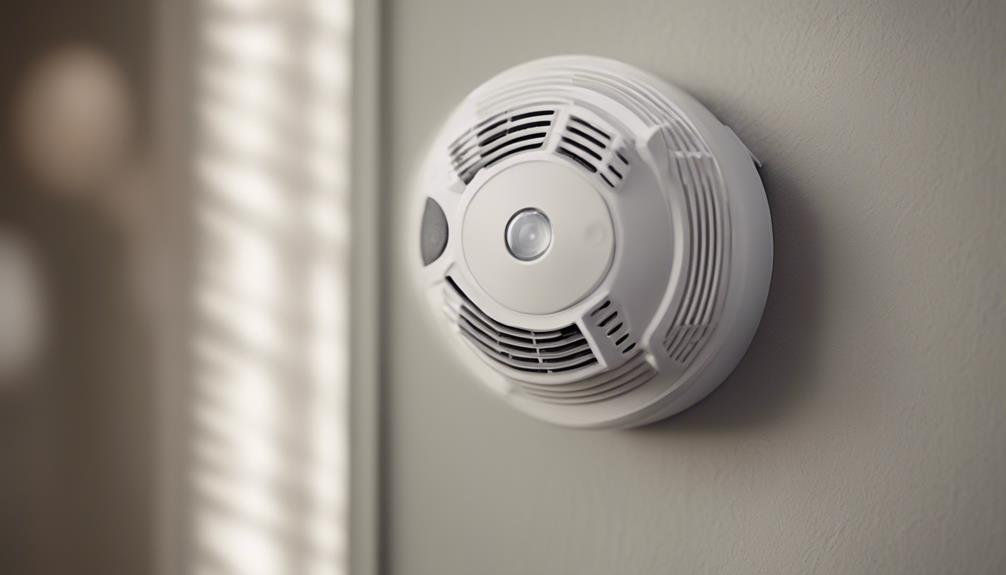

A smoke detector camera with night vision can provide discreet video monitoring in a room where a conventional camera may attract attention. The right choice depends on more than image quality, however. Before comparing models, consider recording resolution, low-light performance, motion detection, remote access, installation, privacy, and—most importantly—whether the device remains a reliable smoke alarm.
Features That Matter Most
Start by identifying how you intend to use the device and how much coverage the room requires. A useful smoke detector camera should offer a practical balance of the following features:
- Video resolution: Higher resolution generally produces clearer recordings and makes details easier to distinguish. Check whether the stated resolution applies to stored video as well as the live view.
- Night vision: Infrared illumination and a sensitive image sensor can improve visibility in darkness. Look for information about image clarity and viewing distance rather than relying on the phrase “night vision” alone.
- Motion detection: Adjustable sensitivity can help reduce unwanted alerts. Detection zones, if available, are useful when you want to monitor one part of a room rather than every movement.
- Remote viewing: Wi-Fi connectivity and a companion app may allow live viewing and alert delivery on a phone or computer. Confirm that the setup process and account requirements suit your needs.
- Storage: Check whether footage is saved to a memory card, a connected device, or an online service. Loop recording can overwrite older clips when storage is full, so review how important recordings can be preserved.
- Power: A permanently powered unit avoids the limitations of a small battery, but it may require more careful installation. If a model uses a battery, consider how often it must be checked and recharged.
Choosing the Best Overall Option
The best all-purpose model is not necessarily the one with the longest feature list. Prioritize dependable night footage, stable connectivity, clear recordings, and motion alerts that can be adjusted to the room.
Test the live view from the intended installation position before relying on the device. A camera can have a strong specification but still produce a poor view if the lens is obstructed, the field of view is too narrow, or the room has reflective surfaces that interfere with infrared illumination. The camera should also cover the area you need without pointing into spaces where recording would be inappropriate.
What to Look for in a Lower-Cost Model
A budget-friendly option can work for basic monitoring, provided its limitations are understood. Look for essential functions such as motion-triggered recording, remote access, night vision, and straightforward setup. Avoid choosing solely on price if the product provides little information about storage, app access, power requirements, or image quality.
Lower-cost devices may offer fewer control options, shorter support periods, or less consistent wireless performance. If remote access is important, test the connection at the installation location and review the app’s privacy and notification settings. A simple system that reliably delivers the footage you need is more useful than a cheaper device that frequently disconnects or misses motion.
When High-End Performance Is Worth Considering
A higher-priced model may be appropriate when you need more dependable monitoring, clearer recordings, or greater control over alerts. Useful upgrades can include improved low-light imaging, more precise motion settings, better remote access, and more flexible recording options.
High-end construction may also make installation and maintenance easier, but it does not remove the need to check the camera’s actual view. Read the specifications carefully and distinguish between marketing terms and features you will use regularly. For example, a wide viewing angle is only beneficial if it does not make important subjects appear too small in the recording.
Installation and Safety Checklist
Follow the manufacturer’s instructions and install the unit only where it can function correctly as both a detector and a camera. Do not cover, disable, relocate, or modify a smoke alarm in a way that could prevent it from detecting smoke. If the camera component compromises the alarm’s operation, use a separate, properly installed certified smoke alarm instead.
- Choose a position with a clear view and suitable wireless signal.
- Secure the device firmly and check that the lens is not blocked.
- Connect it to Wi-Fi using a strong, unique password.
- Enable only the alerts and recording settings you need.
- Test live viewing, motion alerts, night vision, and saved footage after installation.
- Check batteries, power connections, software, and storage regularly.
Comparing Night Vision Properly
When comparing models, assess more than whether night vision is included. Consider how clearly the device records faces, movement, and room details in the actual conditions where it will be used. Compare infrared range, low-light sharpness, glare, contrast, and the width of the nighttime view. If possible, review sample footage recorded in darkness rather than relying only on daytime images.
Privacy and Legal Considerations
Because a smoke detector camera is designed to blend into its surroundings, privacy deserves particular attention. Use video monitoring only for lawful purposes, follow applicable recording and consent rules, and avoid private areas where people would reasonably expect not to be recorded. Secure stored footage and limit access to trusted users.
Ultimately, the strongest choice combines usable night vision, dependable recording, sensible motion controls, secure remote access, and safe smoke detection. Compare those practical qualities before considering appearance or a long list of extra features.